
Last week, I shared a post on LinkedIn without expecting anything unusual.
Same platform. Same audience. Same posting habit.
Then the notifications started piling up.
Likes kept coming in. Comments didn’t stop. The impression count climbed far beyond what I normally see. It reached numbers I honestly didn’t expect from my account.
That’s when I realized something important:
That post didn’t go viral by accident.
There were specific factors behind it, and once you understand those factors, you can stop guessing and start repeating the results. That’s exactly what people mean when they talk about a “LinkedIn viral post generator.”
 Altug Altug
What Does “Viral” Mean on LinkedIn?
Viral on LinkedIn doesn’t always mean millions of views.
A post is viral when it performs significantly above your usual baseline. If your posts normally get 1,000 impressions and one suddenly hits 15,000, that’s viral for your account.
Virality is relative, and it’s driven by patterns, not luck.
You should have a good profile on LinkedIn to generate viral posts. Do you have a successful LinkedIn profile? You can find it out by calculating your LinkedIn Profile Score ⬇️
 Altug Altug
What Factors Make a LinkedIn Post Go Viral?
1. A Strong Hook in the First Two Lines
People scroll fast. If the first two lines don’t stop the scroll, the post never gets a chance.
The viral post opened with a clear outcome and a hint of curiosity, which pushed people to click “see more.”
2. A Relatable Topic With a Clear Audience
The post spoke directly to a specific group experiencing the same challenge. When readers see themselves in a post, engagement follows naturally.
3. High Dwell Time
LinkedIn rewards time spent on content. Formats like carousel and document posts perform especially well because they keep people interacting longer.
4. Early Engagement Velocity
The first 30 to 90 minutes after publishing are critical. Early comments and reactions signal quality and push the post into more feeds.
5. Shareability
Posts that offer a clear takeaway or framework are more likely to be shared privately or reposted.
What Is a LinkedIn Viral Post Generator?
A viral post generator isn’t a magic button.
It’s a repeatable system built around:
- Proven post formats
- Strong hooks
- High-dwell-time content
- Posting when your audience is online
- Consistency
Once you follow a system, results become far more predictable.
How I Used Circleboom Publish as My LinkedIn Viral Post Generator
After understanding how much timing, format, and hooks matter, I wanted a way to bring all of it together without guessing.
That’s where Circleboom Publish came in.

Circleboom is a powerful all-in-one publishing tool that allows you to manage multiple accounts across multiple platforms, including LinkedIn, Twitter, Facebook, Pinterest, Google Business Profile, YouTube, Threads, and more.
It gave me a single dashboard where I could create, plan, and schedule all LinkedIn content for every client or brand page I managed.
What I love about Circleboom is that it’s not just a scheduler, it’s a LinkedIn content creation suite.
Here are a few features that made a difference in my workflow:
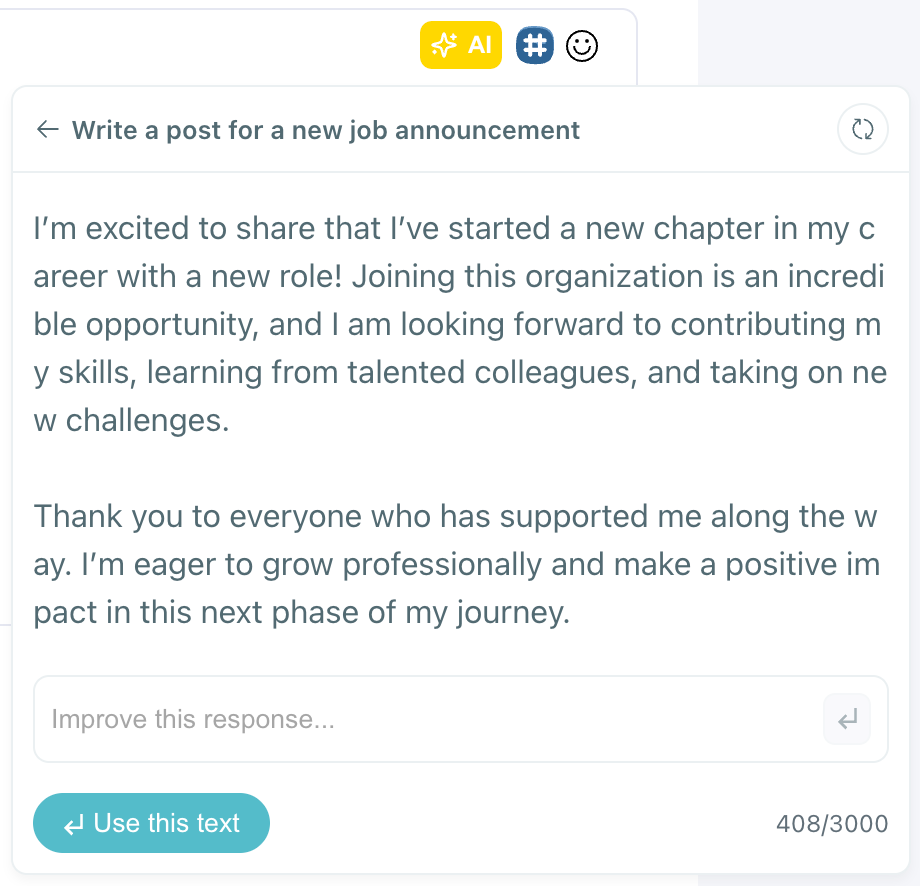
🤖 AI LinkedIn Post Generator: It writes engaging posts with just a few prompts.
❓ LinkedIn Poll Generator: Helps create interactive, engagement-boosting polls in seconds.
🎡 Carousel Generator: Perfect for sharing multi-slide visual content, no design skills needed.
🖼️ Image Curation: It fetches relevant images based on your keywords so you don’t have to search endlessly.

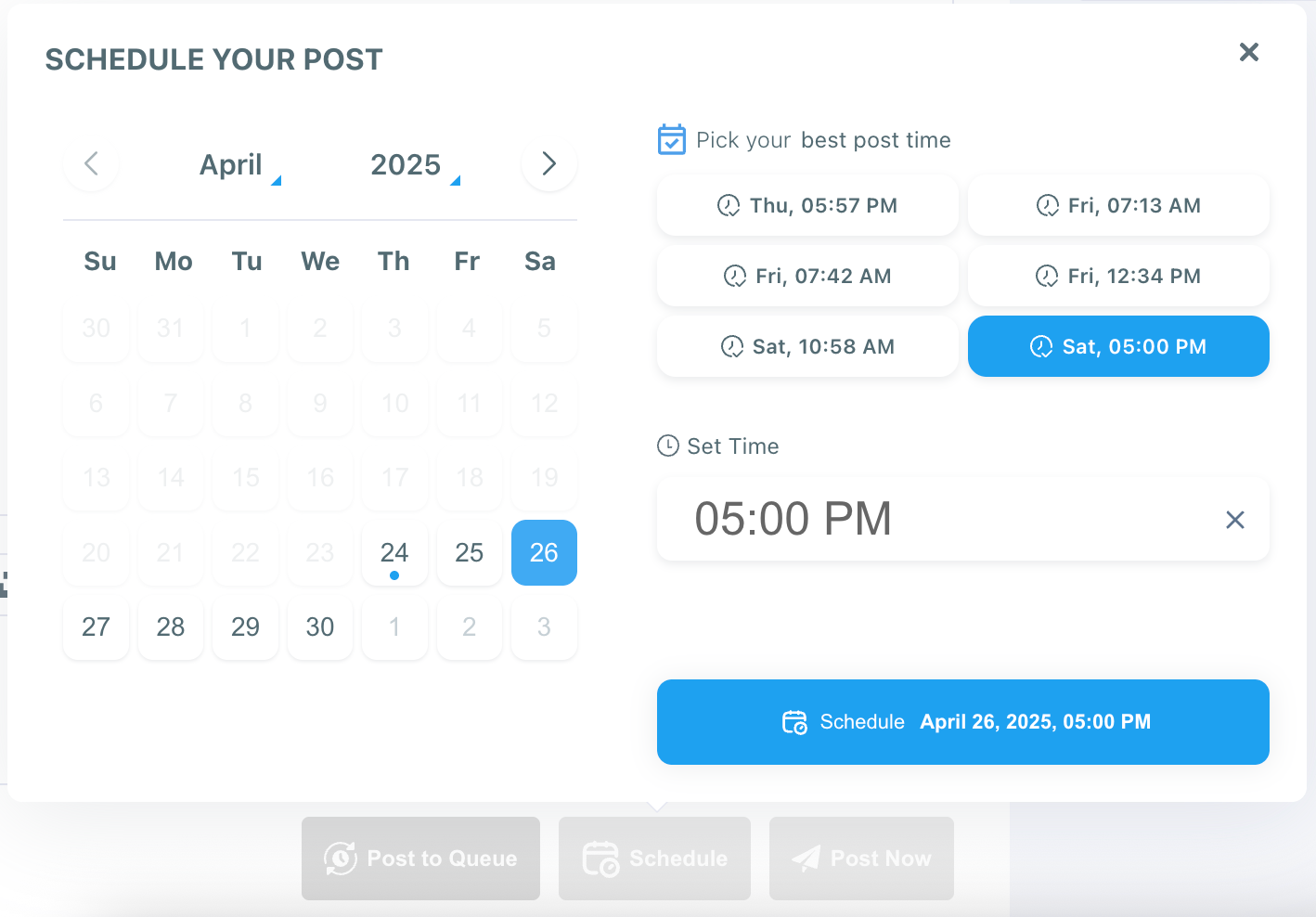
⏰ Best Time to Post: It suggests the optimal times when your audience is most active.
🔄 RSS Feed Integration: You can connect your blog or favorite publications to auto-share fresh content on LinkedIn.
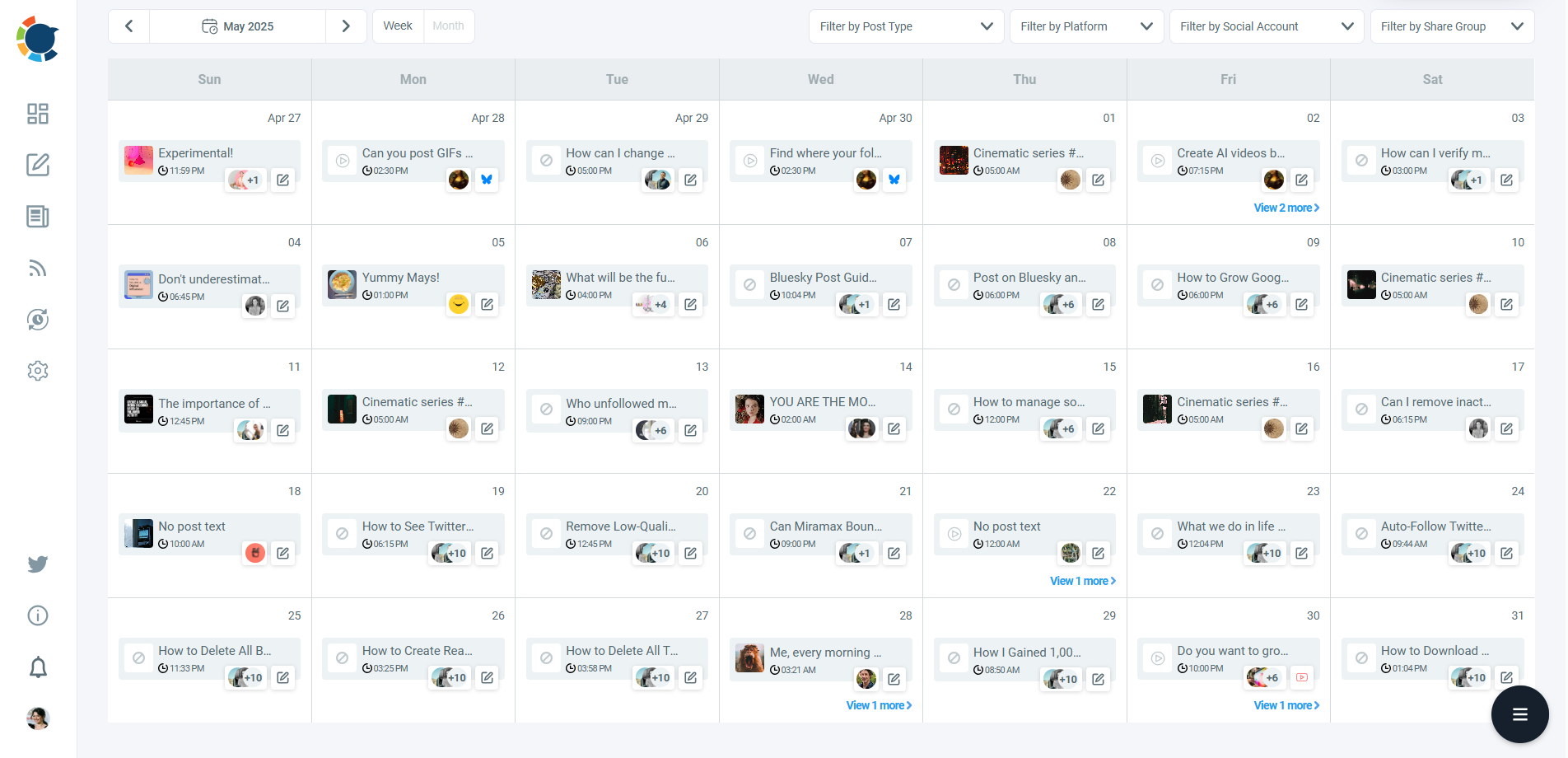
Thanks to Circleboom, I was able to create a full month of posts for multiple brands in one sitting, and post them at exactly the right time, without being glued to my screen.
How to Generate a Viral LinkedIn Post With Circleboom Publish (Step by Step)
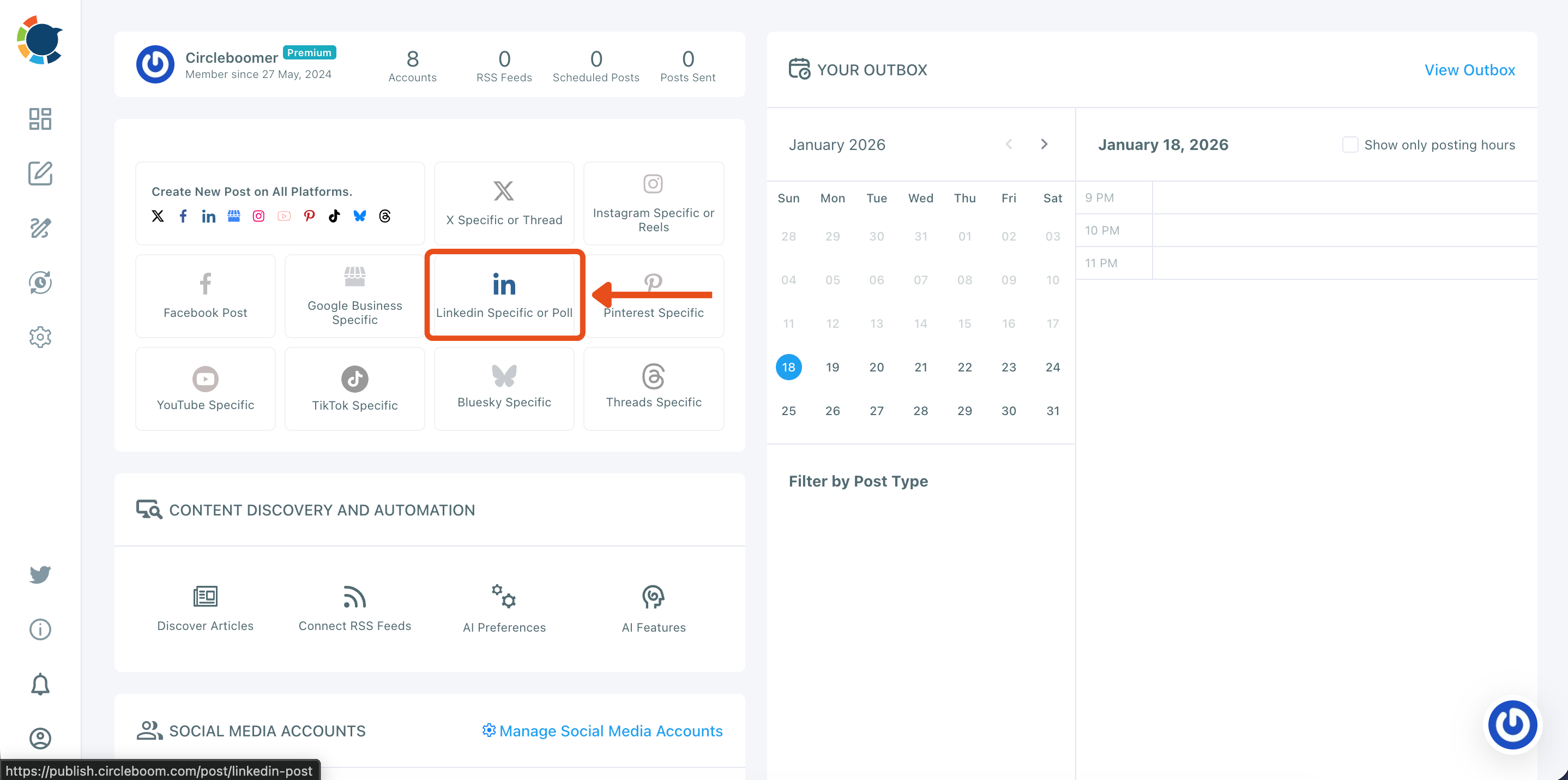
Step #1: Start a new LinkedIn post
From your Circleboom Publish dashboard, go to the “Create New Post” area and click LinkedIn Specific or Poll.
This opens the LinkedIn composer so you can create a post designed specifically for LinkedIn.
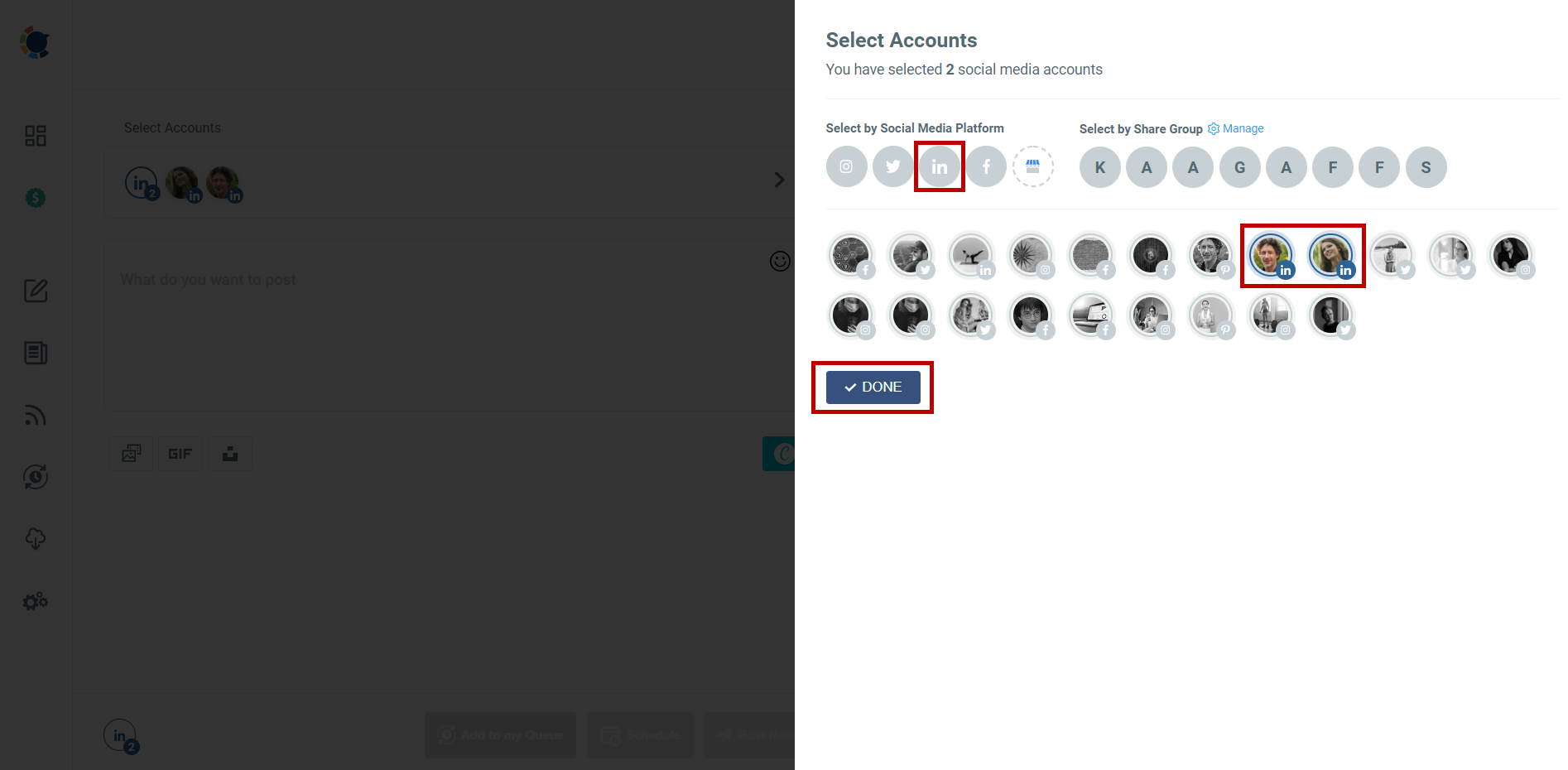
Step #2: Select the LinkedIn account(s) you want to publish from
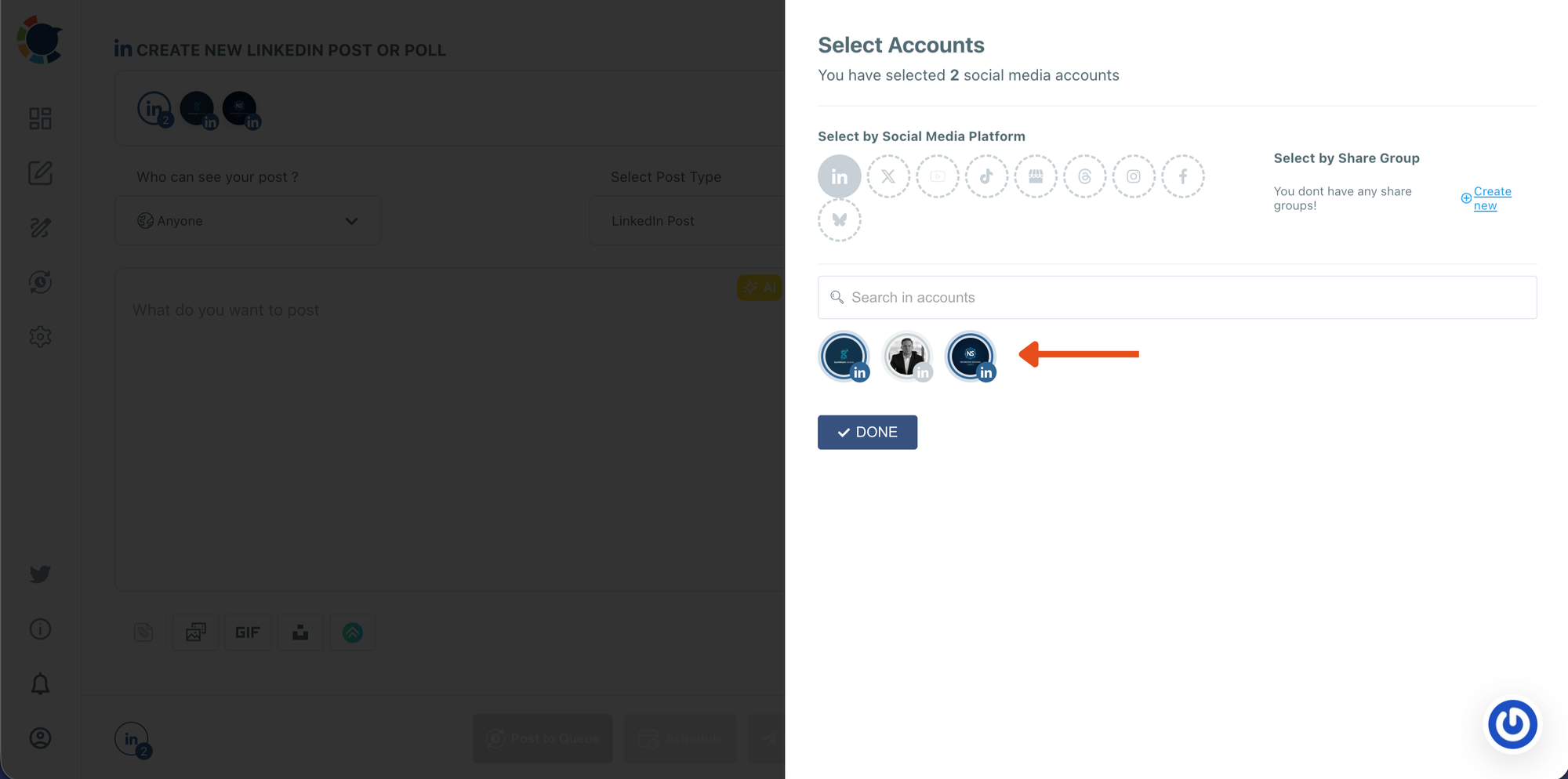
In the Select Accounts panel, choose the LinkedIn profile or page you want to use.
If you manage multiple accounts, you can select more than one. When you’re ready, click DONE to move forward.
Step #3: Choose the Carousel/Gallery post type
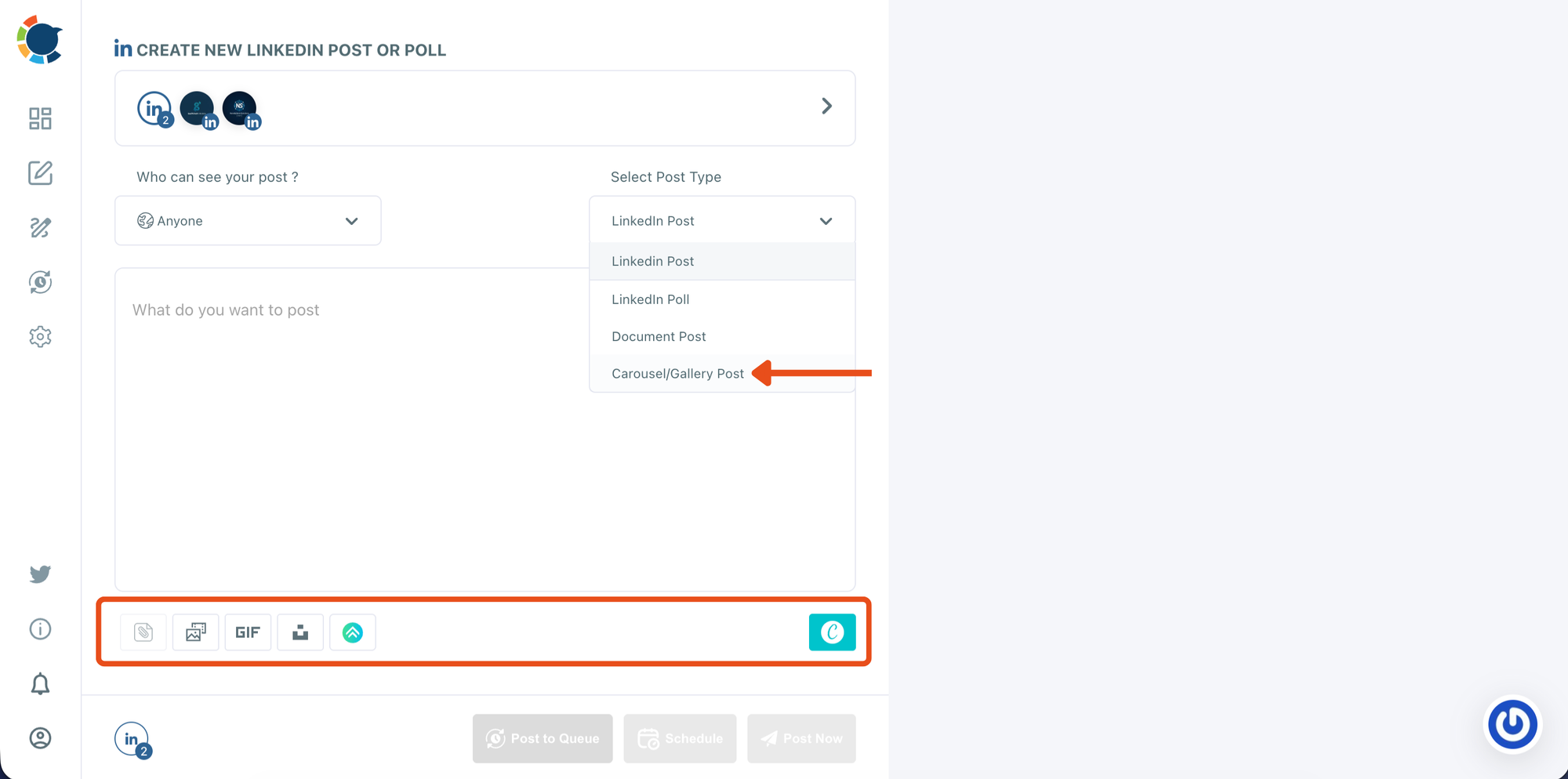
Inside the LinkedIn composer, open the Select Post Type dropdown and select Carousel/Gallery Post.
This enables carousel publishing and prepares the media area where you’ll upload your slide images.
Step #4: Design your carousel slides in the editor
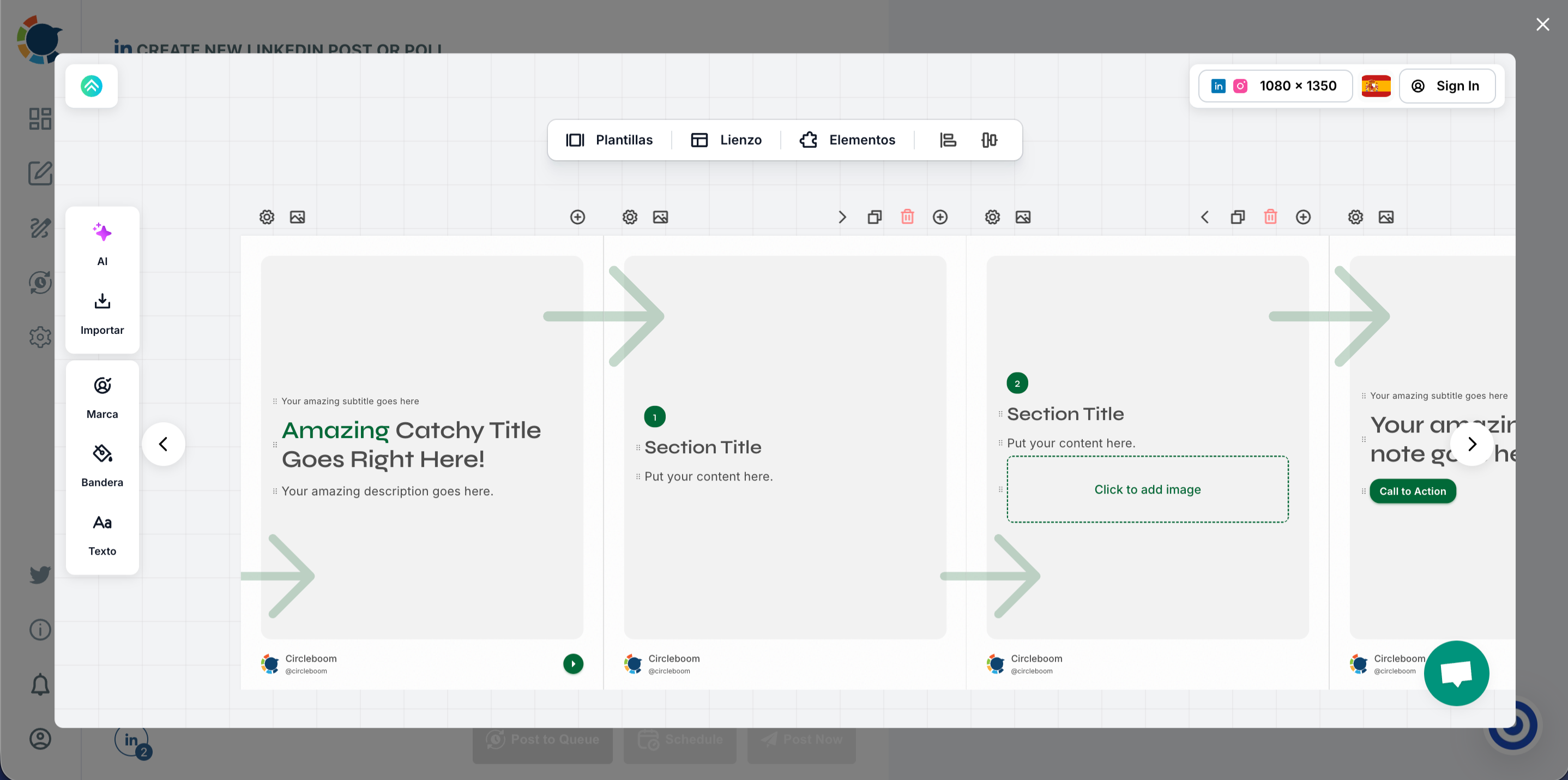
Open the integrated design editor and pick a carousel template.
Edit each slide by updating titles, adding visuals, adjusting layout, and keeping your branding consistent across all pages.
Once finished, export or save your slides so they’re ready to upload.
Step #5: Upload your carousel slides and write your LinkedIn caption
Or upload your slide images into the media bar (drag-and-drop or click to upload).
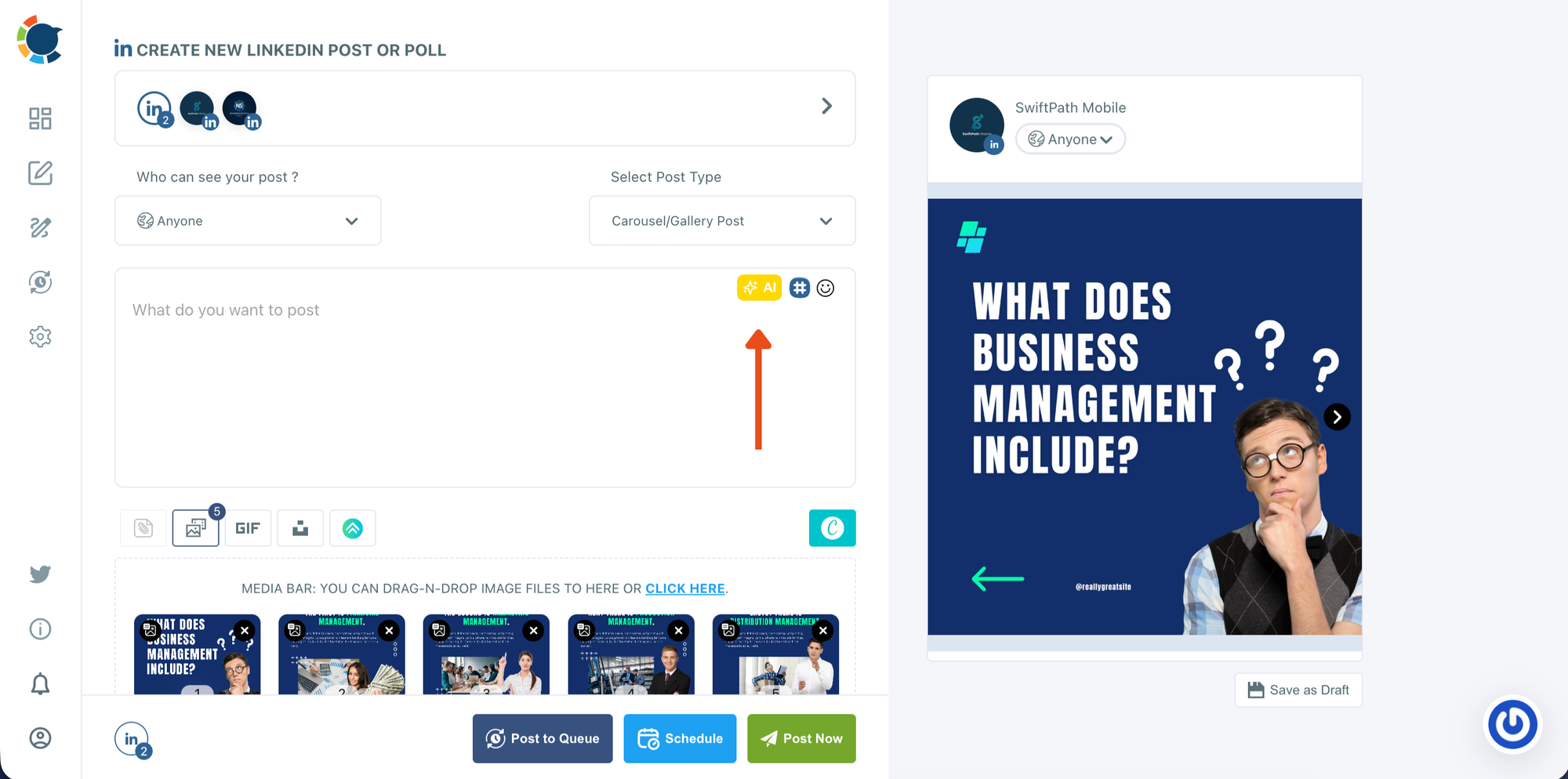
Check the preview on the right to confirm the slide order and how the carousel will appear on LinkedIn. Then write your caption in the text box.
If needed, use the AI option to generate or refine your copy based on the carousel topic.
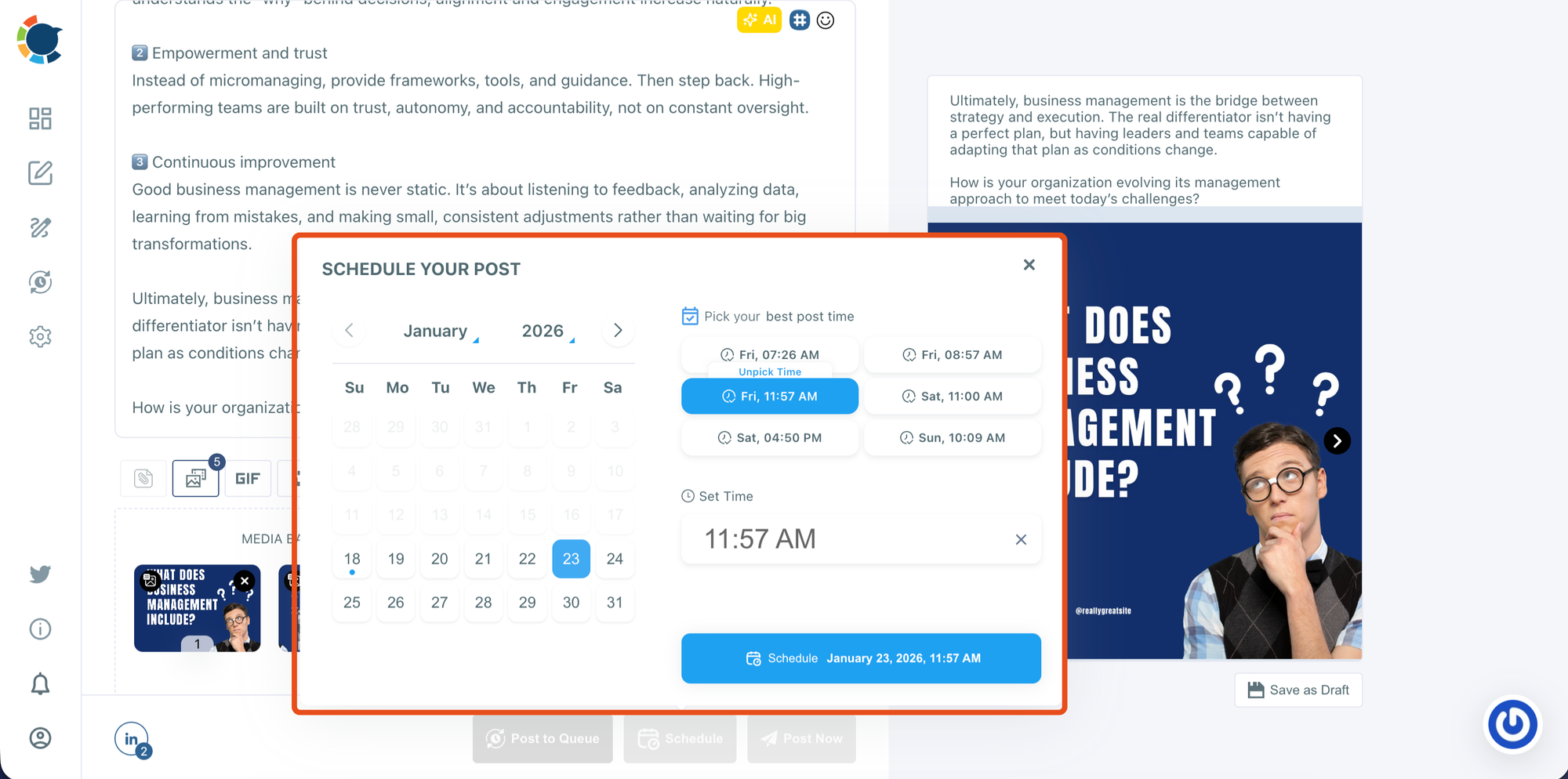
Step #6: Decide whether to post now or schedule for later
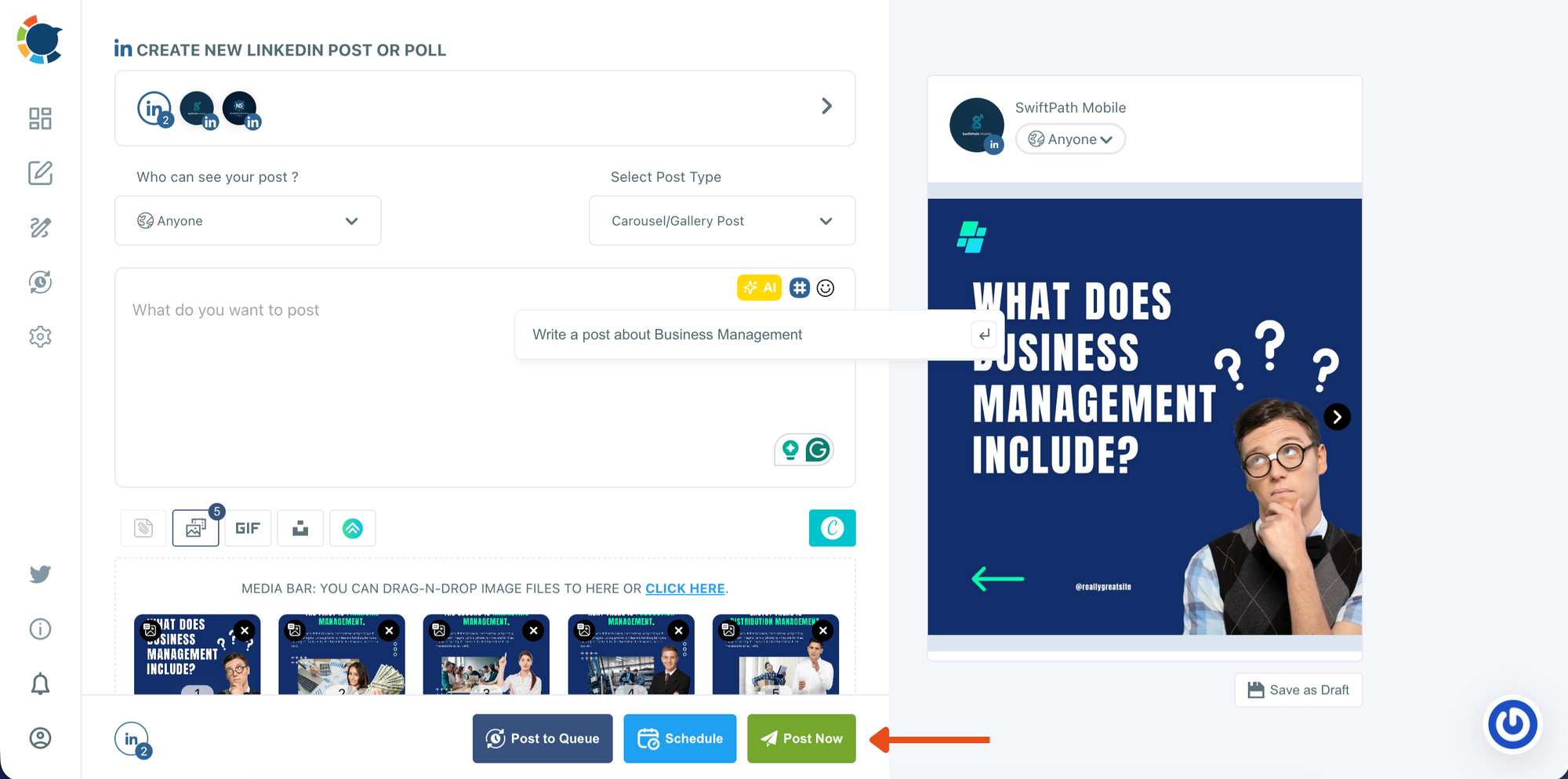
When everything looks ready, choose how you want to publish:
- Post Now to publish immediately
- Schedule to set a date and time for later
This step is where you move from final review into publishing mode.
In the scheduling window, select the date from the calendar. Choose one of the suggested best-time options or manually set your own time. Then click Schedule to confirm and add your carousel post to your publishing plan.
Extra Tips to Increase Viral Potential on LinkedIn
- Avoid external links in the main post body
- Reply quickly to early comments
- End posts with a simple question to invite discussion
- Reuse high-performing formats
- Maintain consistency by scheduling ahead
Viral LinkedIn Posts Are Built, Not Random
That viral post wasn’t a coincidence.
It was the result of:
➡️ A strong hook
➡️ The right format
➡️ Data-driven timing
➡️ A repeatable system
A LinkedIn viral post generator isn’t about chasing virality. It’s about giving every post the best possible chance to perform by removing guesswork from the process.
When you combine structure, timing, and consistency, growth stops feeling random and starts feeling intentional.

