On X API pay per use, $100 buys 20,000 tweets, because every post read costs $0.005. Circleboom is an Official X Enterprise Developer and collects the same official X tweets at a lower rate per tweet, so the same $100 stretches to between about 22,000 and 28,500 tweets depending on the package. You also get the accounts behind those tweets and a CSV export without writing any code.
A hundred dollars sounds like a lot of tweets. For a quick look at a hashtag, it is.
Then the questions get bigger. A brand wants every mention from the last quarter. A researcher wants a year of conversation around a topic. A sales team wants the people who complained about a competitor, not just the complaints. The budget that looked generous on Monday is gone by Wednesday, and the data is still sitting in JSON files.
On the X API, the math never changes: every tweet costs the same half cent, no matter how many you pull. With Circleboom Twitter, you can search historical and live tweets on X from official data, at a per-tweet rate that drops as your project grows.
How X API pay per use works for tweets
X replaced its fixed monthly API tiers with pay-per-usage credits. You buy credits in the developer console, and every request draws from them. According to X’s official pricing page, reading a post costs $0.005 per resource, and every tweet returned counts as one resource.
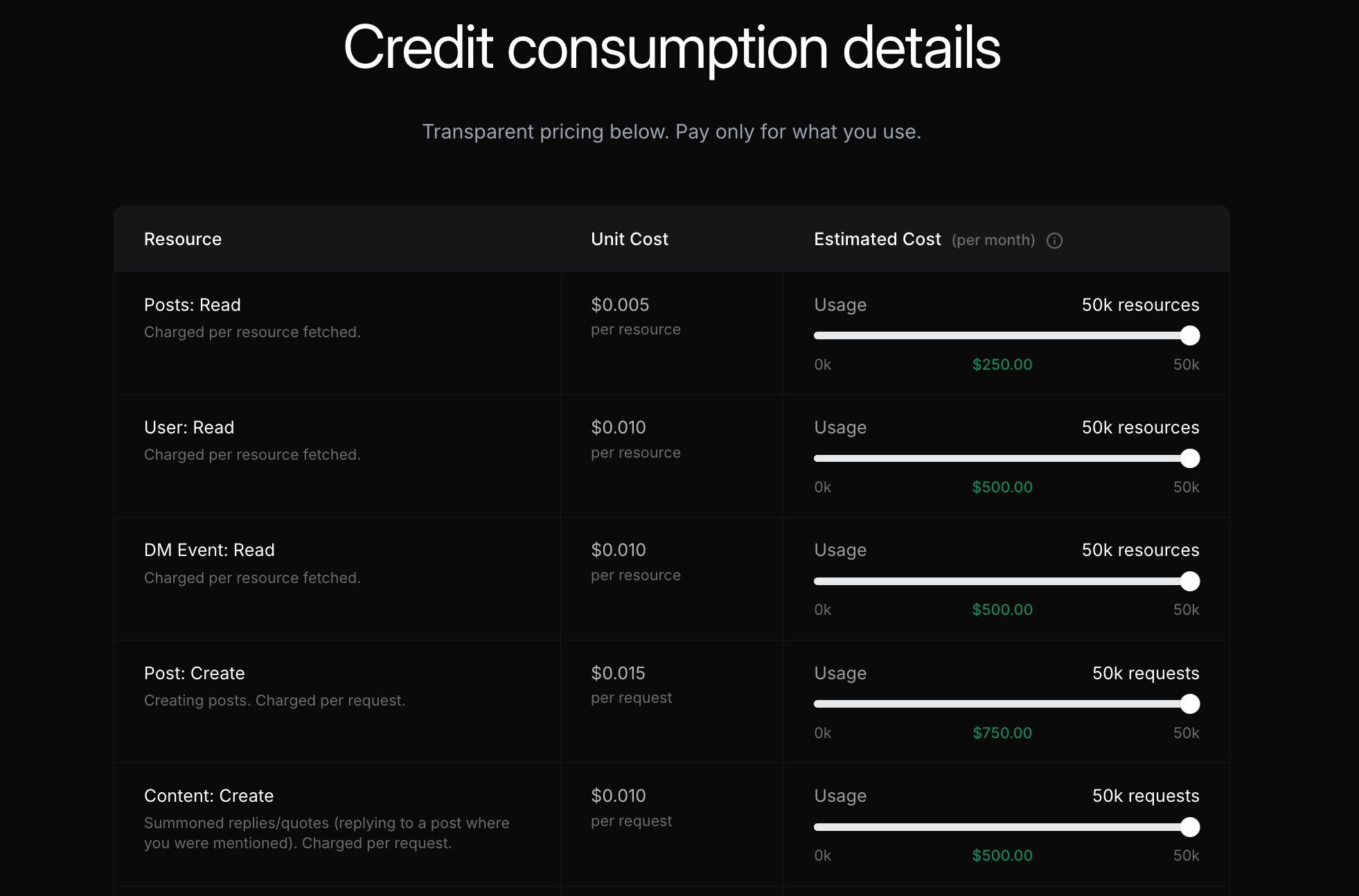
That gives one simple formula:
Tweets you get = budget ÷ $0.005
So on X API pay per use:
- $25 buys 5,000 tweets
- $100 buys 20,000 tweets
- $500 buys 100,000 tweets
- $5,000 buys 1,000,000 tweets
On the X API, a tweet costs the same half cent whether you pull a thousand or a million. There is no volume discount.
X also caps pay-per-usage plans at 3 million post reads per monthly billing cycle. Anything above that needs an Enterprise plan.
Same official X tweets with Circleboom
The comparison only makes sense if the tweets are the same. They are.
Circleboom is listed in X’s Enterprise customer directory as an Official X Enterprise Developer. Historical Tweet Search and Real-time Tweet Search both retrieve public tweets through the official X Enterprise API. No scraping, no unofficial endpoints, no shared passwords.
What changes is the price per tweet. Circleboom sells tweet collection in packages, and the larger the package, the lower the rate:
- 25K tweet package: 10% less per tweet than the X API
- 100K tweet package: 20% less per tweet
- 1M tweet package: 30% less per tweet
The exact package prices are shown inside the tool when you buy a package, and your plan options are on the Circleboom plans and pricing page.
What $100 really buys: the math
Here is the same $100 run through both options.
On X API pay per use: $100 ÷ $0.005 = 20,000 tweets
On Circleboom, at each package’s per-tweet rate:
- At the 25K package rate: about 22,200 tweets, or 11% more data
- At the 100K package rate: 25,000 tweets, or 25% more data
- At the 1M package rate: about 28,500 tweets, or 43% more data
The same $100 that gets you 20,000 tweets on the X API gets you up to 28,500 on Circleboom. That is 43% more data from the same official source.
A worked case: 100,000 tweets for a brand report
A single $100 test is useful, but real projects are bigger. Here is a full case.
The case: a marketing agency needs 100,000 tweets mentioning a client’s brand over the past year, plus a list of the accounts that wrote them, for a quarterly report.
On the X API: 100,000 tweets × $0.005 = $500 in credits. Then add the work: a developer app, query syntax, pagination, rate limits, storage, deduplicating the authors and building a spreadsheet out of JSON. If you also fetch the full profiles of the authors separately, User: Read adds $0.010 per profile on top.
On Circleboom: The same 100,000 tweets fit Circleboom’s 100K tweet package, whose per-tweet rate sits below the X API rate.
The savings formula:
Savings % = (X API cost - Circleboom cost) ÷ X API cost × 100
Put the 100K package price into the formula and the result is 20% less than the $500 X API bill.
And the work is already done. Every search opens as a tweet list with impressions, likes, retweets, quotes, bookmarks and replies, and one click switches to the deduplicated list of accounts behind those tweets.
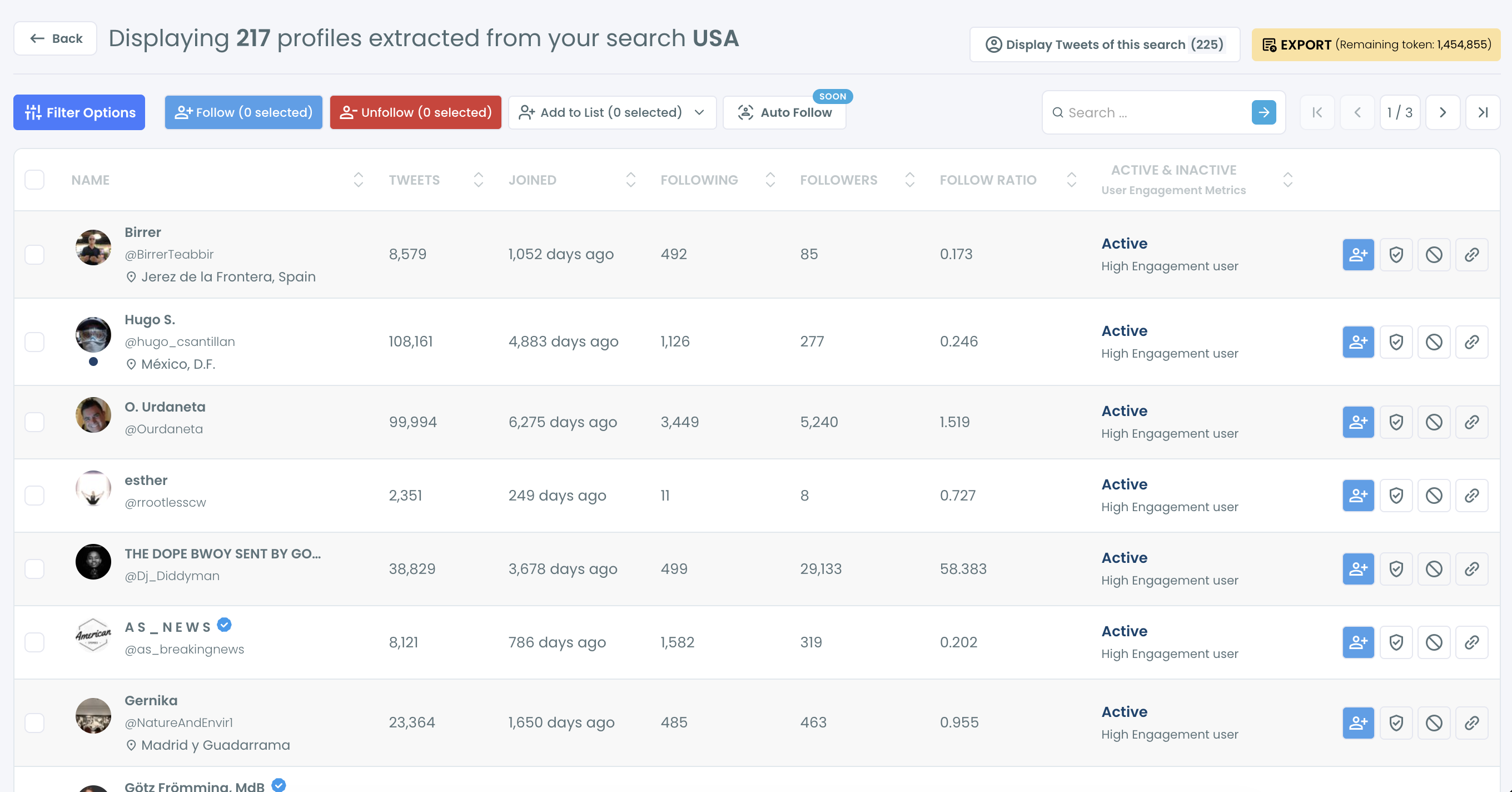
For a project at the scale of a million tweets, the 1M package brings the saving to 30%, which on X API pay per use would be $1,500 left in your budget.
📌 X API rates come from X’s official pricing page and Circleboom rates from its in-app packages at the time of writing. Both can change, so rerun the formula with current numbers before a big pull.
How to collect tweets with Circleboom instead of the API
- Log in to Circleboom Twitter and connect your X account through X’s official login.
- Open Advanced X Search and pick Historical Tweet Search for past tweets or Real-time Tweet Search for tweets from a start date onward.
- Describe the tweets in plain language, such as “people asking for a CRM recommendation”, or switch to advanced mode for a precise query. Add filters for language, replies, links, hashtags, cashtags, verified accounts and media.
- Pick your date range and choose how many tweets to collect. The count you choose sets the size of your dataset, so you only pay for the volume you need.
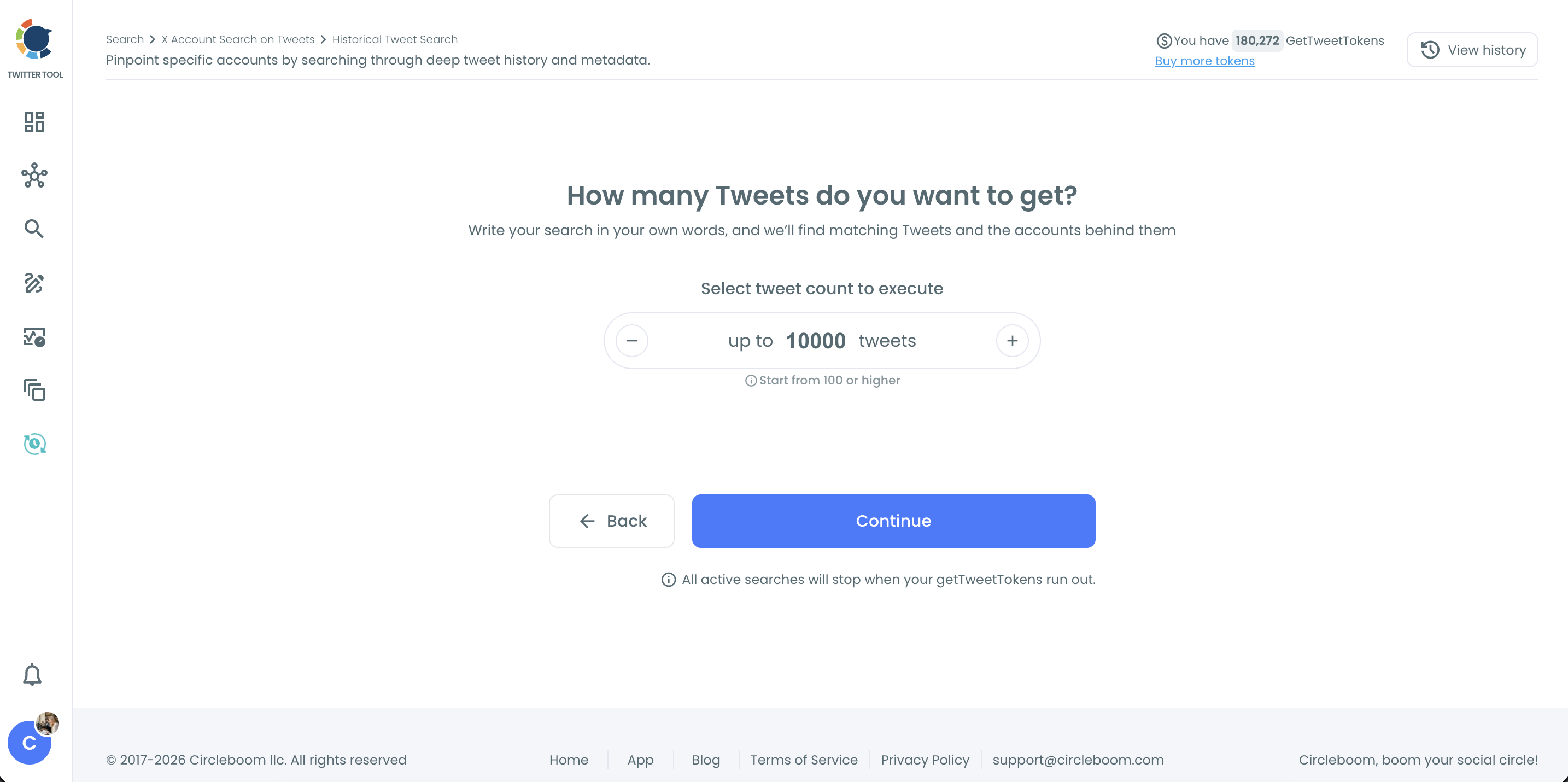
- Review, act and export. Switch between tweets and accounts, follow or list the people you need and export the result as a CSV. Results stay in your search log, so you can come back to them later without paying again.
Why the X API budget runs out faster than the math says
The formula above is the best case. Real API projects rarely hit it.
Test runs read tweets. Retries read tweets. A query that turns out too broad reads thousands of tweets you did not want, and every one is billed. A broken pagination loop can fetch the same page twice and charge you twice.
On pay per use, every mistake has a price. A wrong query on the X API is a bill, not just a bad result.
Acting on what you find is billed separately, too. If you follow the authors of the tweets you collected, the X API charges $0.015 per follow. Following 500 people who asked for a product like yours adds $7.50 to the bill. In Circleboom, the Follow and Add to List buttons sit right on the results, and they are part of your plan.
Then there is everything around the data. Turning raw API responses into a list you can read, deduplicating the authors and keeping results somewhere you can revisit is software you have to build and maintain. With Circleboom, the search log keeps every result, and revisiting it does not read the tweets again.
If you have ever tried to search specific words an account said or to search old tweets on Twitter through X’s own search box, you know the native route stops early. The API goes further but charges for every step. Circleboom sits in between: official data, finished interface, lower rate.
What people actually spend $100 of tweets on
Most X API budgets go to a handful of questions:
- Brand and mention tracking: every tweet that names a brand in a time window, the core of social media monitoring.
- Competitor research: complaints, praise and questions about a rival, which feed a Twitter competitor analysis.
- Research datasets: a clean Twitter dataset for download, tweets for sentiment analysis and data mining or one of the many research ideas built on Twitter data.
- Finding old conversations: old tweets about an event, a launch or a controversy.
- Live events: tweets around a launch, a match or a market move, often next to a keyword and hashtag tracker, the way people track fund managers in real time.
For a single account’s timeline instead of a keyword, Export Tweets downloads the recent tweets of any public account as a CSV, and our guide on exporting all tweets of an X user to Excel or CSV shows how. Scraping-based tools can look cheaper, but they can miss records or return incomplete datasets, as we found when looking at how to get all tweets from a user without scraping X.
FAQ
How much does X API pay per use cost per tweet?
Reading a post costs $0.005 on X API pay per use, so 1,000 tweets cost $5 and 100,000 tweets cost $500. The rate stays the same at every volume.
How many tweets do you get for $100 on the X API?
You get 20,000 tweets for $100, using the formula budget ÷ $0.005. Test runs and retries also count against that budget.
How many tweets does $100 get you on Circleboom?
Depending on the package rate, $100 of Circleboom tweet collection works out to between about 22,200 and 28,500 tweets. That is 11% to 43% more tweets than the X API gives for the same money.
Is Circleboom’s tweet data the same as the X API?
Yes. Circleboom is an Official X Enterprise Developer and retrieves public tweets through the official X Enterprise API. The tweets, dates and engagement numbers are real X records.
Is there a monthly limit on X API pay per use?
Yes. X caps pay-per-usage plans at 3 million post reads per monthly billing cycle. Higher volumes need an Enterprise plan.
Do I need coding skills to collect tweets with Circleboom?
No. You describe the tweets in plain language, pick a date range and choose how many to collect. Circleboom handles the query, the collection and the export.
Final thoughts
X API pay per use is honest about its price: half a cent per tweet, every time. What it does not include is a volume discount, an interface or the hours it takes to turn credits into answers.
Circleboom gets you the same official X tweets with up to 43% more data for the same budget, plus the accounts behind them and an export that is ready to use. Run your first tweet search with Circleboom Twitter: