

Managing social media alone already eats enough time—but managing it with a team, across multiple platforms, and on a reasonable budget is a different challenge.
A few months ago, I found myself in that exact situation.
Our small team needed a tool where:
- Everyone could log in without sharing passwords
- We could see a shared content calendar
- Posts could be drafted, reviewed, and scheduled
- And most importantly… it wouldn’t cost a fortune
Some tools surprised me, others disappointed me, and some were way more expensive than expected once I added team members or additional platforms. I decided to document the whole journey—what worked, what didn’t, and which tools I would actually recommend to another small team.
Here’s everything I learned.
 Kevin Frank
What "Affordable Team Collaboration" Really Means
Before diving into specific tools, let me clarify the criteria I used.
These came directly from real frustrations:
1. Predictable pricing: Some tools look cheap until you realize the sticker price includes ONE social platform. Add more and your bill explodes.
2. Included team seats: I didn’t want a tool where adding one teammate costs almost as much as the base plan.
3. Cross-platform posting: Scheduling only to a few networks is pointless for a real working team.
4. Shared content calendar: We needed a space where editors, writers, and designers could all work together without confusion.
5. Approval or draft workflows: Not mandatory, but super helpful to avoid surprise posts going live.
6. Doesn’t feel like driving a spaceship: A clean, understandable interface matters more than people admit—especially when onboarding new teammates.
Simple Comparison Table
| Tool | Price Range | Rating |
|---|---|---|
| Circleboom Publish | ~$29–$55/mo | ⭐⭐⭐ |
| Buffer | ~$12 per channel/mo | ⭐⭐ |
| Zoho Social | ~£50/mo | ⭐⭐ |
| SocialPilot | ~$42–$85/mo | ⭐⭐ |
| Loomly | ~$49–$65/mo | ⭐ |
| Hootsuite | ~$249+/mo | ⭐ |
(Stars reflect value for money + team collaboration, not overall complexity.)
My Full Experience With Each Tool
Below are my personal impressions—not marketing summaries.
I used each tool for at least a week, some for longer.
1. Circleboom Publish — The Tool That Stayed With Us

Circleboom Publish ended up being the tool my team kept using—not because it promised everything, but because it quietly covered all the things that usually break team workflows.
The biggest advantage became obvious very quickly:
It doesn’t charge per platform.
Most tools advertise a “reasonable” monthly price… until you add Instagram, TikTok, LinkedIn, YouTube, Pinterest, Google Business, and suddenly the cost doubles or triples.
With Circleboom Publish, we connected all our platforms and the price stayed predictable.
✅ Content Creation That Saves Time (Not Adds Steps)
This is where Circleboom really stood out for us.
AI Post Generator (included, no extra cost):
 infocircleboom.com
- Generates captions for different platforms instead of one generic post
- Adapts tone depending on whether you’re posting on X, LinkedIn, Instagram, or Threads
- Useful for both starting from scratch and rewriting drafts
Instead of staring at a blank screen, we used AI as a starting point, then edited quickly.
Built-in Design & Media Integrations:
 infocircleboom.com
- Canva integration for quick visual edits without leaving the dashboard
- Unsplash for royalty-free images directly inside the composer
- Giphy for GIFs (especially useful for X and Threads posts)
No more switching between five tabs just to finish one post.
✅ Best Time to Post (Actually Practical)
Many tools show charts. Circleboom gives clear suggestions.
- Analyzes follower activity per platform
- Suggests optimal posting times visually
- Helps avoid posting when no one is online
We saw noticeable improvements in reach simply by following these recommendations, especially on X and Instagram.
✅ Multi-Platform, Multi-Account Management (Without Price Traps)
Circleboom Publish allows managing multiple accounts across multiple platforms in one place:
- X (Twitter)
- TikTok
- YouTube
- Google Business
- Threads & Bluesky
And the key point:
You’re not punished for being active on more platforms.
For teams publishing video-heavy content, this matters a lot.
✅ Strong Support for Video Content
Circleboom Publish handled video posts better than most tools we tested:
 Arif Akdogan
- Smooth scheduling for Instagram Reels
- Reliable posting to TikTok
- Easy YouTube video & Shorts scheduling
- Preview support so you know how posts will look before publishing
This made it especially useful for teams focused on short-form video across multiple channels.
✅ Team Management That Feels Thought-Out
Team features weren’t just “added”—they felt intentional.
Roles & Access Levels:
- Admins
- Editors
- Content creators
- Limited access users
No need to share passwords. Everyone logs in with their own account.
Approval Workflows:
- Draft → Review → Approval → Scheduled
- Prevents accidental publishing
- Especially helpful when designers, writers, and managers work together
Shared Content Calendar:
- Everyone sees what’s planned
- No duplicate posts
- No “Who scheduled this?” moments
Onboarding new teammates was surprisingly easy because the interface is clean and intuitive.
 infocircleboom.com
Overall Experience
Circleboom Publish didn’t feel like an enterprise tool pretending to be simple—or a cheap tool missing essentials.
It felt like:
- Built for small teams
- Designed around real publishing habits
- Priced for growth without penalties
If your team needs:
- AI-assisted content creation
- Media integrations (Canva, Unsplash, Giphy)
- Best-time-to-post guidance
- Multi-platform posting without per-channel pricing
- Clear team roles and approval workflows
- Strong video scheduling for Instagram, TikTok, and YouTube
Circleboom Publish covers all of it—without turning collaboration into a budgeting problem.
2. Buffer
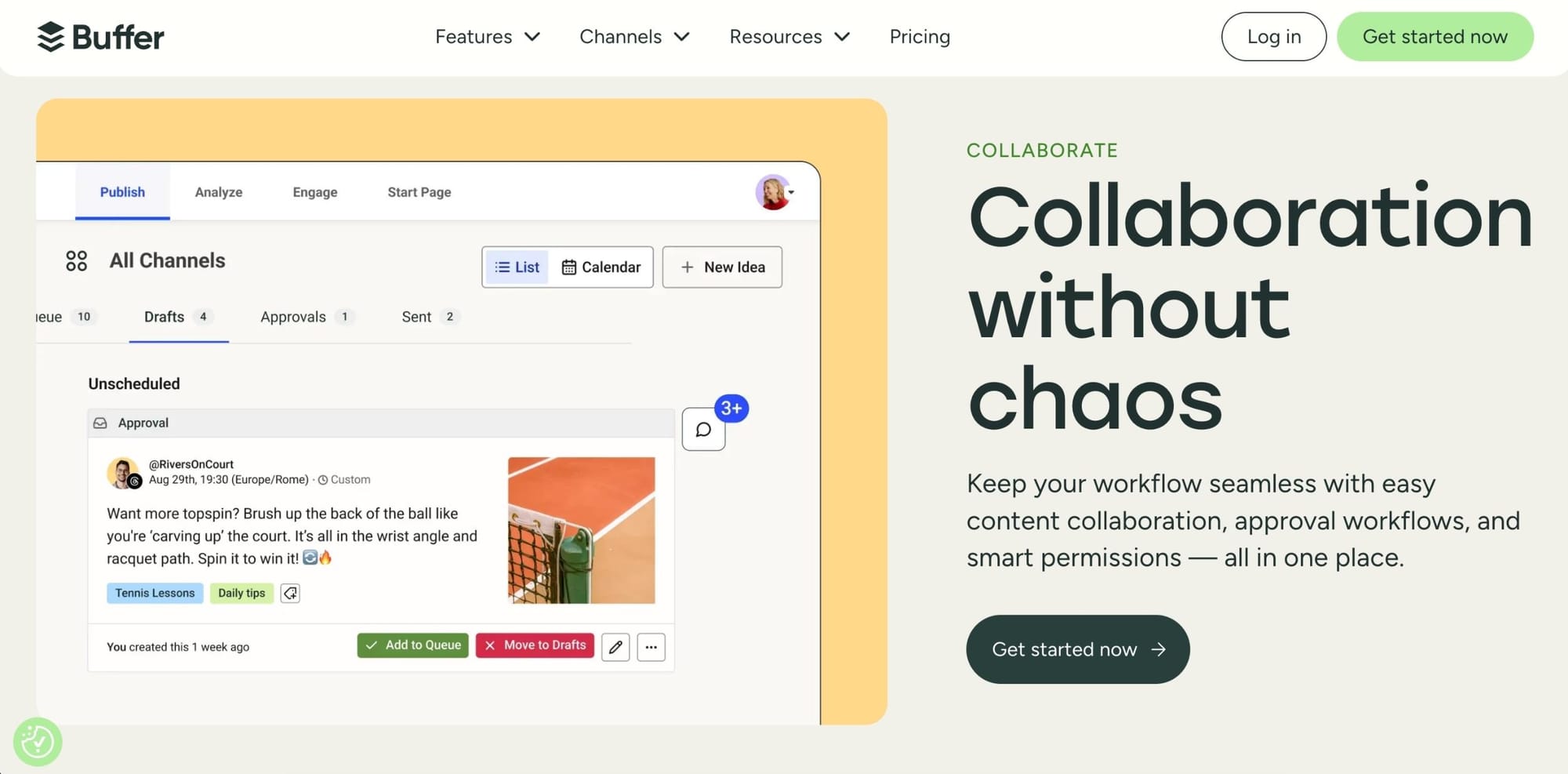
Buffer is the definition of clean and friendly.
If UI beauty mattered more than budget, Buffer would win.
But here’s the catch I ran into:
Buffer charges per channel.
The price you see on their homepage is “per channel.”
So if you add 6 platforms, that’s 6× the monthly cost.
With a team working across multiple accounts, this gets expensive fast.
What I liked:
- The cleanest interface of all tools I tested
- Unlimited team members on the Team plan
- Drafts + approval workflow is very intuitive
- Calendar is visually excellent
What I didn’t like:
- Pricing balloons quickly
- Some advanced features require higher plans
Overall experience:
Buffer is amazing for individuals or very small setups with 1–2 channels. But if you manage multiple platforms, the pricing model becomes hard to justify.
3. Zoho Social
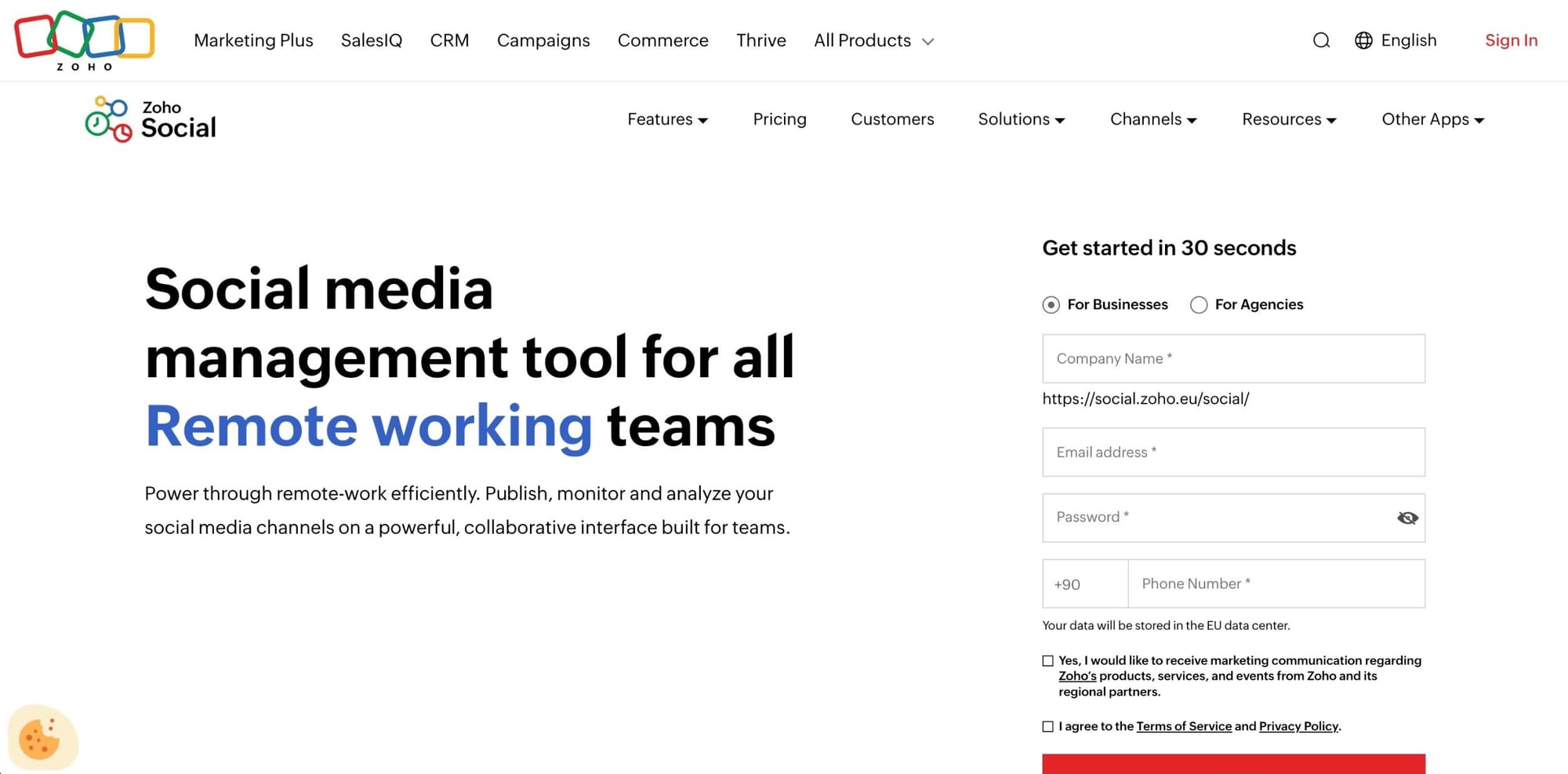
Zoho Social was one of the tools I didn’t expect to like as much as I did. Their ecosystem is huge, but the social tool stands well on its own.
What I liked:
- 3 users included on the Premium plan
- Good approval workflows
- Strong analytics for the price
- The planner is extremely organized
- Integrates nicely if you use other Zoho tools (CRM, email, etc.)
What I didn’t like:
- The UI feels a bit outdated in places
- Pricing is per brand, which becomes expensive if you work with multiple clients
- Slight learning curve for new teammates
Overall experience:
If you have a structured team, use approvals frequently, and mostly work on a single brand, Zoho Social delivers very solid value.
4. SocialPilot

SocialPilot is one of the best values if you manage many accounts.
You get more social profiles per plan than almost any competitor.
What I liked:
- 15–25 accounts on mid-tier plans → unmatched value
- Team roles are included in all professional plans
- Client approval workflows
- Fair pricing for additional users
- Reliable posting and bulk scheduling
What I didn’t like:
- The interface feels “functional” rather than pleasant
- Not the best choice if your team is small and you don’t need so many accounts
- Reporting feels a bit generic
Overall experience:
If you’re an agency handling multiple clients, this is one of the best “price per account” tools out there. For smaller teams, the interface may feel less polished.
5. Loomly
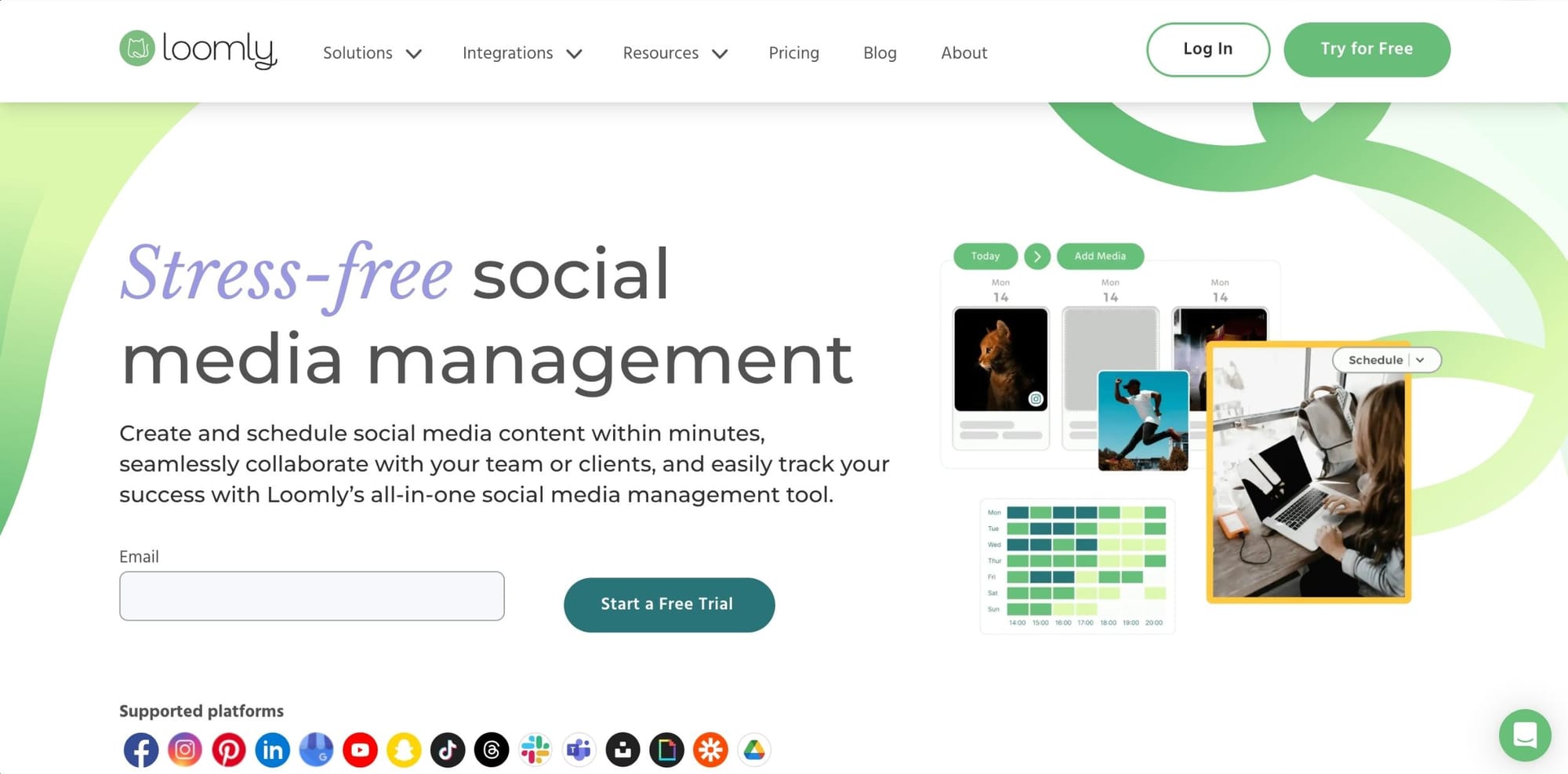
Loomly is clearly built for content-heavy teams—designers, brand managers, and marketing teams who care deeply about visual workflows.
What I liked:
- Fantastic post previews
- Very clear content calendar
- Built-in idea suggestions
- Collaboration features are excellent
- Clean UX for reviewing and approving posts
What I didn’t like:
- Higher base price than other comparable tools
- Only 3 users included
- Some features feel locked behind higher tiers
- If you just need scheduling, this is overkill
Overall experience:
If content creation and visual presentation are your priorities, Loomly shines. But for simple scheduling and team coordination, it’s on the expensive side.
6. Hootsuite

Hootsuite is a classic in the industry and powerful—no question. But once I explored their team pricing, I realized quickly:
It’s simply not affordable for small teams.
What I liked:
- One of the most complete social suites
- Excellent reporting
- Strong inbox/unified message management
- Trusted by large brands
What I didn’t like:
- Team plan pricing starts extremely high
- Extra users cost even more
- The interface has become cluttered over time
- Not a small-business-friendly solution anymore
Overall experience:
I only recommend Hootsuite if you need enterprise-level analytics and budget isn’t an issue. For normal teams, the cost is unjustifiable.
Final Thoughts
After testing multiple tools back-to-back, one thing became clear:
small teams don’t need more features — they need fewer obstacles.
Most social media schedulers fail not because they’re bad, but because they become expensive, confusing, or restrictive the moment a team grows or adds more platforms. Per-channel pricing, limited seats, and cluttered interfaces slowly turn “helpful tools” into daily friction.
Circleboom Publish stood out because it avoided those traps.
It kept pricing predictable, made collaboration simple, and supported every major platform without forcing compromises. The AI tools, media integrations, and best-time-to-post suggestions helped speed things up, while team roles and approval workflows kept everything organized.
If you’re running a small business or a growing team and want a scheduler that feels practical, flexible, and budget-aware, Circleboom Publish is the tool I’d confidently choose again.
Not because it tries to do everything, but because it does the important things well, every day.

