You post a photo, and twenty minutes later your ex likes it. You have not spoken in months. Did they search for you, or did the photo just land in their feed?
Whether Facebook tells you when someone views your profile is one of the most searched questions on the platform, and the honest answer is not the one most people expect.
Does Facebook tell you when someone views your profile?
No. Facebook does not tell you when someone views your profile, and it has never offered a native feature for this, on the mobile app or on desktop. Any browser extension, app, or website that claims to reveal your profile viewers is not reading real Facebook data and typically exists to collect your login credentials or push ads. What Facebook does give you is a set of indirect signals, such as friend list order and who engages with your posts, that can hint at who is paying attention to you.
TABLE OF CONTENTS
- Why this question will not go away
- What actually happens when you view a profile on Facebook
- Step by step: reading the clues Facebook leaves behind
- Clue one: the order of your Facebook friends list
- Clue two: the People You May Know section
- Clue three: who is liking your status updates
- The Top Fan badge, and what it does not tell you
- IP addresses and link clicks: what location data can reveal
- If you run a Facebook business Page, you have a real option
- Why "profile viewer" apps are a security risk, not a shortcut
- Turning engagement clues into an actual strategy
- Frequently asked questions
- Conclusion
Why this question will not go away
Facebook has more than 3.07 billion monthly active users and 2.11 billion people log in on a given day, according to research compiled by Backlinko. With that much daily activity, curiosity about who is looking at your profile is not going to fade.
To view a Facebook profile means opening someone's timeline to see their posts, photos, and information. Facebook has kept individual viewing data private since the platform launched, and no update has changed that.
The demand for an answer has created an entire industry of fake tools. Understanding why those tools cannot work is the first step to reading the real signals instead.
What actually happens when you view a profile on Facebook
When you open someone's profile, Facebook logs that action on its own servers for internal purposes such as ad targeting and the People You May Know algorithm. None of that data is exposed to the profile owner.
This is different from platforms like LinkedIn, which shows a "who viewed your profile" list to paid users. Facebook made a deliberate design decision not to build this feature, likely because it would discourage casual browsing, which is core to how people use the platform.
So the honest starting point is that there is no hidden setting to switch on and no premium tier that unlocks viewer history. What you have instead are behavioral patterns.
Step by step: reading the clues Facebook leaves behind
You cannot see a list of viewers, but you can build a reasonable picture from four sources: your friends list order, your People You May Know suggestions, who engages with your posts, and, if you manage a business Page, your audience insights.
Here is the process. Open each of these four areas, note who shows up repeatedly or unexpectedly, and cross reference the names. A person who appears in more than one of these places is a strong candidate for someone who checks your profile regularly.
None of this is proof. Treat it as a pattern, not a fact.
Clue one: the order of your Facebook friends list
On the mobile app, tap the three lines in the bottom right corner to open the menu, then tap Friends, then tap All Friends. The order you see there is not alphabetical and it is not random.
The people near the top tend to be the ones Facebook's algorithm associates with the most interaction, and that includes profile visits along with likes, tags, comments, and shares. If someone sits near the top of that list but you rarely like, tag, or comment on their content, it is a reasonable sign that they are visiting your page more than the two of you interact publicly.
This is the single most cited trick for reading Facebook engagement, and it works because Facebook's friend ranking has always factored in more than public interactions.
Clue two: the People You May Know section
People You May Know usually surfaces users who share mutual friends or a location with you, or who have your number saved in a contact list linked to their Facebook account. Most names there have an obvious explanation.
Watch for the exception. If someone appears in that section with no mutual friends and no history of meeting in person, there is a real chance Facebook placed them there because they have been looking at your profile, since profile visits factor into how Facebook calculates relevance for that feature.
You can also use your browser's search bar, with Ctrl+F or Cmd+F, to scan the visible page text or HTML source of a public profile for specific names or terms, which is a useful way to confirm whether someone shows up in shared spaces like tagged photos or mutual groups.
Clue three: who is liking your status updates
The people who consistently like, comment on, or react to your posts are not always the same people opening your profile directly, but they are reliably the people the Feed algorithm shows your content to first. That consistency is a strong signal of ongoing interest, even without a profile visit log.
To manage who sees this activity in the first place, Facebook's privacy shortcuts, found under Settings, let you control who can view your profile, your friends list, and your future posts. Tightening those settings will not tell you who is watching, but it limits who is able to.
If your goal is to understand engagement rather than guess at it, this is the most reliable clue of the four, because it is measured, not inferred.
The Top Fan badge, and what it does not tell you
Facebook's Top Fan badge appears next to a person's name when they comment on a Page's posts, based on their consistent engagement with that Page over time. It is a genuine signal that someone interacts with your content often.
It is also limited. For a business Page, a Top Fan badge tells you that person engages regularly, but it does not tell you when they viewed your Page, how often they visited without commenting, or what they looked at while they were there. Treat it as one data point among several, not a full picture.
IP addresses and link clicks: what location data can reveal
If you share a link from your Page, most link shortening and analytics tools can show you the general location, based on IP address, of the people who click it. This gives you a rough geographic picture of your audience, typically down to a city or region, never a precise address or identity.
This method only works for links you control and share yourself. It says nothing about who is browsing your profile directly, and it is not a substitute for the engagement data Facebook already provides through its own tools.
If you run a Facebook business Page, you have a real option
Personal profiles get none of this, but Facebook business Pages are different. Page Insights shows you real audience data, including reach, engagement rate, and your most active fans, which is the closest thing to a legitimate "who is paying attention to my Page" answer that Facebook offers.
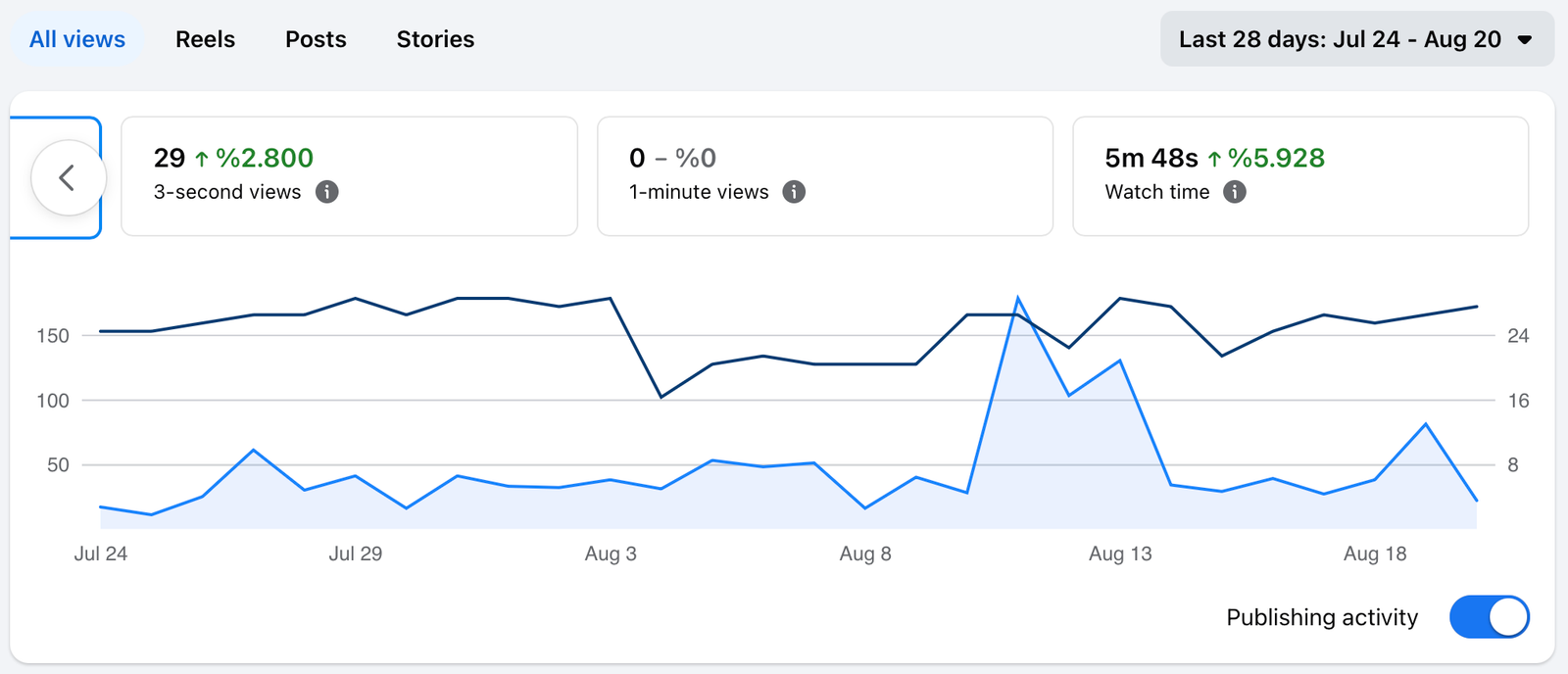
If you want to keep all Facebook insights in one page, you can export them to Google Data Studio.
The Top Fan badge and Page Insights together give Page admins a genuine read on their most engaged followers, even though neither one shows individual visit timestamps. For a creator or small business, that is usually more useful than knowing who viewed your page once, because it points you toward the people worth building a relationship with.
To act on that audience data means turning engagement patterns into a consistent posting habit, and the fastest way to do it is to schedule and track your Facebook Page activity with Circleboom's Facebook Post Scheduler.
If you are a business or if you are an individual who wants to promote its art, its hobbies and share its experiences, setting up a business page on Facebook is a good move.
Let's say, you are a musician and set up an artist page on Facebook. Your next step should be sharing content about your music. You posted something in the first day. Then, you post the second post after 12 days, and the third post came at the end of the month.
This is not a good. It is not even a plan. If you want to use Facebook really effective, you should create a consistent posting schedule. Basically, your posts should be on Facebook everyday.
I hear you saying 'I don't have time for that'.
Okay, I said 'your posts should be on Facebook everyday' not you should be online everyday. You can spend 2 hours and create a schedule for a whole month. This is my example:
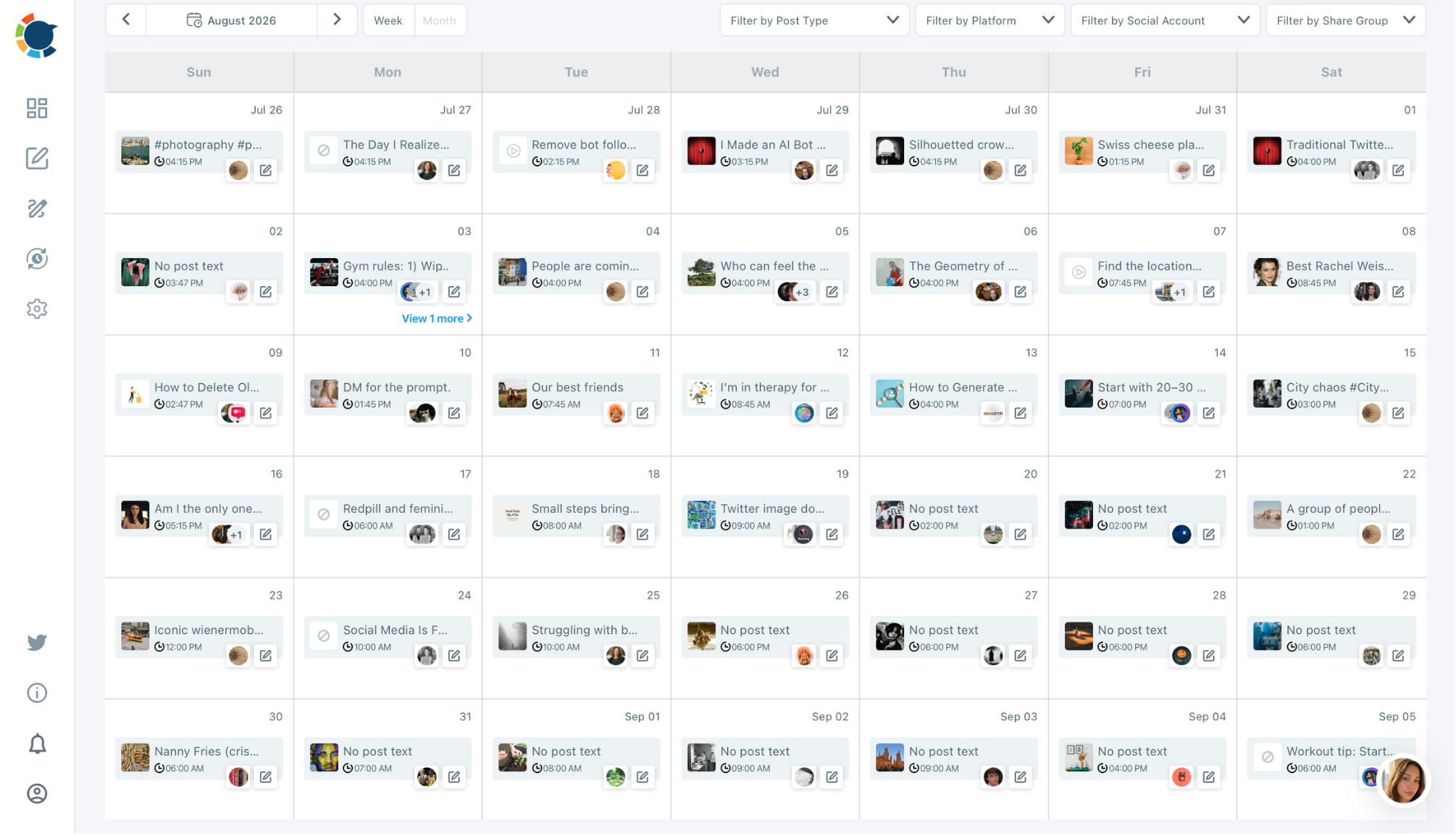
I made it on the last Sunday of July. It took 2 hours for me to create all the posts for August. While doing this, I was never visited Facebook and I won't when they are being shared. Just, at the end of August, I will check insights to see which ones are viewed most and which ones are liked most. (I care Facebook likes because they help to boost my SEO on other projects)
How can I do this? Simple. I use Circleboom.
It gives me options to create, design, prepare, post, schedule, and automate my Facebook Page posts.
By the way, I forgot to say this. I don't manage only one Facebook Pages. I am managing 30 Facebook pages and all of them are connected to Circleboom.
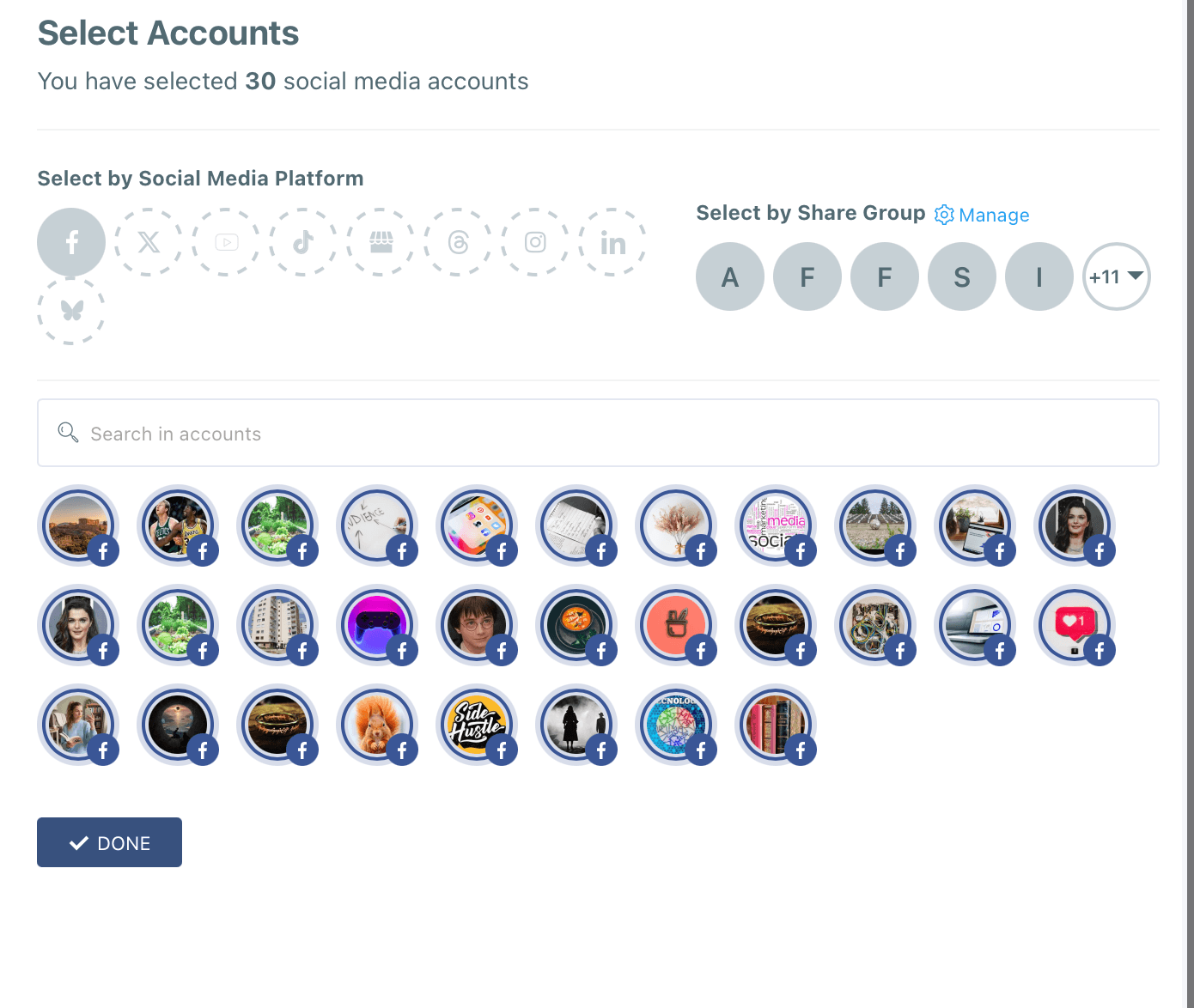
Yes, Circleboom lets you connect all your Facebook pages and manage them together.
If you think that how can I find content enough for them? This is even simpler.
For the text, Circleboom gives you an AI Content Writer. You can ask it to create a text for any topic. You can define style and tone and embellish it with other details like other languages, emojis, hashtags, or you can make it funnier, punchier, etc.
For the visuals, Circleboom offers 4 options: Canva, Unsplash, Giphy, and AI Carousel Generator.
My favorite is Canva. You can find anything you want. Do you need a picture for a birthday celebration? You can find it. Do you need a graphic for something? You will find the best one in seconds. So, you can create your Facebook content with text + visuals taht you don't have to.
If you don't want to bother yourself even with this and look for automating your Facebook posts, there is a method in Circleboom: RSS Feed.
You can connect RSS Feed to your Facebook Pages so you can automatically share posts from your favorite newspapers, magazines, websites or any other sources as they publish something new. Understand? For example, I am managing a Facebook page about gardening and I don't know anything about gardening. Does it matter for me? Of course not!
I connected gardenery.com to my Facebook page and when something new published on it, they will be shared automatically on my Facebook page. Fantastic, isn't it!
 Arif Akdogan
This is how I manage my 30 Facebook Pages. I rely solely on Facebook posts because for marketing efforts I believe SEO is more important than ads.
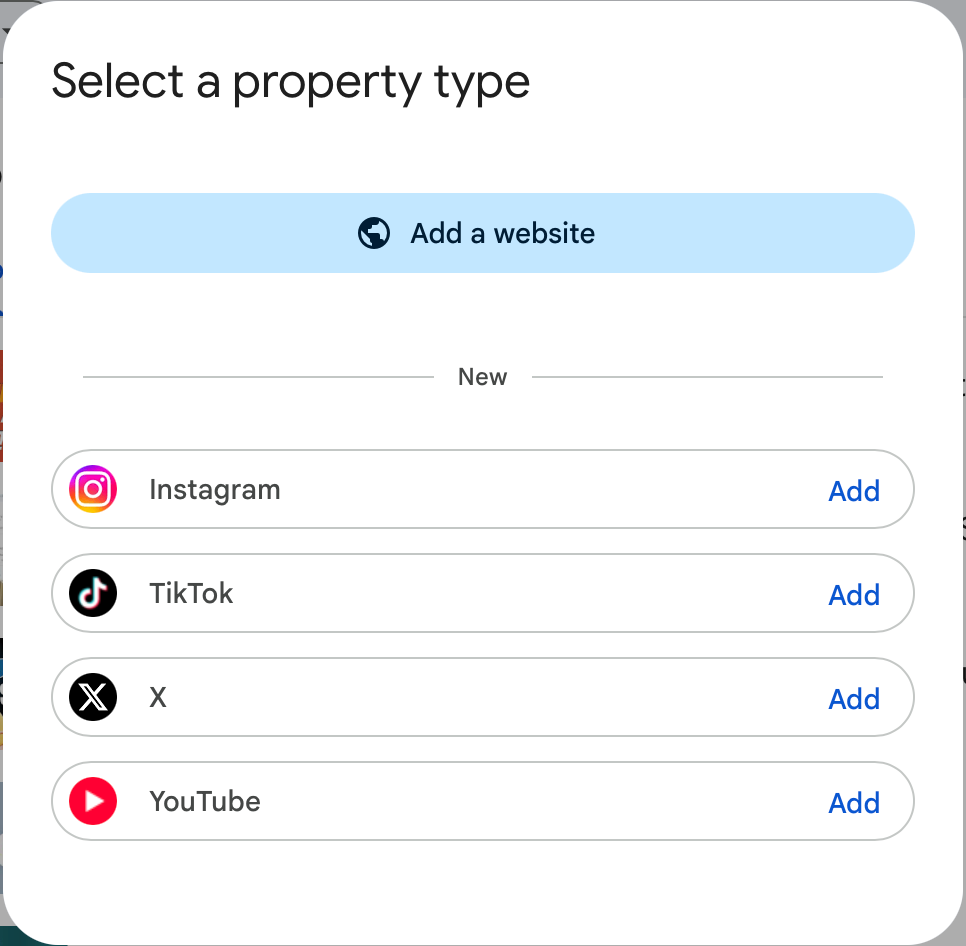
I use these Facebook Pages to boost my websites. As you see, when you search something on Google, you can see Facebook posts on the search results or you can see that AI Overview answers may use Facebook posts as the source. So, social media has been becoming a part of SEO and search atmosphere. That's why, you can now connect your social media accounts to Google Search Console.
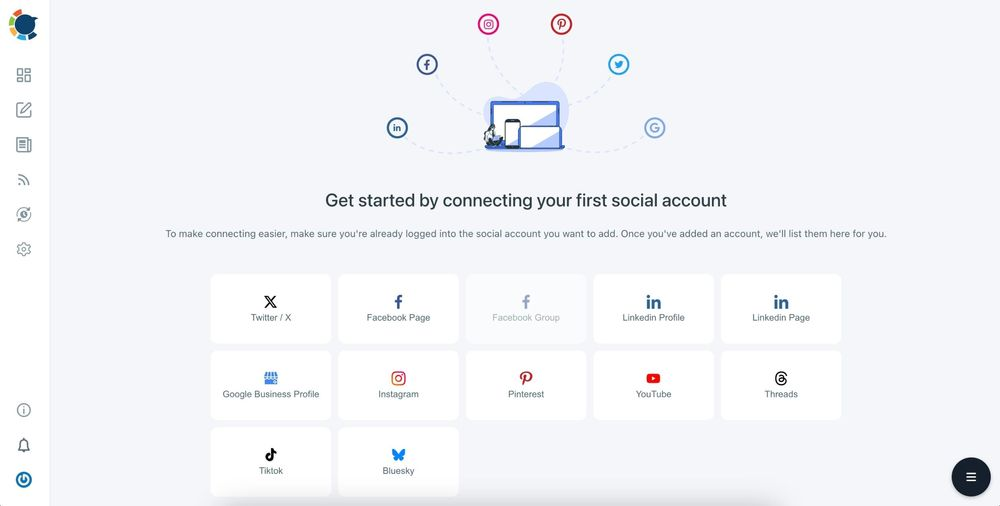
If you want to build an online presence, you need to use social media. This is not limited to Facebook. You should be actively on other platforms, as well. Fortunately, Circleboom supports other major platforms, too. This way, I can connect all my social media channels and manage all together in the same place.
Why "profile viewer" apps are a security risk, not a shortcut
Every app, browser extension, or website that promises to show your Facebook profile viewers is working outside of Facebook's actual API, because Facebook has never made that data available to any developer. Consumer Reports has documented how extensively third party companies already track Facebook users, and installing an unverified app that asks for your login only adds to that exposure.
At best, these tools show you nothing useful. At worst, they steal your password, spam your friends, or sell your data. If a tool promises to reveal profile viewers, that promise alone is a reason to close the tab.
Turning engagement clues into an actual strategy
Once you accept that Facebook will not hand you a viewer list, the more useful question becomes who engages with you and when. That shift matters for personal use, but it matters even more if you manage a Page for a business, a creator brand, or a community.
Circleboom is a social media management platform that allows you to schedule Facebook posts, track engagement across your Page, and identify your best posting windows, and the fastest way to get started is Circleboom's Facebook Post Scheduler. Instead of guessing who is watching, you build a posting rhythm that consistently reaches the people who already interact with you.
Circleboom also connects with tools like Canva and OpenAI for content creation, and as a partner company recognized by Meta as a developer, it is built to work within Facebook's actual policies rather than around them. That is the difference between a real strategy and a browser extension promising something Facebook was never going to give you.
Frequently asked questions
Can Facebook Messenger tell someone I viewed their profile? No. Viewing a profile does not send a notification through Messenger or anywhere else. Messenger only shows read receipts for messages, and even those can be turned off in settings, so profile visits stay completely private on both ends.
Is there a real app that shows Facebook profile visitors? No verified app exists, because Facebook has never released an API that exposes this data to any third party developer. Any app claiming to do this is either non functional or designed to harvest your login information.
Does visiting a profile in Incognito mode hide it from Facebook? It hides your browsing history from your own device, but Facebook still logs the visit on its servers regardless of your browser mode. Incognito mode affects your local device only, not what Facebook records.
Why do I see the same person in my friends list every time I check? Facebook's friend ordering weighs recent interactions heavily, including likes, comments, tags, and profile visits, so someone who checks your profile often will tend to rank near the top. That said, the ranking can also shift after a single burst of activity, so treat it as a pattern over weeks, not a daily readout.
Can a business Page see exactly who viewed it? No, not at the individual level. Page Insights shows aggregate reach and engagement data along with a Top Fan badge for highly engaged commenters, but it stops short of a per person visit log, even for verified business accounts.
Will Facebook ever add a real profile viewer feature? There is no indication of this. Facebook has kept viewing data private for its entire history, largely because showing it would likely discourage the casual browsing that drives so much of the platform's engagement.
Conclusion: does Facebook tell you when someone views your profile?
No, Facebook does not tell you when someone views your profile, and no app or trick changes that. What you can do is read the real signals, your friends list order, your People You May Know suggestions, and who consistently engages with your posts, and use them honestly instead of chasing a feature that does not exist.
If you manage a Facebook Page and want a dependable way to understand and grow your engaged audience, stop guessing and start scheduling and tracking your Facebook Page engagement with Circleboom.