

People are tweeting about your product right now. Some of it you're seeing. Most of it you're not.
The mention that tags your @handle shows up in your notifications. Everything else disappears into the feed without a trace. Untagged mentions where someone says your product name in plain text. Tweets where someone asks if anyone has tried your product. Conversations where your product comes up in a comparison. A feature request someone posted that got five replies from other users. None of it reaches you through notifications.
And it's not just the missed mentions. It's what those tweets contain. Real users describing exactly how they use your product, what they wish it did differently, what they tell people when recommending it. That's product feedback, advocacy intelligence, and support signal all sitting in public tweet data.
With Circleboom Twitter, you can search your product name historically across months of tweet data and monitor it in real time so every new mention surfaces the moment it's posted.
Can you find people talking about your product on Twitter?
Yes. Circleboom Twitter's keyword-based tweet search scans historical tweet data and monitors in real time for any product name, phrase, or keyword.
Every matching tweet comes with the account behind it, full engagement data, and direct action options including follow, list, and export.
 infocircleboom.com
What Is Circleboom Twitter?
Circleboom is an Official X Enterprise Developer. All tweet and account data is retrieved through X's official APIs using publicly available information. No scraping, no workarounds, fully compliant with platform rules.

Here's what Circleboom Twitter gives you for product mention discovery:
- Search your product name across historical tweet data up to a year back
- Monitor your product name in real time and catch new mentions as they happen
- View every matching tweet with full engagement data including impressions, likes, retweets, and replies
- Switch to profile view to see the accounts behind every mention
- Follow, add to Twitter Lists, or export discovered accounts directly from results
How to Find People Talking About Your Product on Twitter with Circleboom Twitter
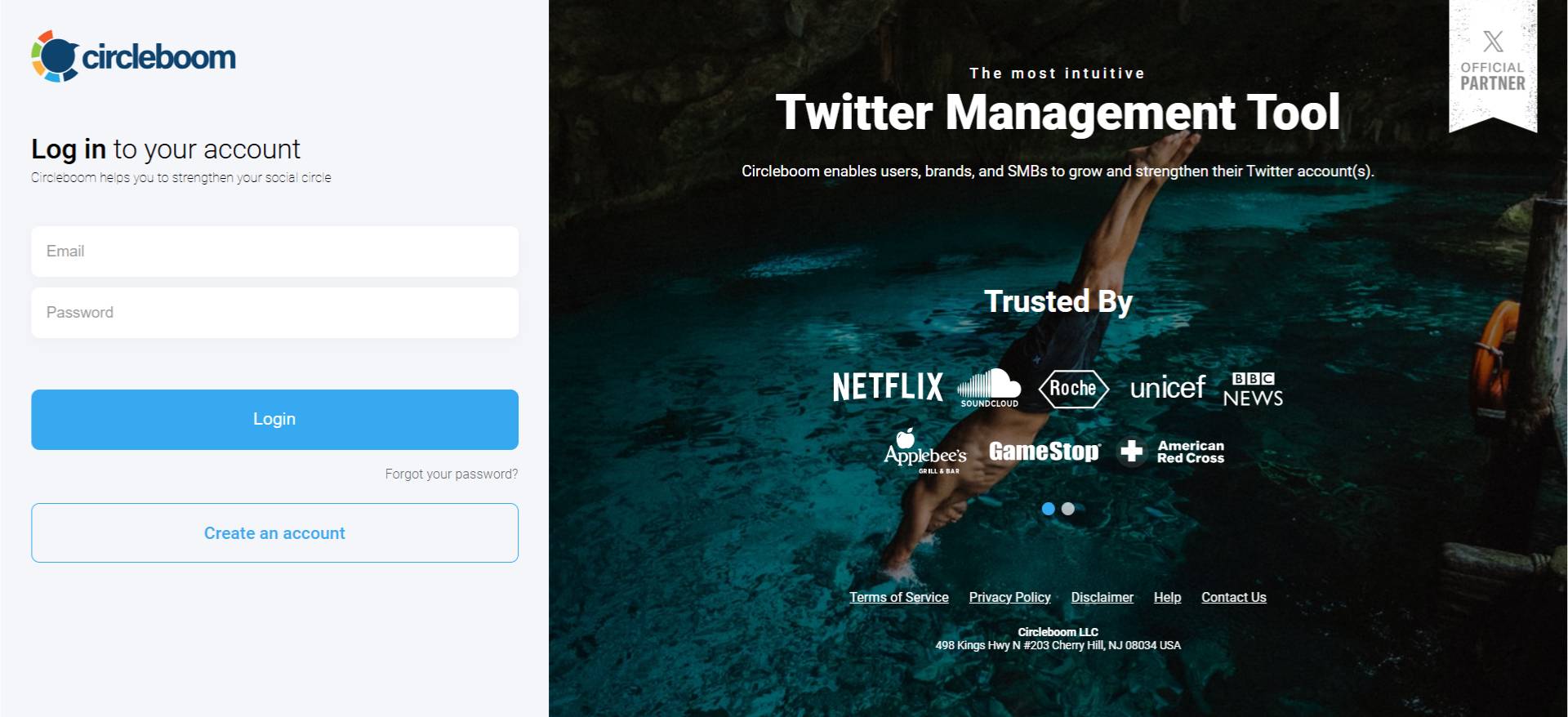
Step #1: Log in to Circleboom Twitter and connect your X account.
Circleboom is an Official X Enterprise Developer, meaning all tweet and account data comes directly from X’s official APIs in a safe and compliant way.
Step #2: Open the left menu and go to “Historical Tweet Search”.
You can find it under:
“X Account Search / on Tweets” → “Historical Tweet Search”
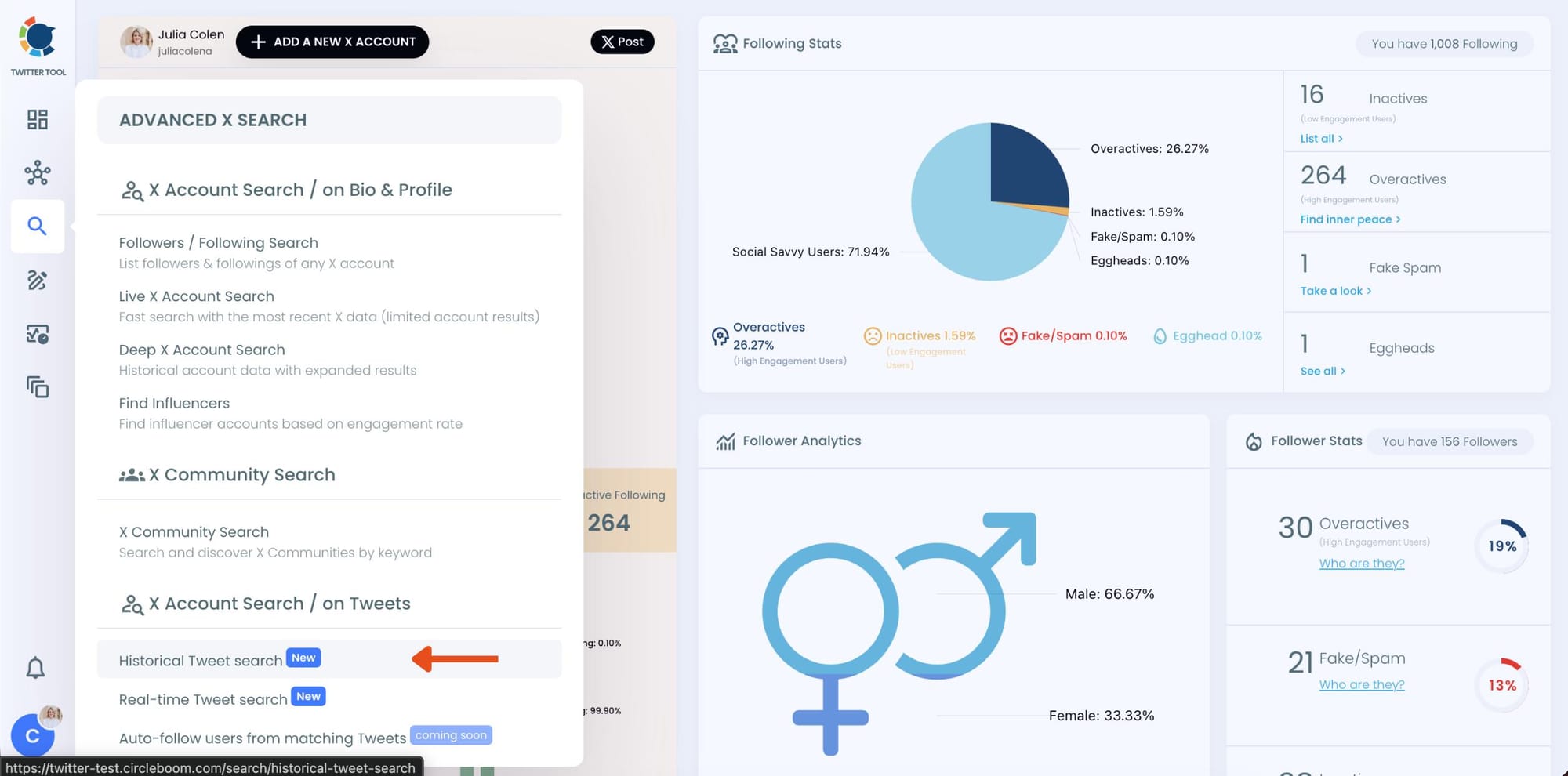
Circleboom also offers “Real-time Tweet Search” in the same section. Historical Tweet Search helps you discover people who tweeted about a keyword in the past across a selected date range, while Real-time Tweet Search continuously monitors new tweets as they happen.
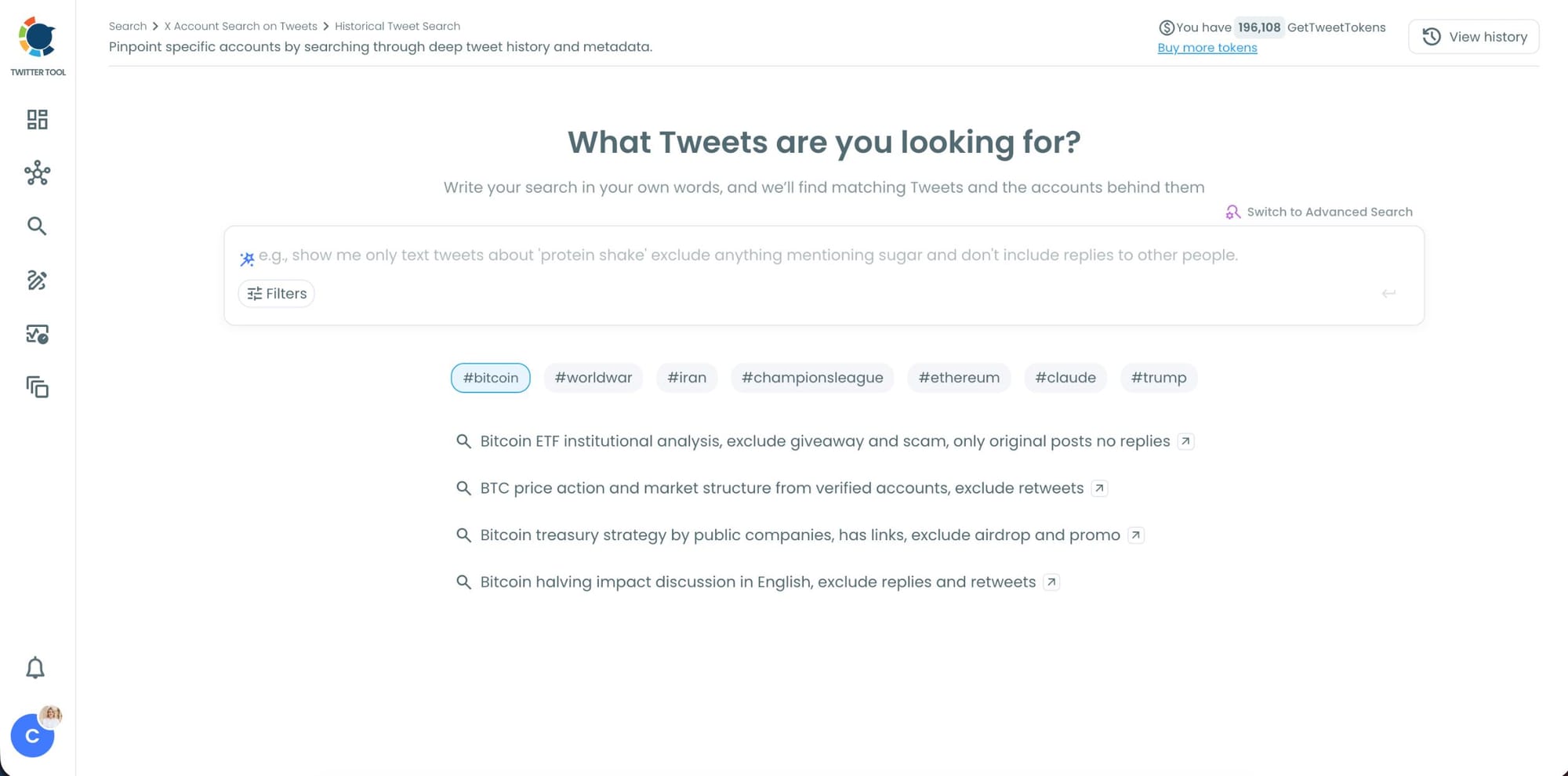
Step #3: Describe the brand mentions you want to find using AI Smart Search
Instead of writing complicated Twitter search operators, you can simply type what you are looking for.
For example: "Find tweets mentioning [your brand name], exclude retweets and promotional posts."
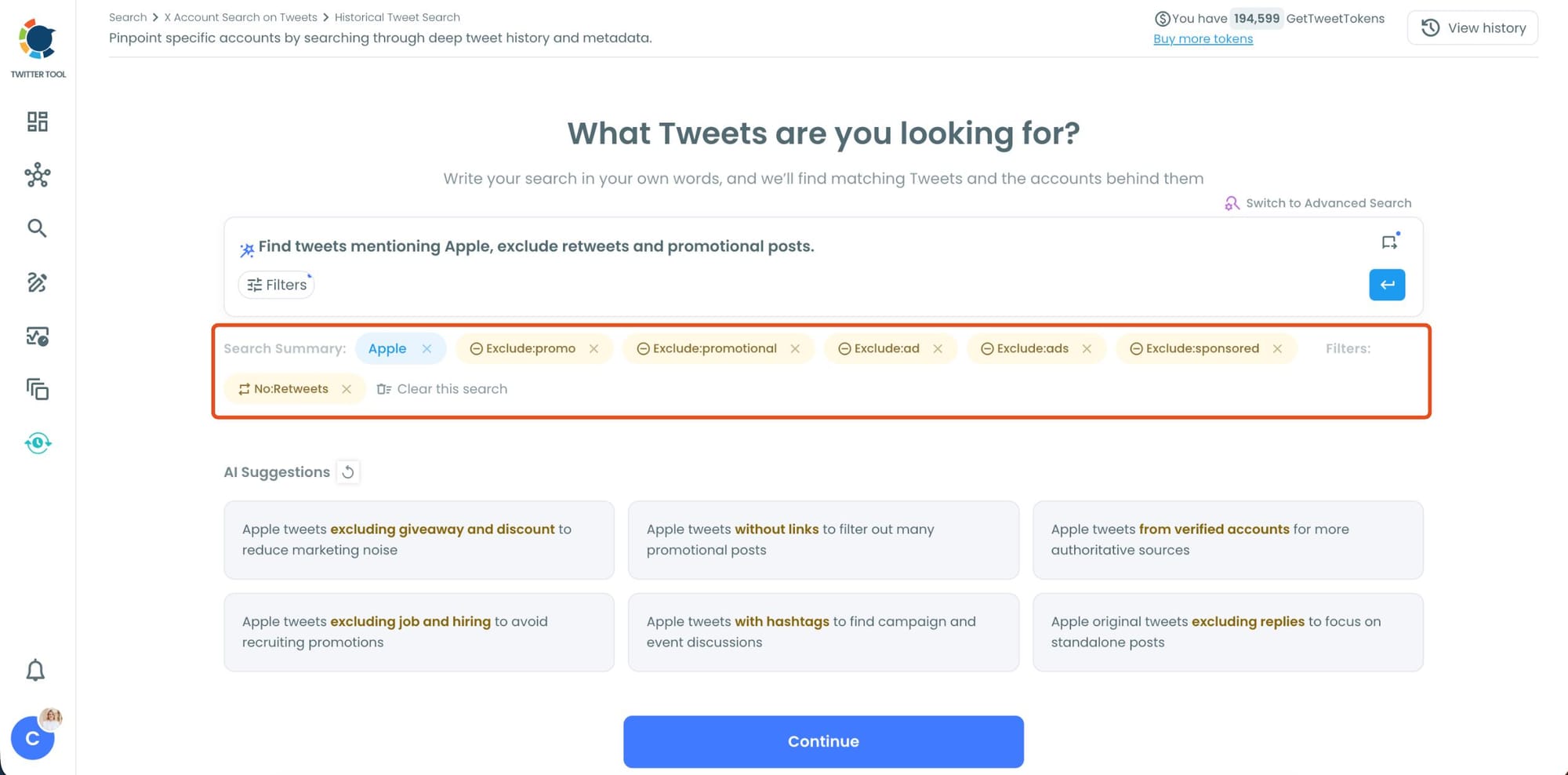
Circleboom AI automatically understands the intent behind your query, extracts the important keywords, and applies filters automatically.
Step #4: Refine your keyword monitoring search with AI suggestions and filters.
Circleboom also suggests ways to narrow your search results. You can focus on intent, comparison posts, replies, or specific languages while filtering out spam, retweets, and noise.
This helps you find more relevant people tweeting about your keyword instead of scrolling through random tweets.
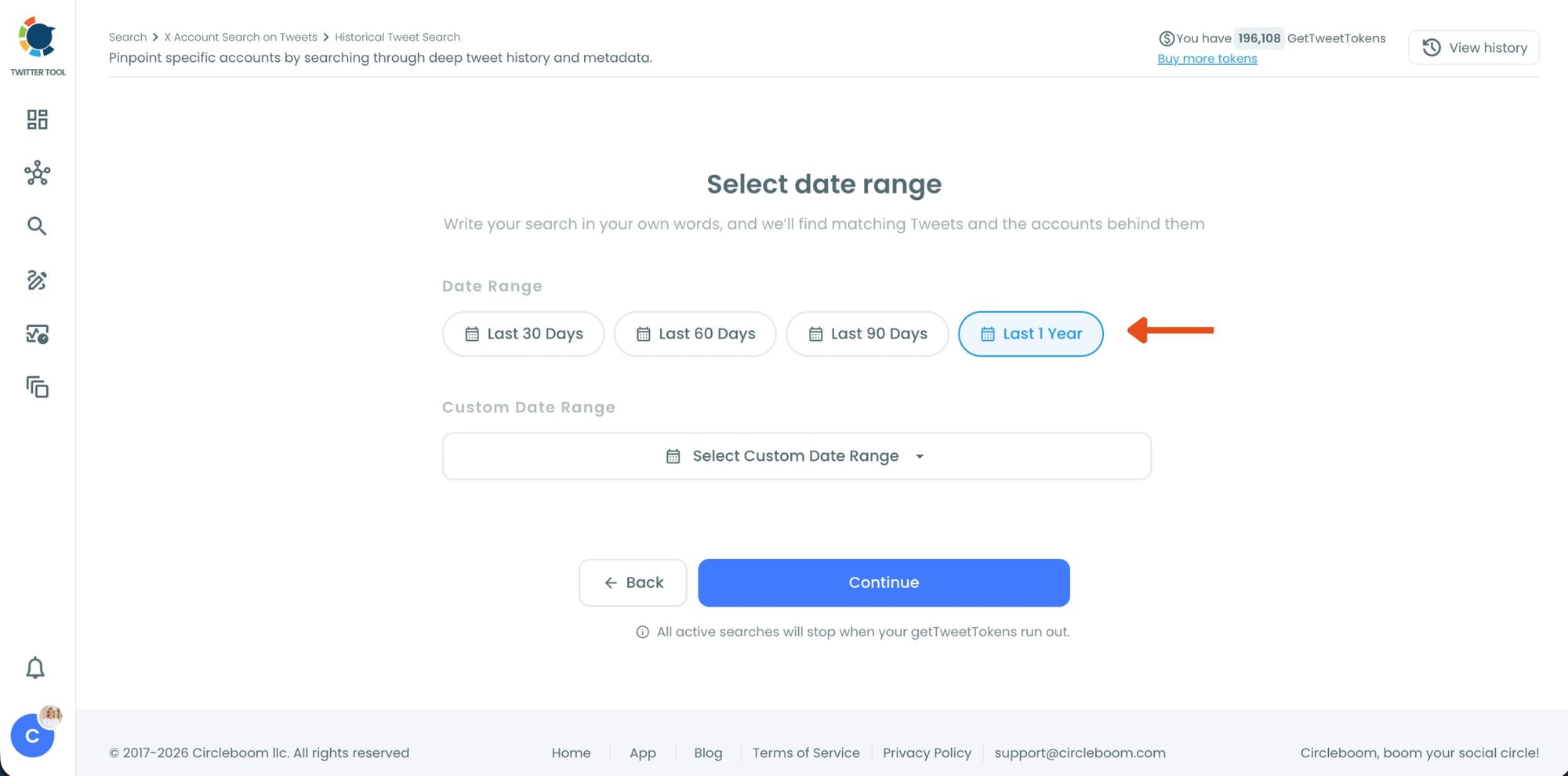
Step #5: Select your historical search date range.
You can monitor tweets from the last 30, 60, or 90 days, search across the last year, or define your own custom date range.
This makes it possible to discover people who tweeted about your topic weeks or even months ago, not just recent tweets.
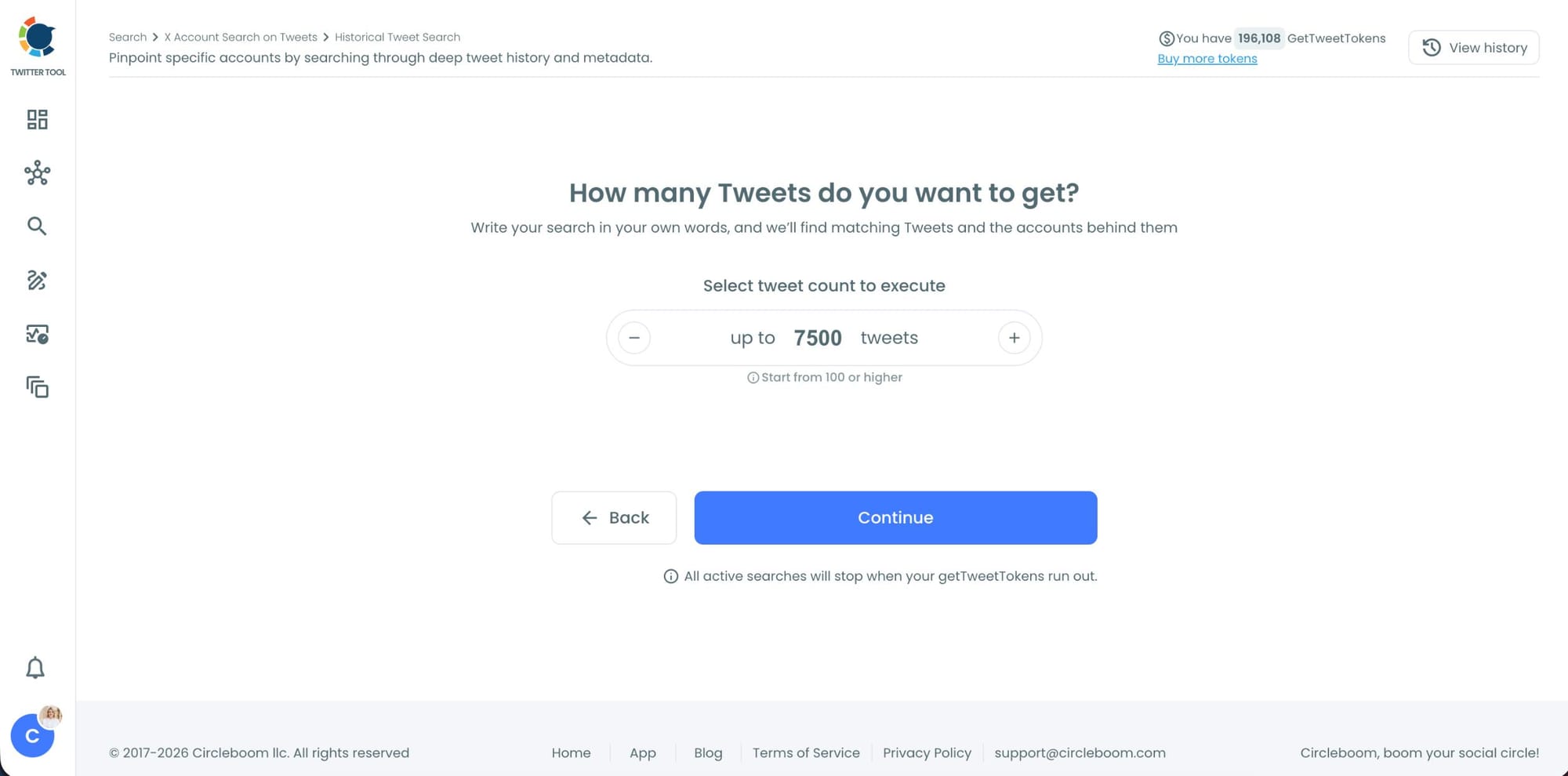
Step #6: Choose how many tweets Circleboom should collect.
Before the search starts, Circleboom lets you select the tweet volume you want to analyze.
Once you click “Continue”, Circleboom scans historical tweet data and starts collecting matching tweets together with the accounts behind them.
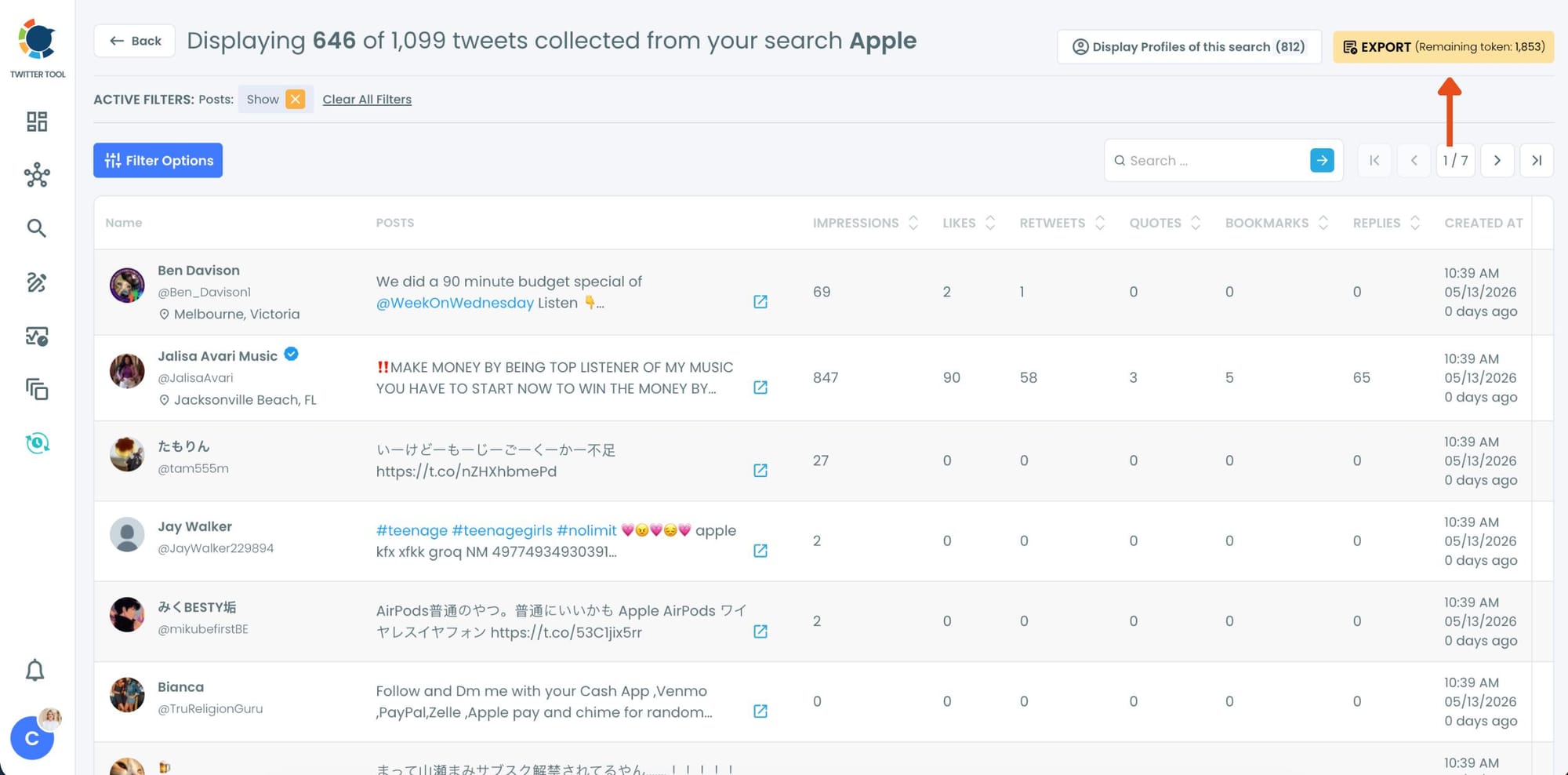
Step #7: Analyze the matching tweets and discover the accounts behind them.
Tweet View displays the matching posts together with impressions, likes, retweets, replies, bookmarks, and posting dates so you can quickly understand which conversations are getting attention.
You can also switch to Profile View to focus on the people behind those tweets.
Profile View displays follower count, following count, account age, tweet count, follow ratio, and engagement activity levels so you can evaluate account quality before interacting with them.
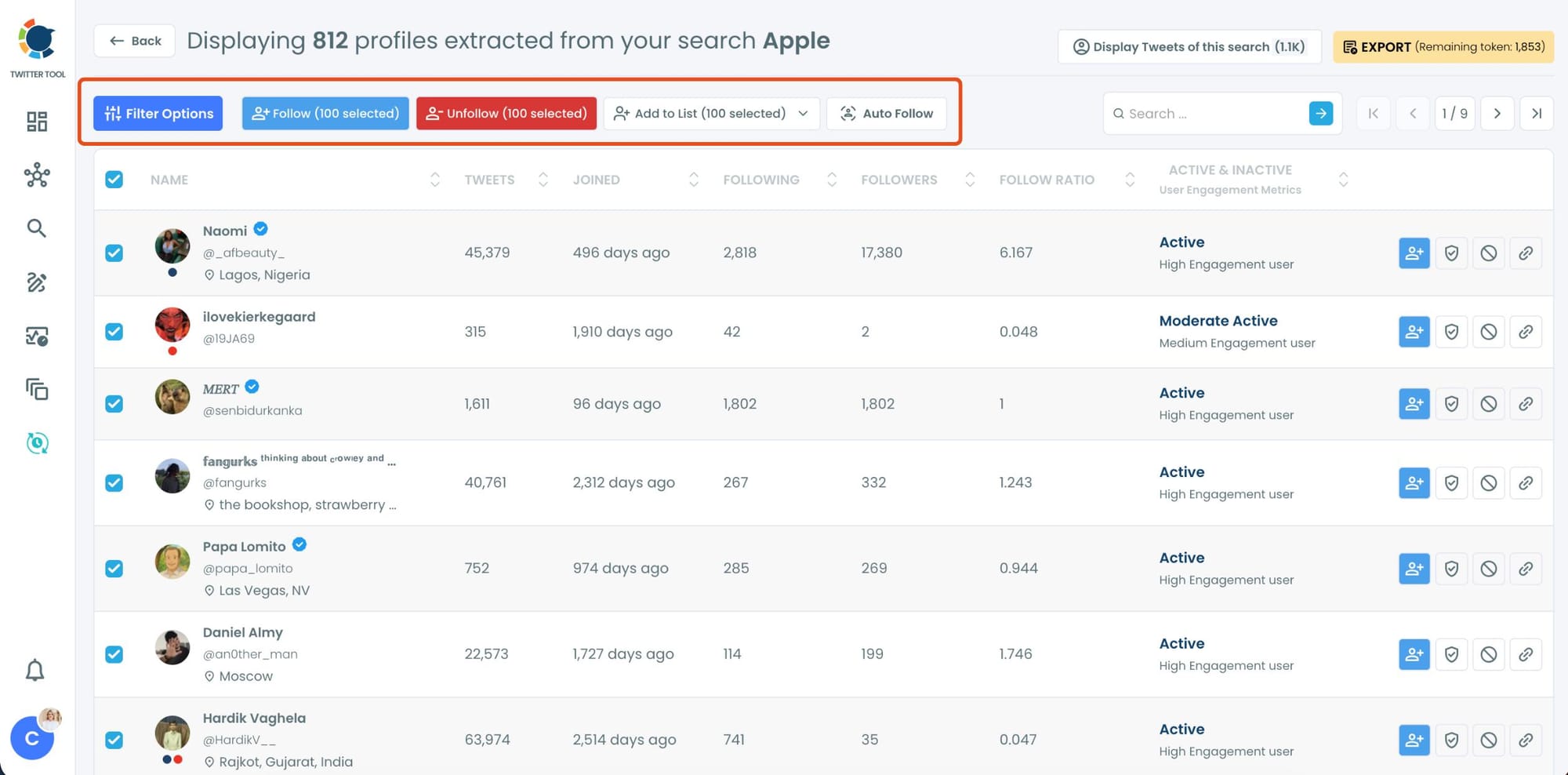
From there, you can directly follow accounts, unfollow them, add selected users into Twitter/X Lists for ongoing monitoring, auto-follow matching users, or export the collected profiles and tweets as CSV files.
What You Find When You Actually Search
Most product teams are surprised by what's in the data when they first search their product name properly.
Unsolicited recommendations. Someone telling their followers "if you haven't tried [your product] yet, you're missing out." This is organic advocacy you didn't ask for and didn't know existed.
These accounts are your most credible promoters. Engaging with them, acknowledging the recommendation, following them, is one of the most high-value interactions available to you on Twitter.
Unanswered questions. Someone tweeted "does [your product] integrate with X?" and nobody from the company responded. The question sits there, sometimes with a few replies from other users guessing at the answer.
Finding and answering these tweets is both a support action and a signal to everyone who sees the reply that the company is listening.
Feature frustrations. "I love [your product] but I really wish it could do X." This is the most honest product feedback you'll ever receive because it comes with genuine goodwill attached.
The person likes what you built enough to say so. They also want it to be better in a specific way.
Comparison mentions. "I use [your product] instead of [competitor] because of X." When users articulate why they chose you over an alternative, they're writing your most credible marketing copy for you.
Understanding these comparisons at scale tells you what actually drives switching decisions in your favor.
Negative experiences. A tweet expressing frustration with your product that went unanswered. These are the mentions that matter most from a brand perspective.
Every unanswered negative mention is a signal to everyone who sees it that the company doesn't respond. Finding and addressing them changes that signal.
📌 Run searches for your product name, common misspellings, and abbreviated versions that users might use. Real people rarely type a product name exactly as it appears in the official branding. Searching the variations you find in mentions gives you a more complete picture of the full conversation.
Historical Search and Real-Time Monitoring
The two modes work differently and serve different purposes.
Historical Tweet Search scans past tweet data across a date range you define. Search the last 30, 60, or 90 days of product mentions and you get a full picture of who has been talking about your product, what they've been saying, and which conversations got the most engagement.
This is the starting point for understanding the existing conversation landscape.
It's also how you find things you missed. Mentions from last month that nobody on the team saw. A thread that got significant replies from your users. A comparison post that brought in new followers. Historical search surfaces what the notifications never delivered.
Real-Time Tweet Search monitors your product name keyword continuously from the moment you activate it. New mentions appear as they're posted.
This is the mode for staying present in the conversation, responding while topics are fresh, and making sure nothing falls through the cracks going forward.
⚠️ Product names that are common words or short abbreviations will return a lot of noise in a keyword search. Use the AI Smart Search to add context to your query.
"Find tweets mentioning [product name] in the context of using it or recommending it, exclude retweets" filters out irrelevant uses of the same word and keeps the results focused on actual product conversation.
What to Do Once You Find the Mentions
Respond to the ones that need a response. Unanswered questions, negative experiences, and support-related posts all deserve a reply. Responding publicly shows the rest of your audience that the company is present and pays attention. It also frequently turns a frustrated user into a satisfied one, publicly.
Engage with advocates. When someone recommends your product unprompted, reply to them. A genuine response acknowledging the recommendation, not a template, tells that person they were heard. It also makes the interaction visible to everyone who follows them.
Follow the users who talk about you. People who tweet about your product are already in your orbit. Following them puts you in their feed and builds a relationship without requiring any formal partnership or outreach.
Add them to a Twitter List. A private list of users who regularly mention your product is a monitoring asset. You can see how their conversations evolve, when they run into new issues, when they recommend you again. It's an ongoing relationship without the noise of a full follow.
Export for customer success and marketing. The profile data export as a CSV includes account quality signals alongside usernames and bios. Customer success teams can use it to proactively reach out to users who've expressed friction. Marketing can use it to build a custom audience of people who've already demonstrated awareness. Circleboom Twitter's Engaging and Loyal Followers feature can complement this by identifying which of these users already follow and consistently engage with your account.
Frequently Asked Questions
Can you find all tweets mentioning your product on Twitter?
Not through Twitter's native notifications, which only capture @-tagged mentions. Circleboom Twitter's keyword search scans historical tweet data and real-time posts for any occurrence of your product name in tweet content, including untagged mentions, regardless of whether your account was tagged.
How far back can I search for product mentions?
Historical Tweet Search covers up to one year of past tweet data with date range options of 30, 60, or 90 days, the full last year, or a custom window you define.
What if my product name is a common word?
Use the AI Smart Search to add context to your query. Describe what you're looking for in plain English and include qualifiers that distinguish product-related mentions from general use of the word. The AI extracts the relevant terms and can apply exclusions automatically.
Can I monitor product mentions in real time?
Yes. Circleboom Twitter's Real-Time Tweet Search monitors your product name keyword continuously and surfaces new matching tweets as they're posted, without any manual refreshing.
How do I find untagged product mentions?
Untagged mentions contain your product name in plain text without the @handle. Circleboom Twitter's keyword search scans tweet content for any occurrence of the keyword, which captures both tagged and untagged mentions in the same results.
Can I export product mention data?
Yes. Both tweet data and profile data export as CSV files. The profile export includes username, bio, follower count, account age, and activity status, ready for CRM import, customer success workflows, or ad targeting.
Final Thoughts
The conversation about your product on Twitter is larger than what notifications show you. Advocacy, feedback, frustration, recommendations, comparisons. All of it is in public tweet data and most of it never reaches you without keyword search.
Circleboom Twitter gives you the historical depth to find what you've been missing and the real-time monitoring to make sure you don't miss it going forward.
Find people talking about your product on Twitter with Circleboom Twitter.
infocircleboom.com





