
The poll was scheduled for 11 a.m. on a Tuesday, and the publish window mattered more than the question itself. The audience-online data showed the operator's followers most active between 10 and 12 on weekday mornings; the engagement-history data showed prior polls at that window had earned twice the response rate of polls at other times. The scheduling decision was the strategic one, and the scheduler dashboard was the artifact that made it possible.
The post went out at 11:00:03, the response volume tracked the historical curve almost exactly, and the poll closed 24 hours later with a result that the operator could actually use in the next week's content brief. The same poll posted at 4 p.m. would have earned a fraction of the response, which would have produced a result that was statistically too noisy to inform any downstream decision.
A defensible poll-scheduling workflow lets the operator compose the poll once, set the four answer options, choose the duration, and pick the publish time against the account's audience-online data. The Circleboom workflow runs through the official X Enterprise APIs, publishes at the scheduled moment, and logs the result for downstream analysis. → Schedule X polls in advance
Why the Publish Window Matters More Than the Question
A poll's response rate is dominated by the publish window, not the question quality. A reasonable question posted at the right time will earn five to ten times the response of an excellent question posted at the wrong time. The arithmetic is structural, not a quirk of any one account: the platform's recommendation system surfaces posts during their first hour with the highest weight, and the audience that is online during that hour is the audience that responds.
The publish-window decision has three inputs: the account's audience-online data, the platform-wide engagement rhythm, and the operator's specific posting history. The first input dominates for accounts with a tightly clustered audience timezone; the second input dominates for accounts whose audience spans many timezones; the third input usually serves as a sanity check rather than a primary driver.
Circleboom's piece on how the timing of your Twitter poll affects participation covers the timing-side analysis in detail and shows that the publish window typically accounts for two-thirds of the response-rate variance across otherwise similar polls.
What the Scheduling Workflow Should Actually Cover
A defensible poll-scheduling workflow covers five decisions before the publish runs.
The first decision is the question itself. A poll question is constrained by the platform's character count and works best when the question is clear, single-issue, and answerable by a quick scan. Multi-part questions reduce response rate because they require the reader to think; single-part questions get tapped on impulse.
The second decision is the answer options. The platform supports two to four options per poll. Two options work for binary questions; three or four work for spectrum questions; more than four is not supported. The options should be parallel in structure and length so the reader can compare them quickly.
The third decision is the poll duration. The platform supports five minutes to seven days. Most polls land on 24 hours because that window captures the full discovery curve and produces an actionable result by the next morning.
The fourth decision is the publish time. The audience-online data from the account's prior engagement history is the right input; most polls publish during the daily window when the audience is most active.
The fifth decision is the downstream use of the result. A poll whose result will inform a specific decision (content direction, campaign messaging, product positioning) is worth the operator's attention; a poll without a clear downstream use is a low-value publish and should usually be skipped.
Circleboom's piece on whether you can schedule a Twitter poll covers the platform-side constraints directly, and the framing about which decisions belong in the scheduling step transfers cleanly to the workflow.
How to Schedule Twitter Polls in Advance Step by Step
The workflow runs in two phases: the poll composition, then the scheduled publish. Composition takes 5 to 10 minutes; the scheduled publish runs automatically.
Phase 1: Compose the Poll
Log in to Circleboom Twitter
- Log in to Circleboom Twitter with the X account you publish from. OAuth keeps the credentials with X directly.
Open the X Post Planner menu
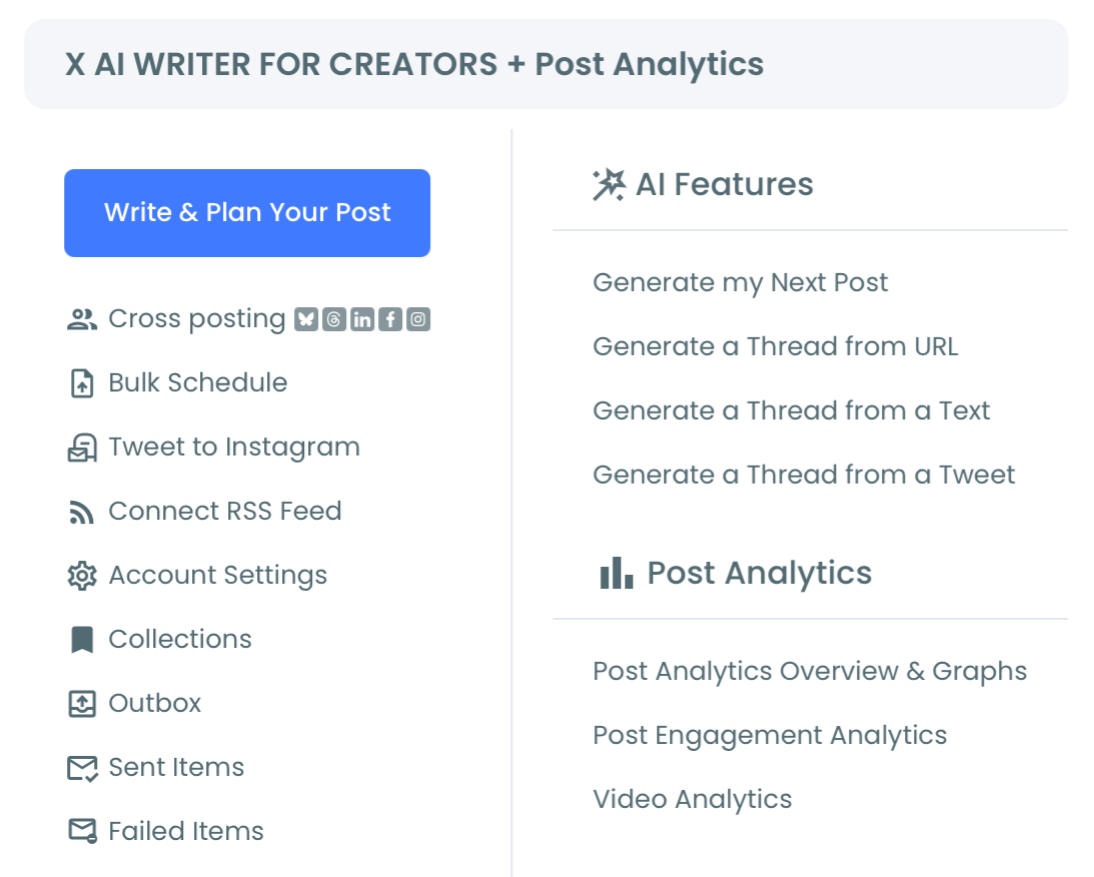
- Open the X Post Planner menu in the left navigation and find the Poll Generator section under the planner suite.
Compose the question, the two-to-four answer options, and the duration
- Compose the question, the two-to-four answer options, and the duration. Keep the question single-issue, the options parallel, and the duration at 24 hours unless the strategy calls for a shorter or longer window.
Phase 2: Schedule the Publish
Pick the publish time against the audience-online data
- Pick the publish time against the audience-online data. Cross-reference the account's prior engagement history; pick a window when the audience is most likely to be active and present.
Confirm the scheduled publish and add any context post
- Confirm the scheduled publish. If the poll needs context (a framing tweet that precedes it, a thread that explains the question), schedule the context post in the same session.
Review the result after the poll closes and feed it into the downstream decision
- Review the result after the poll closes and feed it into the downstream decision the poll was supposed to inform. A 24-hour poll closes the next morning; the result is available in the dashboard and exportable as needed.
The six-step sequence is the full workflow. The composition takes most of the time; the scheduled publish and the result review are short.
Video walkthrough: composing the poll, scheduling the publish, and reviewing the result.
What the Workflow Produces
The output is a scheduled poll that publishes at the chosen window, a result that lands within the chosen duration, and a feed of poll data that the operator can use for downstream content or strategy work. The scheduling layer eliminates the manual-publish-at-the-right-moment problem and lets the operator queue polls in advance.
The Circleboom workflow uses the official X Enterprise Developer access for both the scheduled publish and the result retrieval. The activity is normal API usage.
Two adjacent surfaces extend the workflow. The bulk schedule tweets landing covers the broader scheduling case for operators who want to queue polls alongside regular posts. The X Post Planner landingcovers the full planner suite where the Poll Generator sits alongside Bulk Schedule, Cross-Posting, and the rest of the publishing toolkit.
Related Circleboom reading on the poll-scheduling theme.
- How to use Twitter polls to increase Twitter engagement on the engagement-side strategy for polls that pairs with the scheduling workflow.
- Are Twitter polls anonymous: what you need to know on the platform-side anonymity considerations that affect question design.
Where the Workflow Goes Next
A first month of scheduled polls usually produces enough response-rate data to calibrate the publish-window decision for the operator's specific account. The calibration is small but measurable: the first poll publishes against the best-guess window; the second through fifth polls test variations; the sixth poll runs against the calibrated window with confidence.
The compounding payoff is the consistency. Polls that publish at the right window earn results that are statistically meaningful; polls that publish at the wrong window earn results that are too noisy to use. The scheduling workflow makes the right-window publish the default rather than the exception, which is the structural reason polls become a useful research tool rather than a noisy publishing experiment.
By the third month of scheduled polls, the operator has a calibrated publish window, a library of question types that earn well, and a downstream-use pipeline that turns poll results into content or strategy decisions. Schedule X polls in advance and the polls stop being one-off experiments and start being a recurring source of audience signal.
Still Wondering?
What if my audience spans multiple timezones, so there is no single right window?
Accounts with broad-timezone audiences usually pick the window that maximizes total online overlap, which is often early afternoon U.S. Eastern time or early evening U.S. Eastern time for global audiences. The audience-online data from the account's prior posts is the right calibration input; the platform-wide engagement rhythm is a secondary guide.
How many answer options should I use?
Two options work for binary or contrast questions; three options work for spectrum questions where a middle position is meaningful; four options work for category questions. The platform caps at four. More than three options often reduces response rate because the reader has to think longer before tapping, which loses the impulse-response audience.
Can I schedule a thread of polls or a series across multiple days?
Yes. The scheduler supports queueing multiple polls across different publish times, which most operators use for a weekly or monthly poll cadence rather than a thread of polls. Multi-poll threads are possible but rarely earn well because the audience that votes on the first poll is less likely to continue voting on subsequent ones in the same thread.
What happens if I want to edit the poll after scheduling?
The poll content can be edited up to the scheduled publish moment. After publishing, the question and options are locked at the platform level and cannot be changed; this is a platform constraint, not a workflow limitation. Most operators do their final review the day before the scheduled publish.
Does the scheduling workflow affect how the poll surfaces on the platform?
No. The poll publishes through the sanctioned API endpoint and appears on the platform exactly as a manually-composed-and-published poll would. The recommendation system sees the poll as a native publish, and the engagement signals flow through the platform's normal scoring.