
Two accounts share more of their followers than most people expect. Finding that overlap manually means scrolling through tens of thousands of profiles and trying to remember names. There is a faster way, and it does not require code.
Quick Answer: To see the common followers of multiple Twitter accounts, open Circleboom Account Comparison and do four things:Enter two or more X usernamesChoose follower comparison (shared audience) or following comparison (shared interests)Run the reportReview, export, or act on the overlapping accounts
The data runs through the official X Enterprise API, so the report is accurate and the workflow stays within platform rules.
Why Comparing Audiences Matters
Twitter does not give you a built-in way to compare two follower lists. Native X analytics tells you who follows you. It does not tell you who follows you and a competitor at the same time, or which influencer in your niche shares an audience with another account in your space.
That gap matters. The overlap between two accounts is often where the most valuable insight lives: shared communities, shared audience interests, partnership opportunities, and competitive positioning signals that single-account analysis cannot surface.
Manually pulling and comparing lists is impractical past a few thousand followers. Building a script that handles X’s rate limits is possible but rebuilds itself every time the platform shifts. The fastest way to surface shared followers between Twitter accounts is to let a tool built for the job do it.
What Circleboom Account Comparison Does
Circleboom’s Account Comparison and Benchmark Report does one job. It takes two or more X usernames, retrieves the follower or following lists for each, and outputs the accounts that appear in both. Each shared account comes with full metadata: username, display name, profile image, bio, follower count, following count, tweet count, and account creation date.
Circleboom is listed in the X Enterprise customer directory, so every comparison runs against official platform data. No scraping. No broken pulls when X ships UI changes.

Unlike copying two follower lists into a spreadsheet and manually matching usernames, Circleboom’s account comparison tool returns the intersection set in a single sortable report.
How to Compare Twitter Accounts and Find Common Followers
Here is the flow, in order.
Log in to Circleboom Twitter
Log in to Circleboom Twitter using the X account you want to use for the analysis. The login flow runs through official OAuth, so your password never sits on Circleboom’s servers.
Open the Account Comparison tool
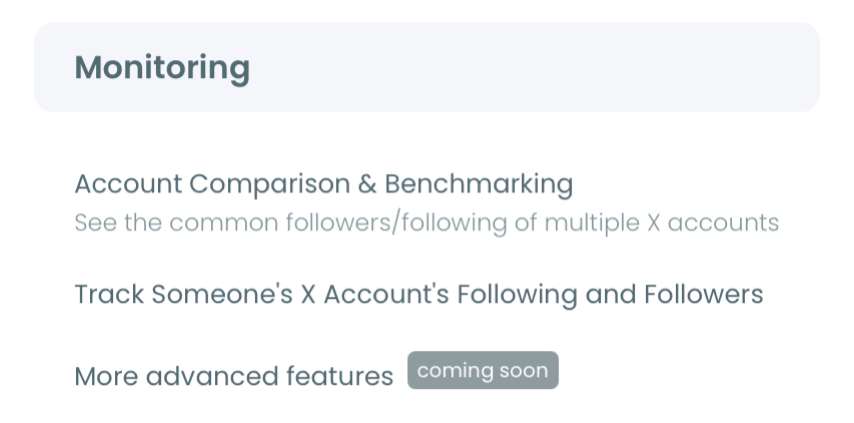
From the dashboard, navigate to the Monitoring section. Select Account Comparison and Benchmark Report. This is where the multi-account analysis tools live.
Enter the X usernames you want to compare
Type or paste two or more X handles. Two-way comparison is the most common case, but the tool accepts more inputs for multi-way overlap. Three, four, or five accounts at once is fully supported.
Choose follower or following comparison
Pick the comparison type based on what you want to learn:
- Follower comparison maps shared audience. Use when researching who follows multiple accounts in your space.
- Following comparison maps shared interests. Use when mapping what two accounts pay attention to.
Run the report and review the overlap
The comparison runs against live data and returns the shared accounts in a sortable table. Each row includes the profile metadata listed above. From the report you can take direct action: follow accounts, add them to a Twitter list, or export the entire overlap segment as a CSV file.
The process compresses what used to take a custom script or hours of manual work into a few minutes.
What You Can Do With the Overlap Report
Once the report is open, the data unlocks several downstream workflows. Working with shared audiences across multiple Twitter accounts is not a one-time research question. The reports compound.
A few common follow-on steps:
- Export the overlap segment as CSV and upload it as a Custom Audience in your ad platform.
- Add the shared accounts to a private Twitter list for ongoing monitoring without cluttering the main feed.
- Identify high-impact influencer accounts inside the overlap for direct outreach.
- Pair the report with tracking what a competitor account follows over time to see how their interests shift.
Watch the Circleboom Account Comparison walkthrough for a quick demo of the comparison flow end to end.
For more on the underlying mechanics, the no-code guide to finding common followers between Twitter accounts breaks down the workflow in additional detail. The single-account follower analysis guide is the equivalent for non-comparison work. The follower scraper alternatives roundup covers why Enterprise API tools beat scraping libraries on stability. And the brand advocate identification guide is the obvious next-step workflow once you have a high-value overlap segment isolated.
The X help center documentation on X Lists is useful background for the list-organization step at the end of the flow.
Why This Beats DIY Tracking
The temptation, when you start needing overlap data, is to build something custom. A Python script. A spreadsheet macro. A Zapier flow. Those approaches work for small one-off comparisons but break in three ways: rate limits, platform changes, and the time cost of maintaining anything you build yourself.
Account Comparison sidesteps all three. The tool runs on enterprise-grade data access, which means the rate-limit ceiling is much higher and the data does not break when X ships a new release. The report is generated on demand. The export is standard CSV. There is nothing to maintain.
There is also a strategic point worth naming. The act of comparing accounts changes how you think about competitor analysis. You stop asking “who is their audience?” and start asking “what do our audiences share, and which of us is failing to differentiate?” That shift is the actual win. The tool is just what makes the shift possible.
If you are running competitor research, planning a partnership, or scoping an outreach campaign, running an account comparison report before the work starts usually changes the brief. That is the value.
Common Questions on Comparing X Accounts
How many Twitter accounts can I compare at once?
You can compare two or more accounts in a single report. Two is the common case; three to five is fully supported and useful for multi-competitor research.
Does the tool show only the shared accounts or also the differences?
Both. The report surfaces accounts that appear across all inputs, plus partial overlaps and unique accounts on each side, so you can see the full picture of the audience map.
Can I compare a private or protected account?
No. The tool works on public follower and following data. Protected accounts hide that data from anyone outside their approved follower set, so they cannot be included.
What can I do directly from the comparison results?
You can follow accounts, add them to a Twitter list, or export the overlap segment as CSV. All actions run through Circleboom’s official API integration.
Is this safe to use on my account?
Yes. Circleboom is part of the official X Enterprise developer program. The comparison is a read-only data operation. The action layer (follow, add to list, export) respects X’s platform rate limits.
Run Your First Comparison Today
The fastest way to see the value is to run a single comparison and look at the result.
- Open Circleboom Account Comparison
- Enter two X accounts in your space
- Choose follower comparison
- Review the overlap
- Export, follow, or list the accounts that matter
If you are ready to start, run the comparison and see the common followers between Twitter accounts now. The first report usually reframes something useful in under five minutes.