

You might think stalking someone on X is easy. Open a profile, scroll through tweets, check the bio, maybe notice a profile photo change. At first glance, it feels like you can already see everything.
But that impression disappears the moment you try to understand how someone actually behaves on the platform.
Stalking on X is not really about tweets. It’s about connections, movement, and change. And this is exactly where X starts to fall short.
 Arif Akdogan
Why Stalking Someone on X Is Harder Than It Looks
X shows you the surface level very well. You can read what someone posts and how they present themselves publicly. What it doesn’t show is how they move behind that surface.
When people talk about stalking on X, what they usually want to understand is:
- who this person follows,
- who follows them,
- and how that network changes over time.
These details reveal far more than tweets ever could. Unfortunately, X makes accessing them extremely difficult.
The Problem with Followers and Followings on X
Followers and followings are one of the strongest behavioral signals on X.
They show interests, professional circles, and community alignment. Yet X does not display these lists fully.
Instead, it only shows a limited portion of accounts. You cannot sort them, filter them, or export them. If an account follows thousands of users, you only see a fraction, and there is no way to know what you’re missing.
 Kevin O. Frank
This makes stalking incomplete. You are left guessing, and guesses are useless when you are trying to understand patterns.
Why These Lists Matter More Than Tweets
Tweets are curated. Following behavior is not.
People often tweet for visibility, branding, or engagement. But who they choose to follow usually reflects what they genuinely care about, what they are learning, or where they are heading next.
A new cluster of followings can signal a shift in interests. A sudden wave of followers can indicate growing influence or exposure to a new audience. Without full lists, you miss these signals entirely.

Why X Doesn’t Help You Go Deeper
X is built for consumption, not analysis. It encourages scrolling and interaction, not research.
There is no native way to:
🔴 view full follower or following lists,
🔴 track daily changes,
🔴 or understand activity patterns over time.
Manual stalking becomes exhausting and unreliable very quickly.
A Safer Way to “Stalk” Someone on X
Before going further, it’s important to be clear about what this article means by stalking.
This is not about private accounts, hidden data, or invasive behavior. Everything here is based on public profiles and public activity. Think of it as monitoring public behavior rather than spying.
That distinction matters.
How I See Someone’s Full Followers and Followings on X
To get past X’s limitations, I use Circleboom Twitter.

Circleboom Twitter is an official X Enterprise Developer, which means it works directly with X’s official API. It doesn’t bypass privacy settings or access private information. It simply organizes public data in a usable way.
With Circleboom Twitter, it becomes possible to:
🟢 see complete follower lists,
🟢 see complete following lists,
🟢 view accounts in clean, structured layouts,
🟢 filter and analyze users,
🟢 take actions like bulk follow, unfollow, remove followers and block.
This alone changes how stalking on X works.
How to See Someone’s Full Followers or Followings
Step #1: Log in to Circleboom Twitter.
If you don't have a Circleboom Twitter account, you can quickly sign up by clicking "Create an account."

Step #2: Find the "Advance X Search." tool on the left-hand menu and navigate over it.
From the dropdown menu, select "Followers / Following Search."
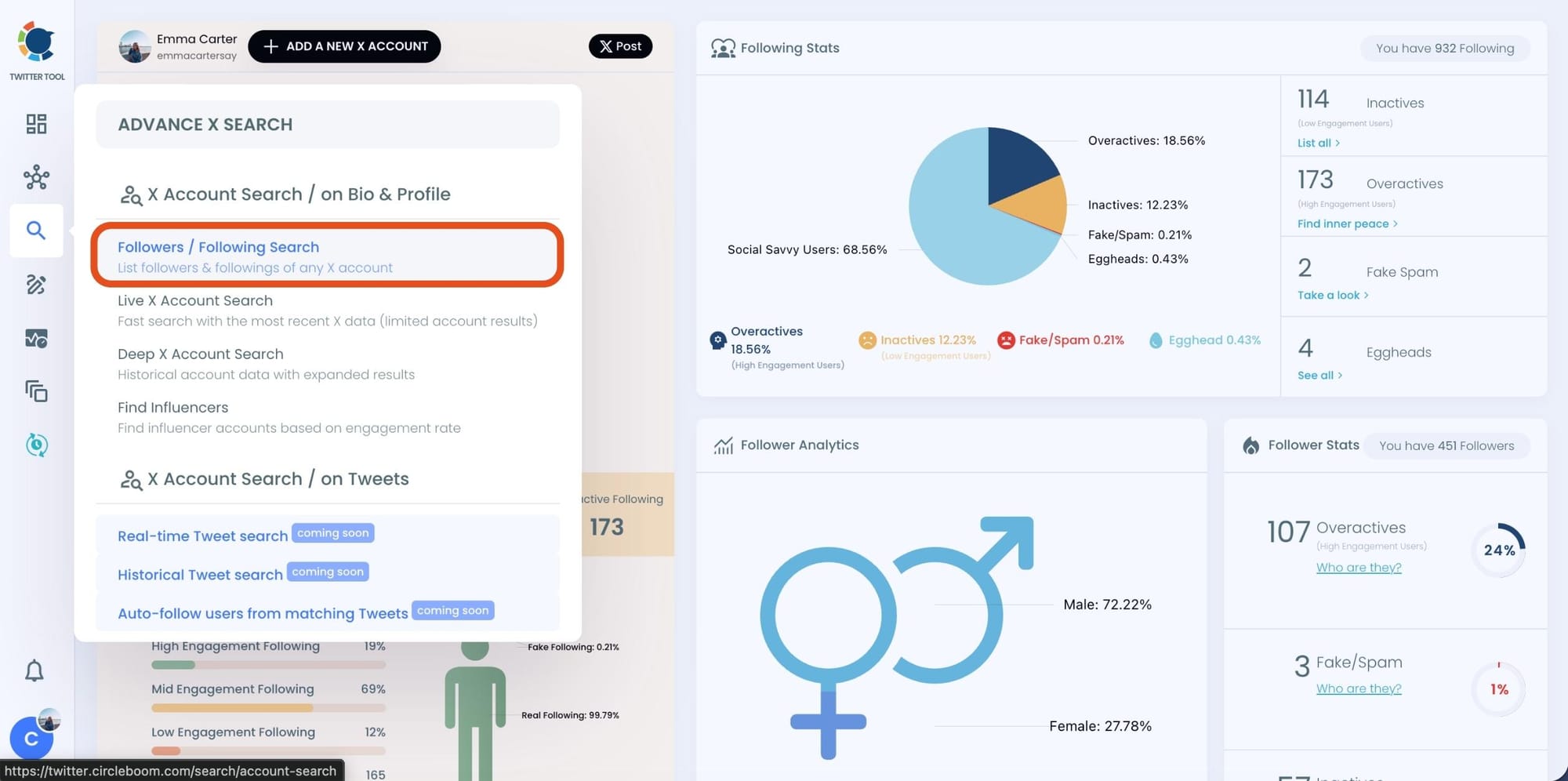
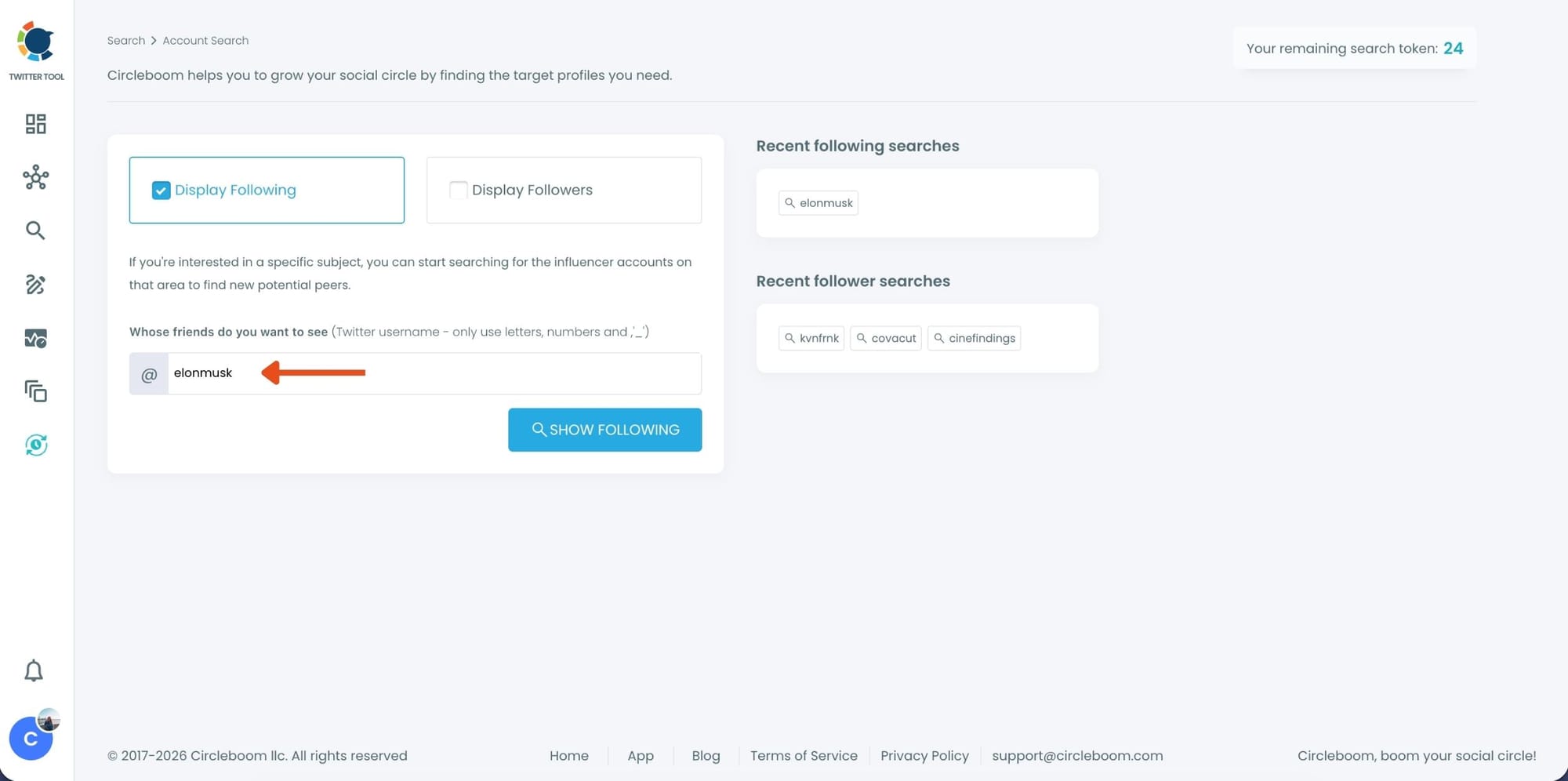
Step #3: If you want to search someone's Twitter followings, click the "Display Followings" option. Or, you can select "Display Followers" to search to see all of someone's followers on Twitter.
Then, you need to type the Twitter account's username in the search bar.
Step #4: A Following list of targeted Twitter profiles will be listed.
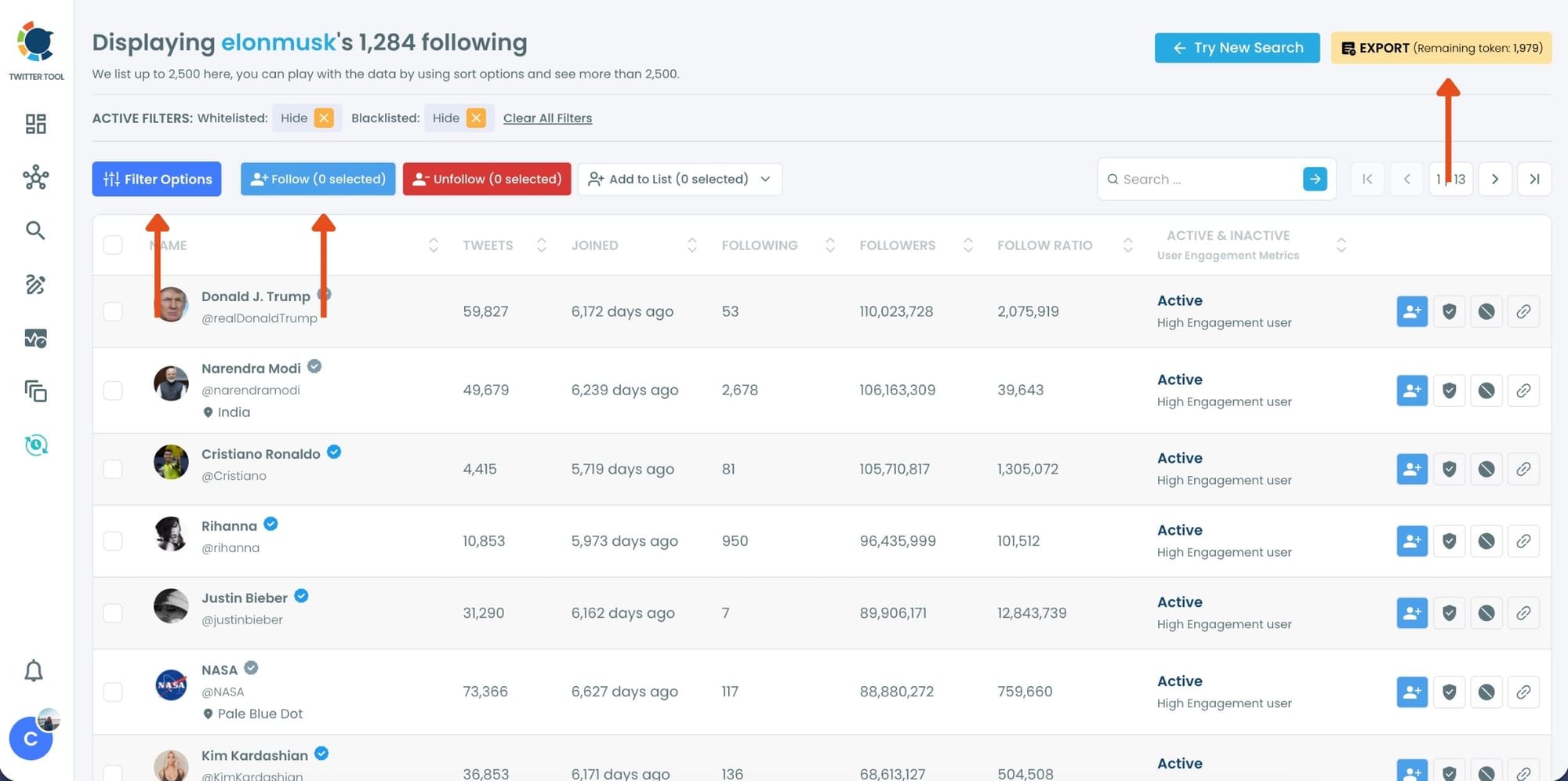
You can check these accounts. and if you wish you can add them to Twitter lists where you can see the content of X accounts without really following them!
Or mass follow/unfollow with one click!
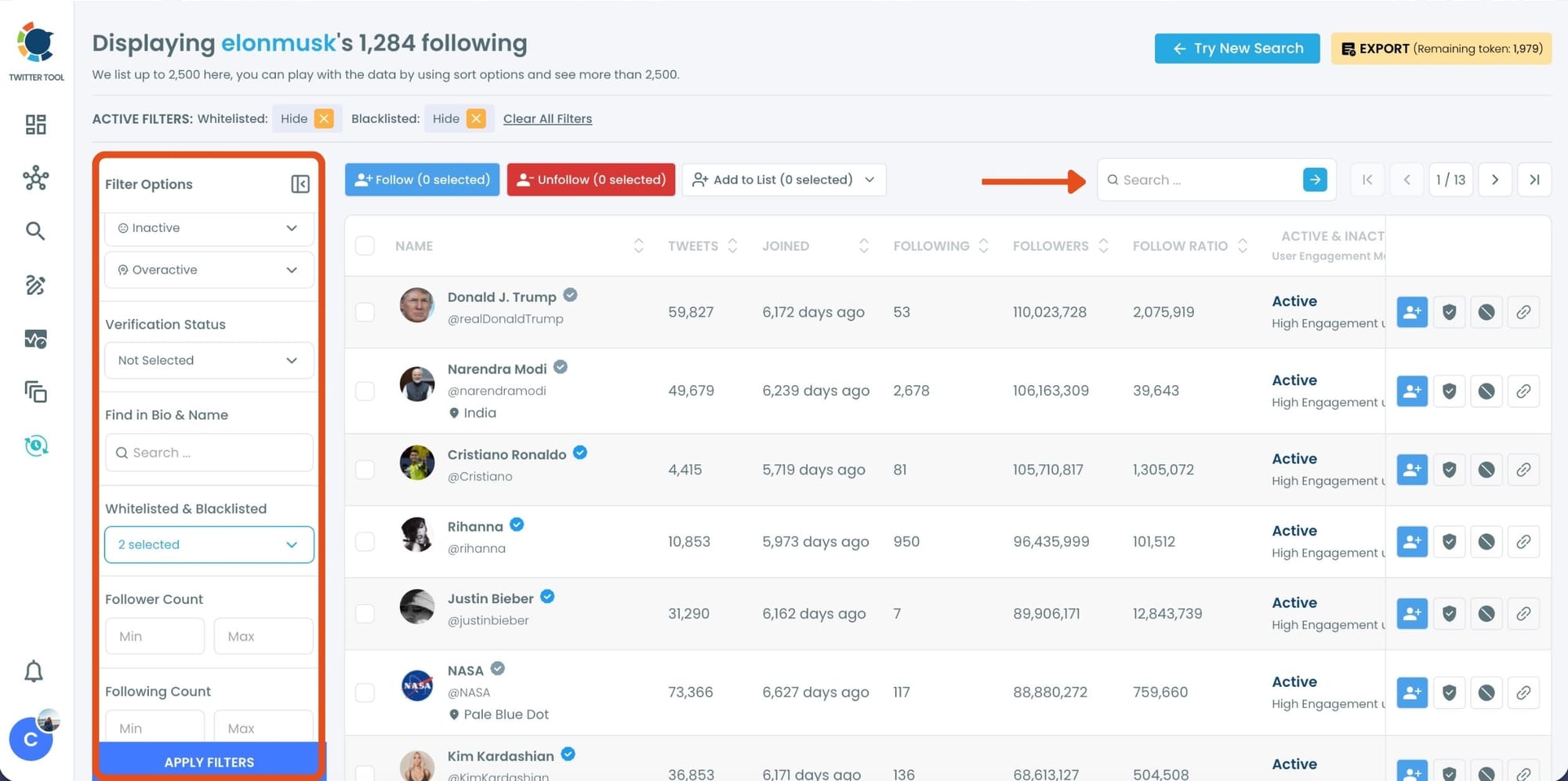
Step #5: You can search for a specific keyword to narrow down the list using the keyword search bar as the lists are ready.
Circleboom also provides users with advanced search filter options to search someone's Twitter followers without eggheads, inactives, etc.
If you need a more detailed explanation, check this video ⬇️
Why Static Lists Are Still Not Enough
Seeing full lists is a big step forward, but it’s still only a snapshot in time.
What really matters when stalking someone on X is change. Static data shows what exists now, not what happened yesterday or what changed last week.
And change is where the real insights live.
Why Activity Is the Most Important Part of Stalking on X
The most valuable signals on X come from movement:
- new followings,
- new followers,
- sudden increases or drops,
- and shifts in networking behavior.
❌ X does not notify you about any of this. Unless you manually track profiles every day and remember what you saw before, these changes go unnoticed.
That’s why activity tracking matters more than raw numbers.
How Circleboom Tracks Account Activity for You
Circleboom Twitter allows you to set daily alerts for follower and following activity. Instead of checking profiles constantly, Circleboom monitors changes automatically.
 infocircleboom.com
You can see:
➡️ who followed the account recently,
➡️ who the account started following,
➡️ and how activity evolves day by day.
This turns stalking into structured monitoring instead of manual effort.
How to Set Daily Alerts for X Account Activity
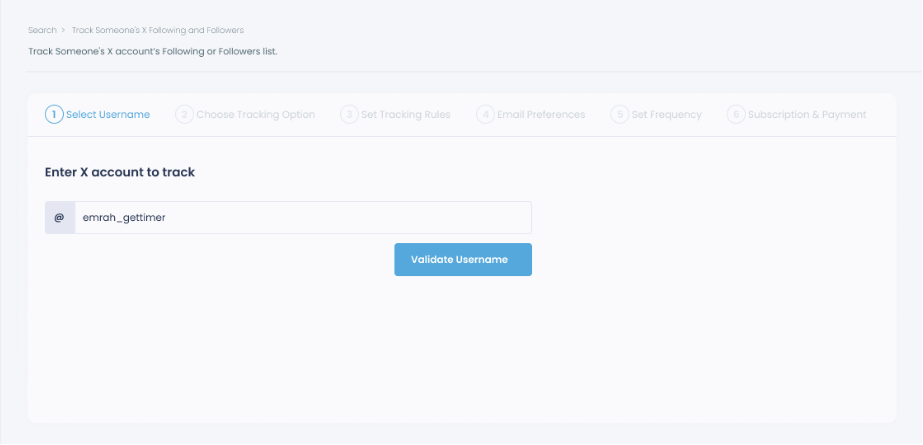
Step #1: Select any username you want to track on X.
You will track their recently followed audience.
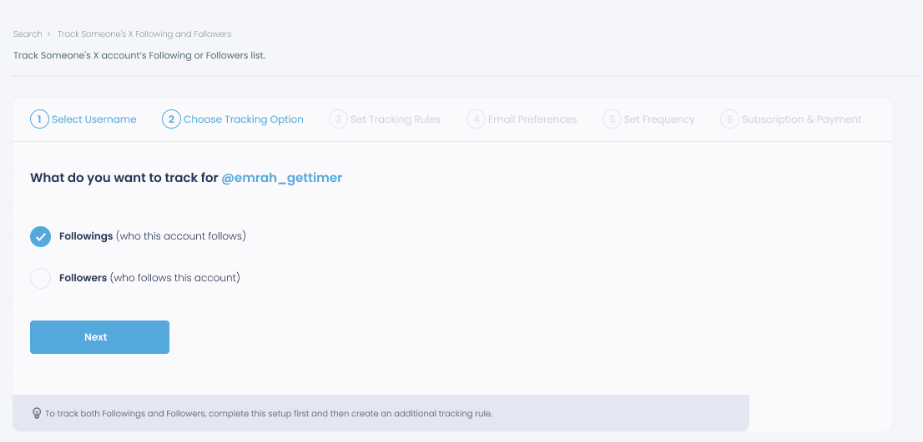
Step #2: Next, you will choose "Followings" or "Followers".
You should select one of the tracking options.
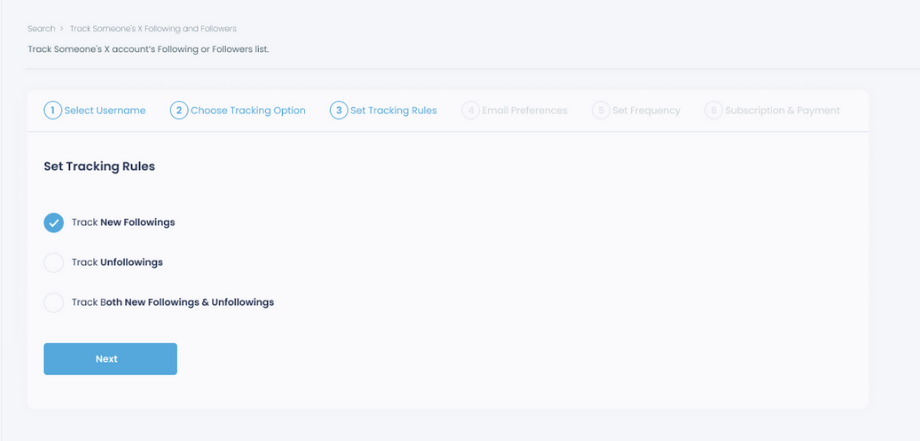
Step #3: Regarding the followings, you can track new, recent followings and unfollowings.
You can track both at the same time!
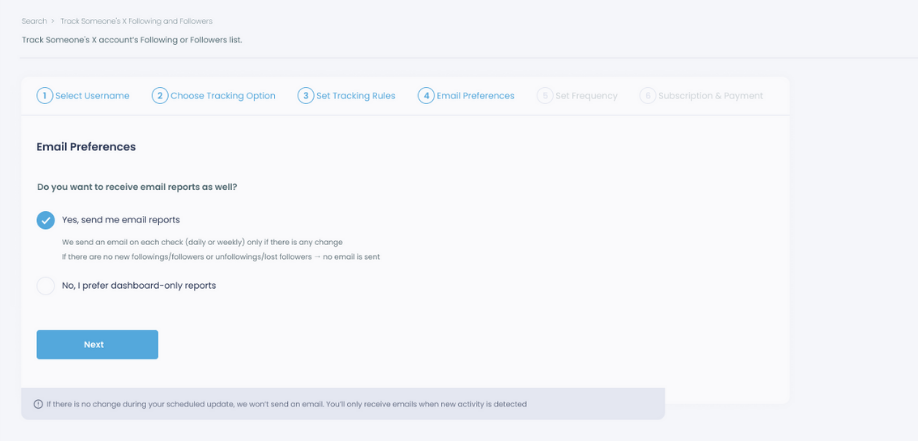
Step #4: For your tracking operations, you can receive email updates for each check.
You can still track new followings or followers without email notifications. You can monitor the following or followers with dashboard-only reports.
Step #5: Now, you should set the frequency.
You can get "Daily Tracking" or "Weekly Tracking".
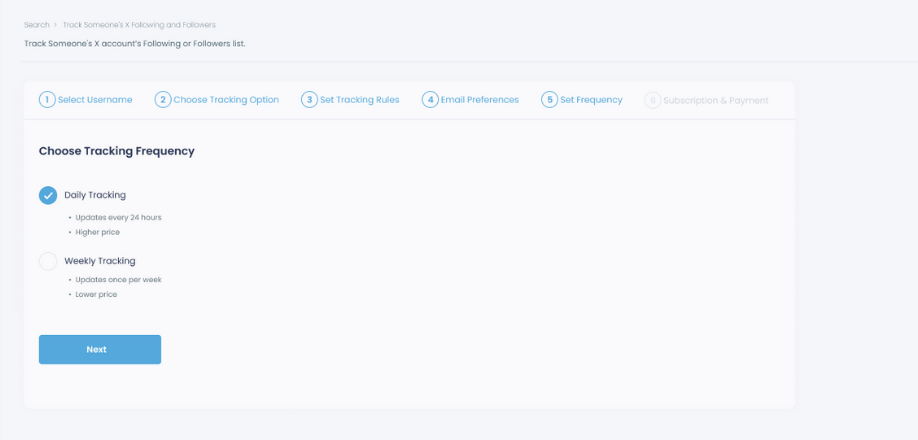
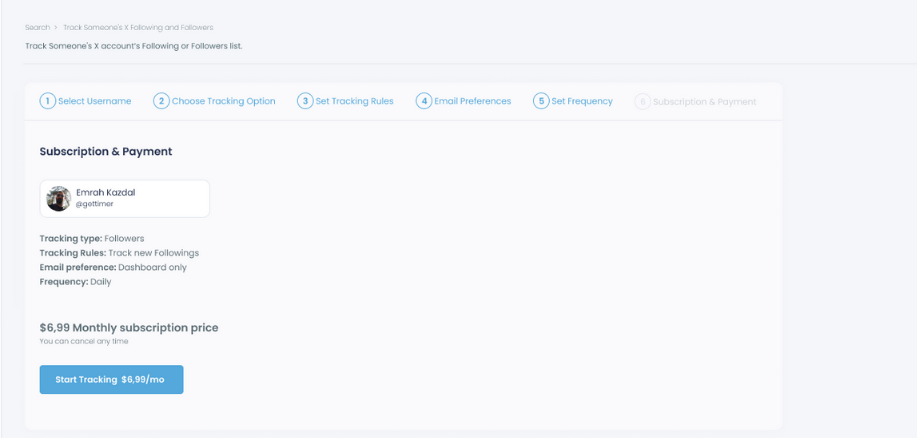
Step #6: The next step is subscription.
After checking the rules, you can start tracking.
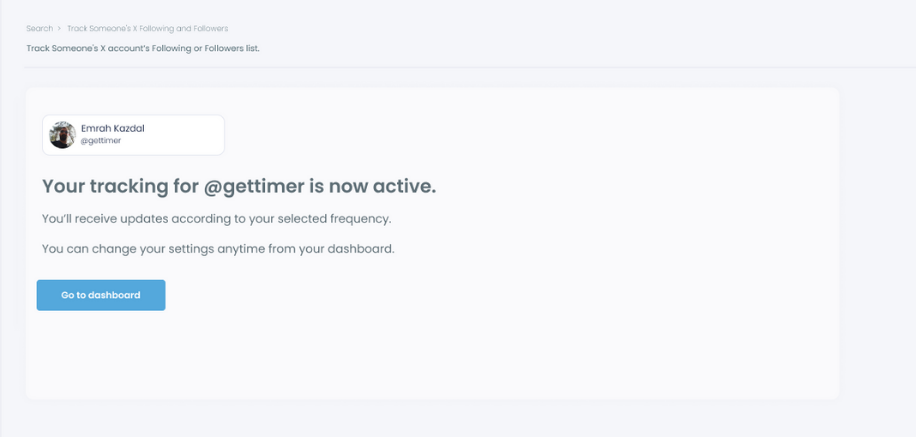
Tracking is now active. That's it! Now you can monitor newly followings and followers of anyone on X with Circleboom!
Final Thoughts
Understanding someone on X goes beyond reading tweets. Real insights come from connections and activity, not just what appears on a profile page. Followers, followings, and how they change over time reveal patterns that casual browsing simply can’t show.
X only offers fragments of this picture. Without full lists or activity tracking, it’s easy to miss important shifts and draw incomplete conclusions. By organizing public data and making these changes visible, Circleboom Twitter helps turn scattered signals into something clear and understandable.
Visibility on X is limited by design. Clarity comes from structure.




)


