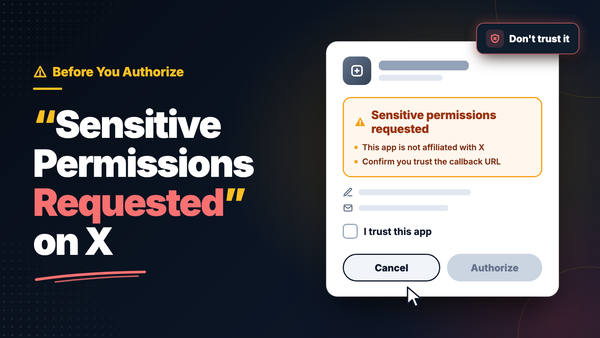
If you see "Sensitive permissions requested" when connecting an app to your X account, followed by a note that the app is not affiliated with X, a reminder to check the callback URL, and an "I trust this app" checkbox you must tick before you can continue, don't authorize it yet.
Stopping here is the right instinct.
This screen is new. X recently added it to the OAuth consent flow for a specific group of apps: pay-per-use apps that ask for any write permission or for access to read your direct messages. In other words, apps that want to post, delete, follow, unfollow, block, or open your DMs on your behalf, but that X has not vetted beyond a self-serve developer account.
The checkbox is X's way of saying "we can't vouch for this one, so the decision is yours." When the decision is yours, the safest answer is usually no.
📌 The short version: only trust to apps built by an Official X Enterprise Developer. Circleboom is one of them, so you can delete tweets, clear DMs, and clean up followers on X without a "not affiliated with X" warning. If you want to understand what this screen really means, keep reading.
Why X Shows "Sensitive Permissions Requested" on Some Apps
X's developer platform offers different kinds of API access. Pay-per-use is the self-serve option: a developer signs up, adds a payment method, creates an app, and starts making requests. It is fast and open to almost anyone.
That openness is exactly the problem X is trying to address.
Anyone can create a pay-per-use app, give it a trustworthy sounding name, upload a logo that looks like a well known brand, and send people a "Sign in with X" link. Until now, the consent screen looked almost identical whether the app came from a careful developer or from someone building a phishing kit over the weekend.
In its announcement to developers, X explained the OAuth consent screen update as a measure "to help protect end users from phishing and impersonation." A pay-per-use app that requests any write scope or dm.read now shows four extra things on the consent screen:
➡️ A "Sensitive permissions requested" notice
➡️ A statement that the app is not affiliated with X
➡️ A reminder to confirm you trust the callback URL before authorizing
➡️ A required "I trust this app" checkbox before you can continue
X was also clear that developers cannot remove it. There is no setting to toggle and no configuration to fix. If a pay-per-use app wants to write to your account or read your DMs, the sensitive permissions requested warning shows up every time.
The rest of the screen stays the same. You still get Cancel and Authorize. The only difference is that X now makes you stop and personally confirm that you trust the app before the Authorize button does anything.
Which Apps Trigger the Sensitive Permissions Requested Warning
The warning is not about what kind of tool the app is. It is about what the app asks to do with your account.
A pay-per-use app that only wants to read your public profile will not see it. The moment the same app asks for a write scope, such as posting tweets, liking, following, blocking, or changing lists, or asks to read your DMs, the box appears.
That puts a lot of familiar tool categories right in the warning zone:
- Tweet and like deleters that wipe your post history or unlike everything in bulk
- Mass unfollow and follow tools that change who you follow
- Auto DM and DM cleanup tools that read, send, or remove your messages
- AI reply bots and auto posters that publish on your behalf
- Giveaway and engagement apps that follow, like, or repost from your account
These are exactly the tools people search for when they want to clean up or grow an account quickly. They are also exactly the tools scammers like to imitate, because the permissions they need are powerful and users are used to granting them without reading.
⚠️ The callback URL line is the most important one on the whole screen. After you authorize, X sends your access token to that address. A phishing app can copy a familiar name and logo, but it cannot fake where the token ends up. If the callback domain looks unfamiliar, misspelled, or unrelated to the site you came from, stop.
What Happens If You Click "I Trust This App" Anyway
Ticking the box feels like a formality. It isn't. Here is what you are actually handing over.
The ability to post as you. Write scopes let an app publish tweets and replies from your account. A malicious app can push scam links, crypto giveaways, or phishing DMs to everyone who trusts your profile.
The ability to change your account. Write access covers follows, unfollows, likes, blocks, and deletions. Years of tweets or a carefully built following list can disappear without you touching anything.
Your private conversations. The dm.read scope opens your inbox. That includes business deals, personal messages, shared files, and anything else you have ever assumed was private.
A token that keeps working. Authorization doesn't end when you close the tab. The app keeps access until you revoke it, which means the damage can happen weeks later, quietly.
A problem nobody else will fix. X put the responsibility on you with that checkbox. If something goes wrong after you confirmed "I trust this app," you are the one who has to clean it up.
If you already authorized an app you are unsure about, open X's settings, go to Security and account access, then Apps and sessions, and revoke it from your connected apps. It is the same reflex worth having when X asks you to reset your password because of a third party app.
Which X Apps Should You Trust With Sensitive Permissions?
None of this means you have to give up on tools that delete tweets, clean up followers, or manage your DMs. It means the developer behind the tool matters more than the tool itself.
The simple rule: only trust apps built by an Official X Enterprise Developer.
Enterprise developers work with X directly. Enterprise access is not a self-serve signup with a credit card. It is a direct relationship with X, which is a very different starting point from an app someone created last week on the pay-per-use tier.
You can check the list yourself. X publishes its Enterprise customer directory. If a tool claims to be an official partner, look it up. If the name isn't there, treat the claim as marketing.
The warning itself tells you which side an app is on. X's disclaimer only applies to pay-per-use apps that request write access or dm.read. If an app that wants to post, delete, or read your DMs shows "Sensitive permissions requested" and "not affiliated with X," it is not operating as an Enterprise developer, whatever its website says.
Official badges on a landing page prove nothing. Anyone can write "official," "certified," or "X approved" on a homepage. The consent screen and X's own directory are the only places where that claim can actually be verified.
⚠️ If an app asks for sensitive permissions and X won't vouch for it, don't tick "I trust this app." Cancel, and find a tool from a developer X actually works with.
Circleboom Twitter: The Safest Tool to Trust With Sensitive X Permissions
Circleboom is an Official X Enterprise Developer. It works directly with X's official APIs, stays fully compliant with X's API policies, and uses no scraping and no credential sharing. Your password never touches Circleboom, and every action goes through the official authorization flow.
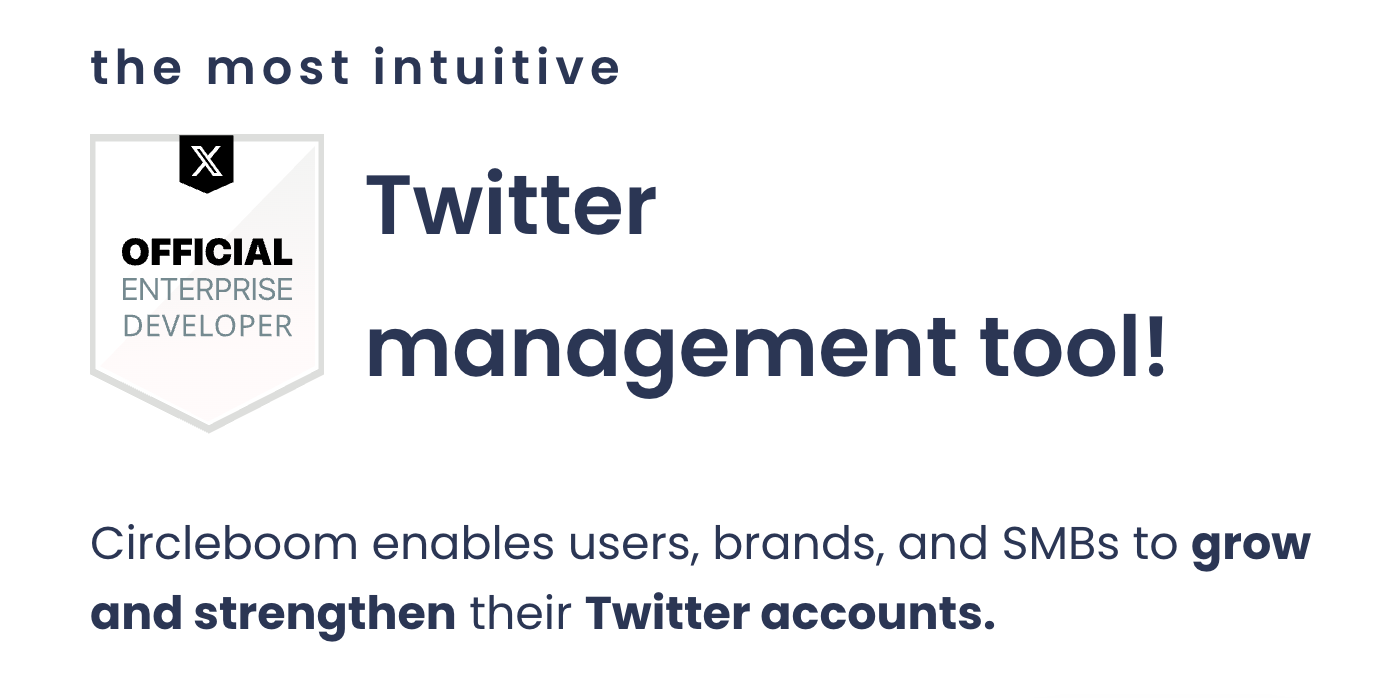
📌 Circleboom operates as an Official X Enterprise Developer rather than a pay-per-use app, which is why the sensitive permissions requested disclaimer is not part of the Circleboom Twitter sign in flow.
 infocircleboom.com
That matters because Circleboom Twitter covers almost every job that needs write access or DM access on X, all in one place, under one trusted connection.
Delete and clean up your history
- Delete Tweets to wipe your entire tweet history from a Twitter Archive, or filter what goes
- Delete Likes to clear your like history in bulk
- Delete DMs to clean out old direct message conversations
- Delete Bookmarks to tidy up your saved content library at scale
Clean up followers and following
- Fake/Bot Followers, Inactive Followers, Egghead Followers, and Low Quality Followers to find and remove accounts that hurt your audience
- Not Following Back and Inactive Following to unfollow one-sided or dormant accounts in bulk
- Mass Block X Accounts to block unwanted followers, following, or retweeters in bulk
- Whitelist to protect important accounts so no bulk action ever touches them
Create, schedule, and publish
- X Post Planner to compose, schedule, and publish tweets and threads
- AI Writer and Generate My Next Post to create posts that match your own voice
- Bulk Schedule to queue hundreds of tweets at once from a CSV file
- Cross Posting to share the same post across your other connected social platforms
- Auto Retweet to repost your best content on a schedule
Organize, analyze, and monitor
- Manage Your X Lists to create lists and bulk add or remove accounts
- Post Analytics to see which tweets drive impressions, likes, reposts, and replies
- Followers' Growth and Who Unfollowed Me to track how your audience changes
- Export Tweets and Export Followers or Following to download clean CSV data
- X Competitor Analysis & Benchmark Report to compare your account with up to 5 competitors
With Circleboom Twitter, you can delete tweets, clear DMs, clean up followers, and publish on X without ticking a box that says the app isn't affiliated with X. For a closer look at how Circleboom handles your account, this breakdown of whether Circleboom is safe covers the details.
FAQ
What does "Sensitive permissions requested" mean on X?
It means the app you are connecting is a pay-per-use app asking for write access or permission to read your DMs. X adds the notice to protect users from phishing and impersonation. It is X telling you the app has not been vetted at a higher level and asking you to take responsibility for trusting it.
Does "not affiliated with X" mean the app is a scam?
Not automatically. But it does mean X is not vouching for it. Since the warning only appears when an app wants to act on your account or read your messages, the stakes are high enough that you should not authorize unless you know exactly who built the app and where the callback URL leads.
Can a developer remove the "Sensitive permissions requested" warning?
No. X has stated there is currently no way to remove the disclaimer from a pay-per-use app that requests write scopes or dm.read. It is expected behavior, not a bug or a misconfiguration.
Does Circleboom show the "I trust this app" checkbox?
No. Circleboom is an Official X Enterprise Developer, not a pay-per-use app, so connecting your X account to Circleboom Twitter does not trigger this pay-per-use disclaimer.
What should I check before authorizing any app on X?
Look at the callback URL and make sure it matches the website you started from. Check the permissions being requested and ask whether the tool really needs them. Search for who is behind the app. If any of those answers are unclear, cancel.
How do I remove an app I already authorized on X?
Go to Settings and privacy, then Security and account access, then Apps and sessions, and open Connected apps. Select the app and revoke its access. The app loses its token immediately.
Why do tools like tweet deleters and DM cleaners need sensitive permissions?
Deleting tweets, removing followers, blocking accounts, and clearing DMs all change your account, so they require write access, and DM tools also need to read your messages. That is exactly why the developer behind the tool matters so much for this category.
Final Thoughts
The "I trust this app" checkbox looks small, but it is X openly admitting it cannot vouch for the app in front of you. When you see "Sensitive permissions requested" on a tool that wants to post, delete, or read your DMs, the safest move is to cancel and look for a developer X actually works with.
With Circleboom Twitter, you can delete tweets, clear DMs, clean up fake followers, and schedule posts on X through an Official X Enterprise Developer, with no scraping, no credential sharing, and no pay-per-use disclaimer standing between you and your account.
Your account is worth more than a checkbox.
 infocircleboom.com