

If you’re posting on LinkedIn consistently but your impressions feel low, you’re not alone. One post gets a few hundred views, another barely moves, and then you see someone else’s post explode with tens of thousands of impressions. That contrast makes it easy to assume something is wrong.
But on LinkedIn, impressions only make sense when you look at them in context.
A “good” number isn’t universal. It depends on how many connections or followers you have, how active they are, and when your post goes live.
Before assuming your performance is weak, it helps to understand what impressions really mean and what numbers are actually normal.
 Arif Akdogan
What Are Impressions on LinkedIn?
An impression is counted every time your post appears on someone’s screen. It doesn’t mean they read it, clicked it, or engaged with it. It simply means LinkedIn showed your content in a feed.
This is why impressions are different from:
🔵 Reach, which refers to unique viewers
🟢 Engagement, which includes likes, comments, and shares
LinkedIn’s algorithm decides how far your post travels based on early signals. If people interact with your post shortly after it’s published, LinkedIn continues distributing it. If they don’t, impressions slow down quickly.
That’s why timing, format, and engagement quality matter so much.
What Is a Good Number of Impressions on a LinkedIn Post?
A good number of impressions is best measured as a percentage of your follower or connection count, not as a raw number.
On average, organic LinkedIn posts reach:
- 5% to 15% of your network
- Higher if engagement is strong early
- Lower if your audience is inactive or your timing is off
Good Impression Benchmarks by Follower or Connection Count
Below are realistic benchmarks for personal profiles. Company pages usually see slightly lower organic reach.
Under 500 Connections or Followers
- Below 100 impressions: low
- 100–250 impressions: normal
- 250+ impressions: good
500–1,000 Connections or Followers
- Below 200 impressions: low
- 200–500 impressions: normal
- 500–1,000 impressions: good
1,000–5,000 Connections or Followers
- Below 500 impressions: low
- 500–1,500 impressions: normal
- 1,500–3,000+ impressions: good
5,000–10,000+ Connections or Followers
- Below 1,000 impressions: low
- 1,000–3,000 impressions: normal
- 3,000–10,000+ impressions: good
The key takeaway is this:
A post with 800 impressions from a 1,000-follower account can outperform a post with 5,000 impressions from a 50,000-follower account. Context matters more than vanity numbers.
Why Your LinkedIn Impressions Might Be Low
Low impressions don’t always mean poor content.
Common reasons include:
🚫 Posting when your audience isn’t online
🚫 Weak engagement in the first hour
🚫 Using formats that don’t encourage interaction
🚫 Posting inconsistently
Most of these issues are fixable with small adjustments.
How to Increase Your LinkedIn Impressions
1. Share Your Posts at the Right Time
Timing has a direct impact on impressions. If you share a post when your followers are offline, LinkedIn receives no early engagement signals, and distribution slows almost immediately.
The first 60–90 minutes after posting are critical. That’s when LinkedIn decides whether your content deserves wider exposure.
Even strong posts underperform if they’re published at the wrong time.
 Kevin Frank
2. Use High-Performing Post Types (Carousels Perform Especially Well)
Not all post formats perform equally on LinkedIn.
Carousel and document posts tend to generate higher impressions because they increase dwell time. When users swipe through slides, LinkedIn interprets that behavior as interest and keeps showing the post to more people.
Text-only posts can still perform well, especially when they spark conversation, but carousels often give impressions an extra boost especially for educational or step-by-step content.
 Kevin Frank
3. Write for Engagement, Not Just Visibility
LinkedIn rewards interaction, not impressions alone.
Posts that invite thoughtful comments tend to travel further than posts that simply make statements. Asking a clear question, sharing a specific experience, or presenting a point people can agree or disagree with encourages discussion.
Comments are especially powerful because they signal deeper engagement than likes.
 Altug Altug
4. Be Consistent Without Posting Too Often
Posting more does not automatically increase impressions. Inconsistent posting confuses both your audience and the algorithm.
A steady rhythm such as two to four posts per week helps LinkedIn understand your content patterns and helps your audience know when to expect value from you.
Consistency builds momentum over time.
How Circleboom Publish Helps Increase LinkedIn Impressions
One of the biggest impression killers on LinkedIn is poor timing. Sharing a post when your audience isn’t active almost guarantees lower reach.
This is where Circleboom Publish becomes useful.
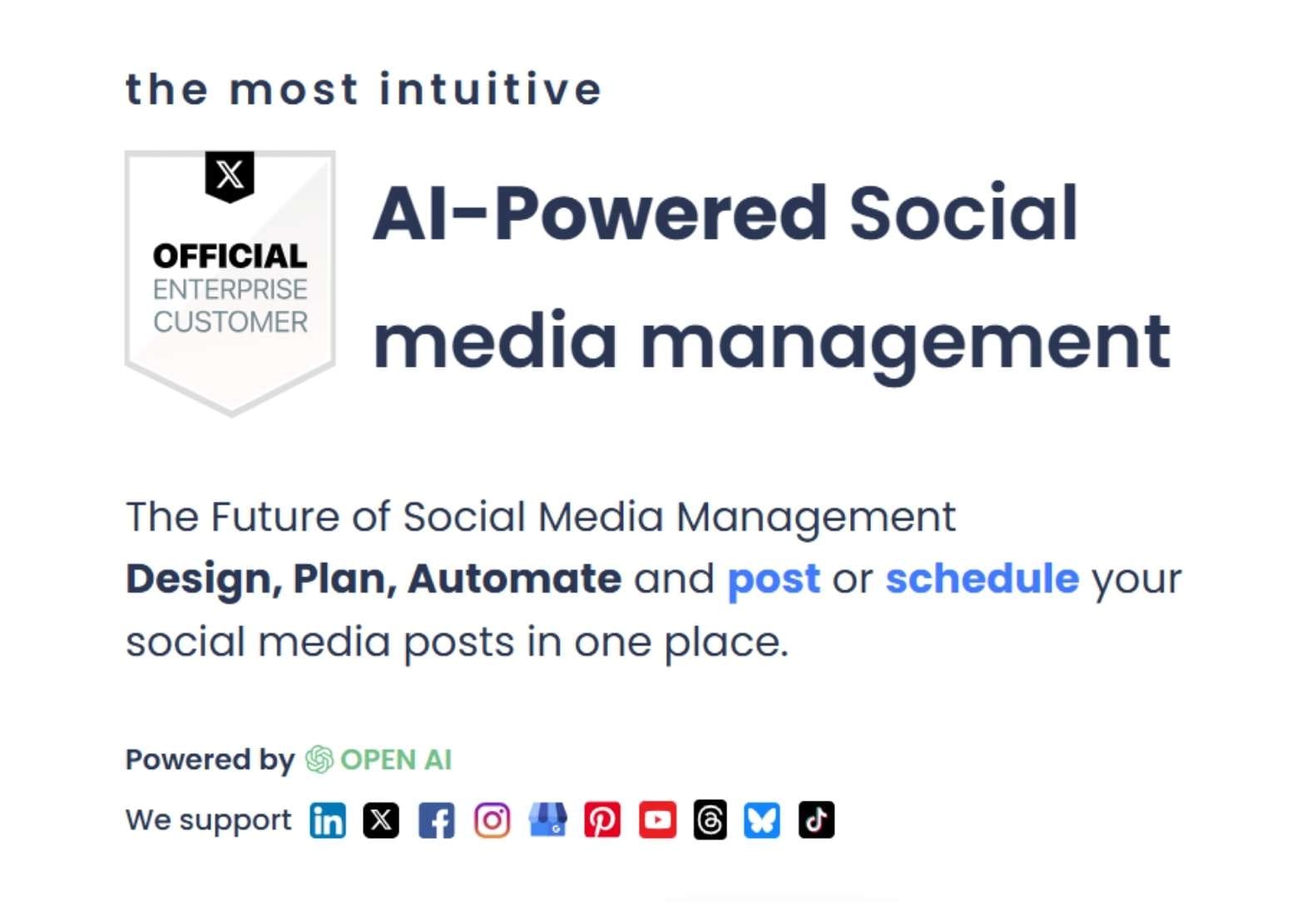
Circleboom is a powerful all-in-one publishing tool that allows you to manage multiple accounts across multiple platforms, including LinkedIn, Twitter, Facebook, Pinterest, Google Business Profile, YouTube, Threads, and more.
It gave me a single dashboard where I could create, plan, and schedule all LinkedIn content for every client or brand page I managed.
What I love about Circleboom is that it’s not just a scheduler, it’s a LinkedIn content creation suite.
Here are a few features that made a difference in my workflow:
🤖 AI LinkedIn Post Generator: It writes engaging posts with just a few prompts.
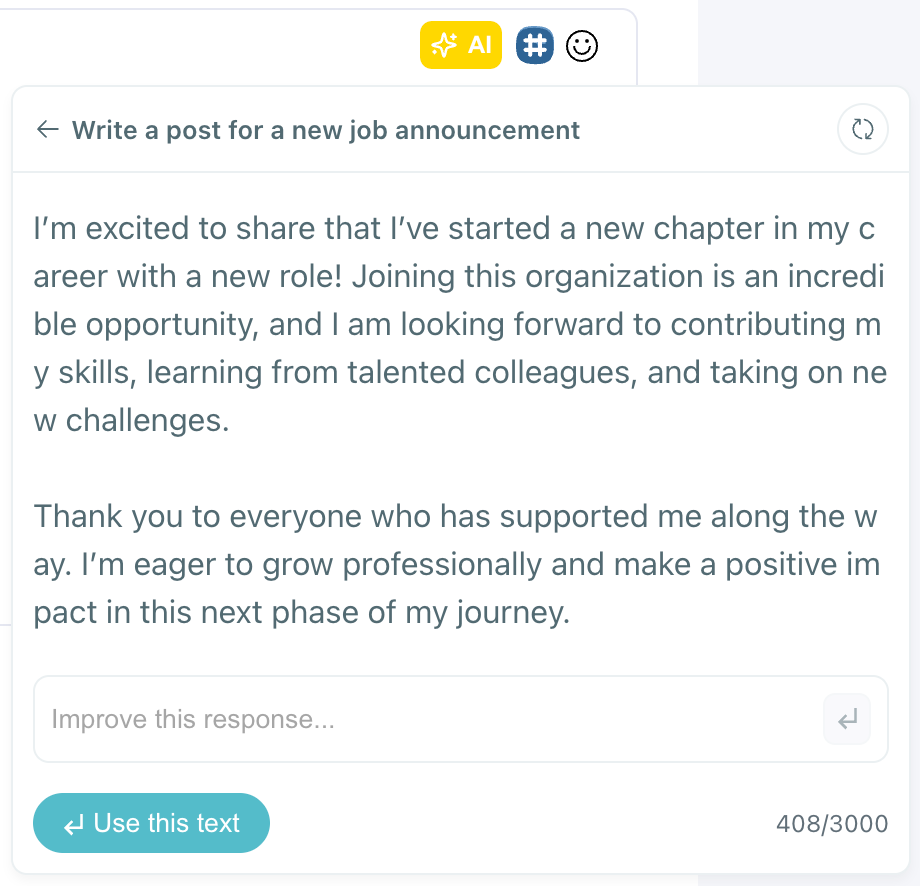
❓ LinkedIn Poll Generator: Helps create interactive, engagement-boosting polls in seconds.
🎡 Carousel Generator: Perfect for sharing multi-slide visual content—no design skills needed.
🖼️ Image Curation: It fetches relevant images based on your keywords so you don’t have to search endlessly.

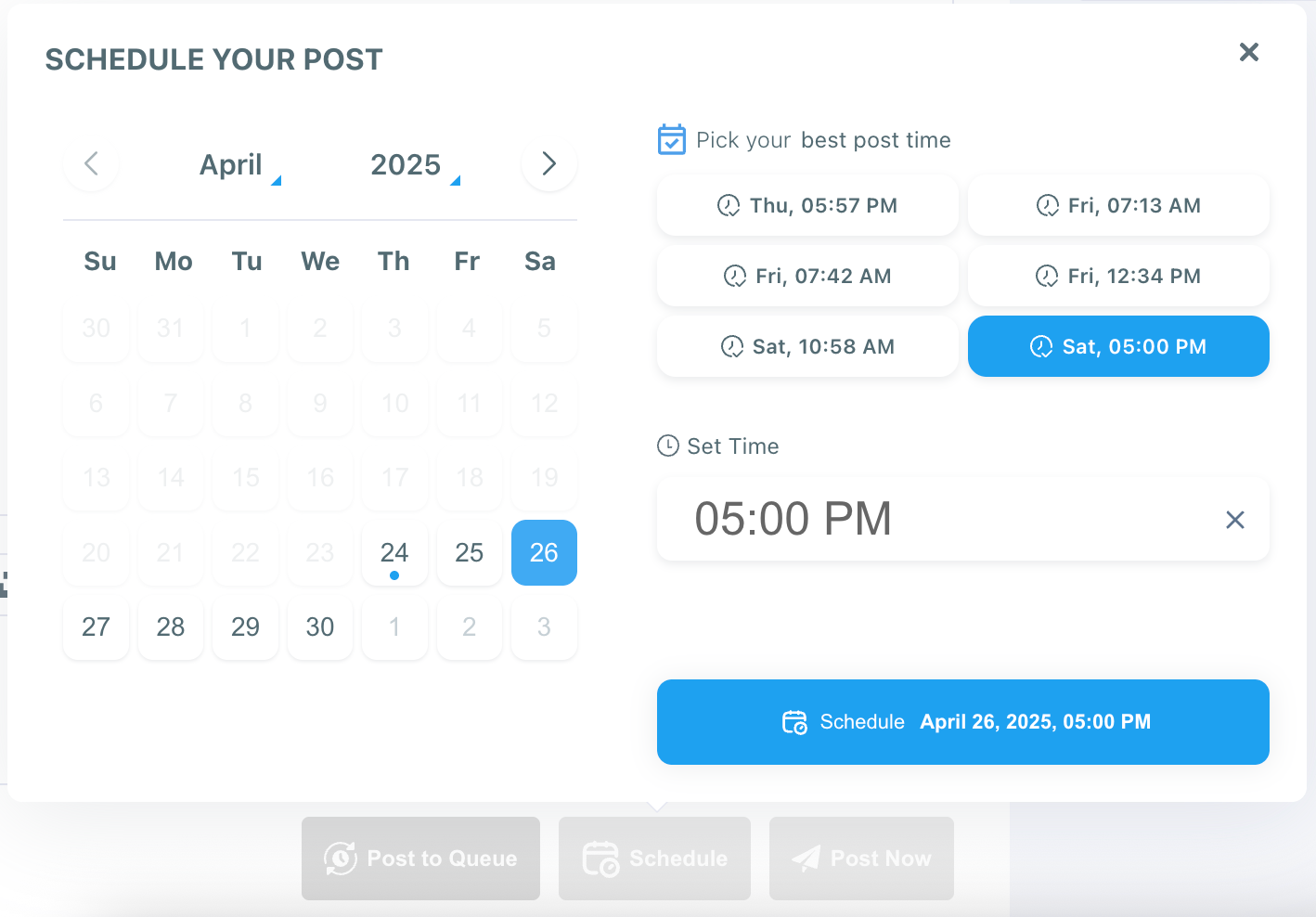
⏰ Best Time to Post: It suggests the optimal times when your audience is most active.
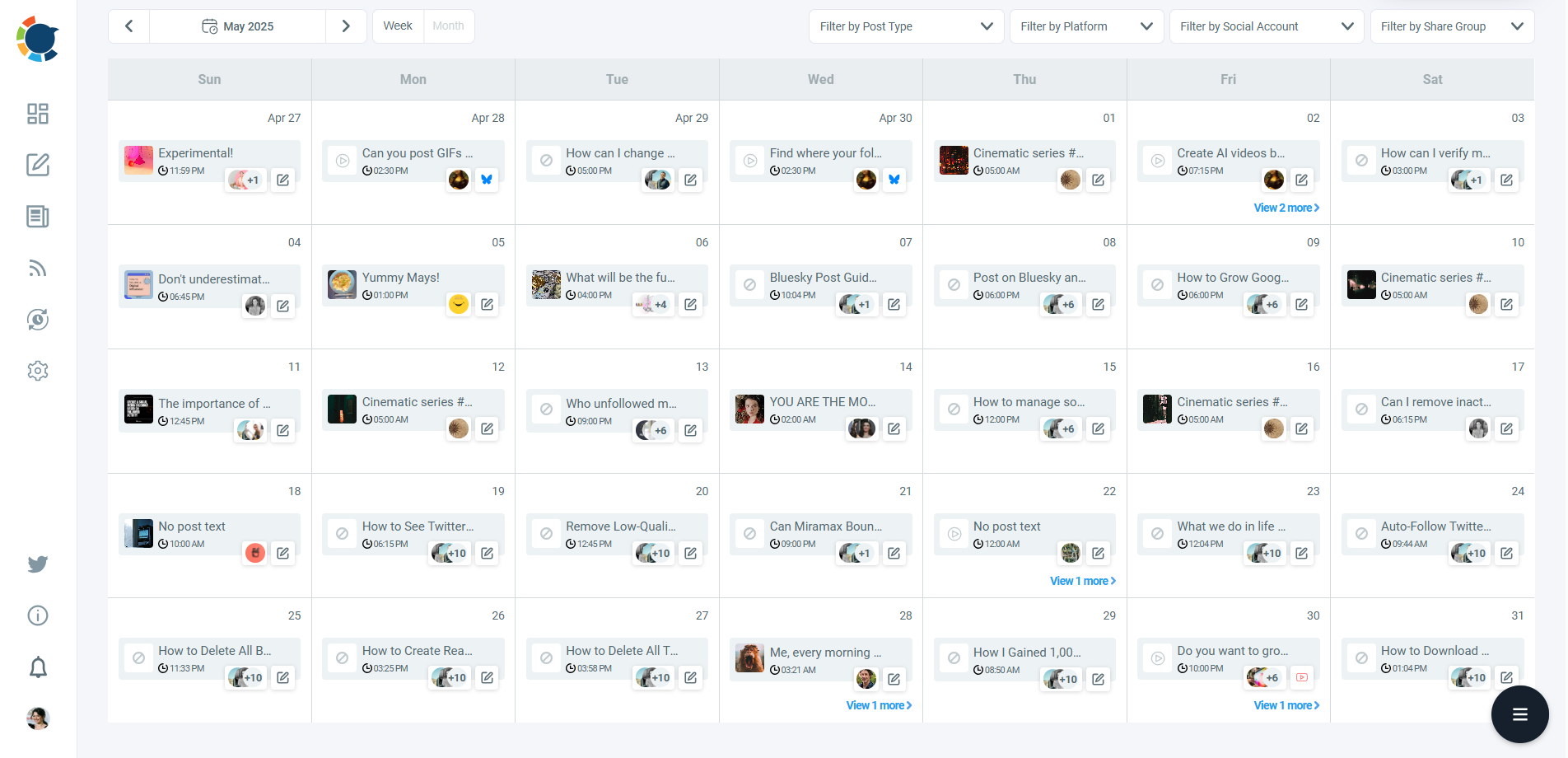
🔄 RSS Feed Integration: You can connect your blog or favorite publications to auto-share fresh content on LinkedIn.
Thanks to Circleboom, I was able to create a full month of posts for multiple brands in one sitting and post them at exactly the right time, without being glued to my screen.
How to Create and Schedule LinkedIn Posts to Increase Impressions with Circelboom Publish
Step #1: Start a new LinkedIn post
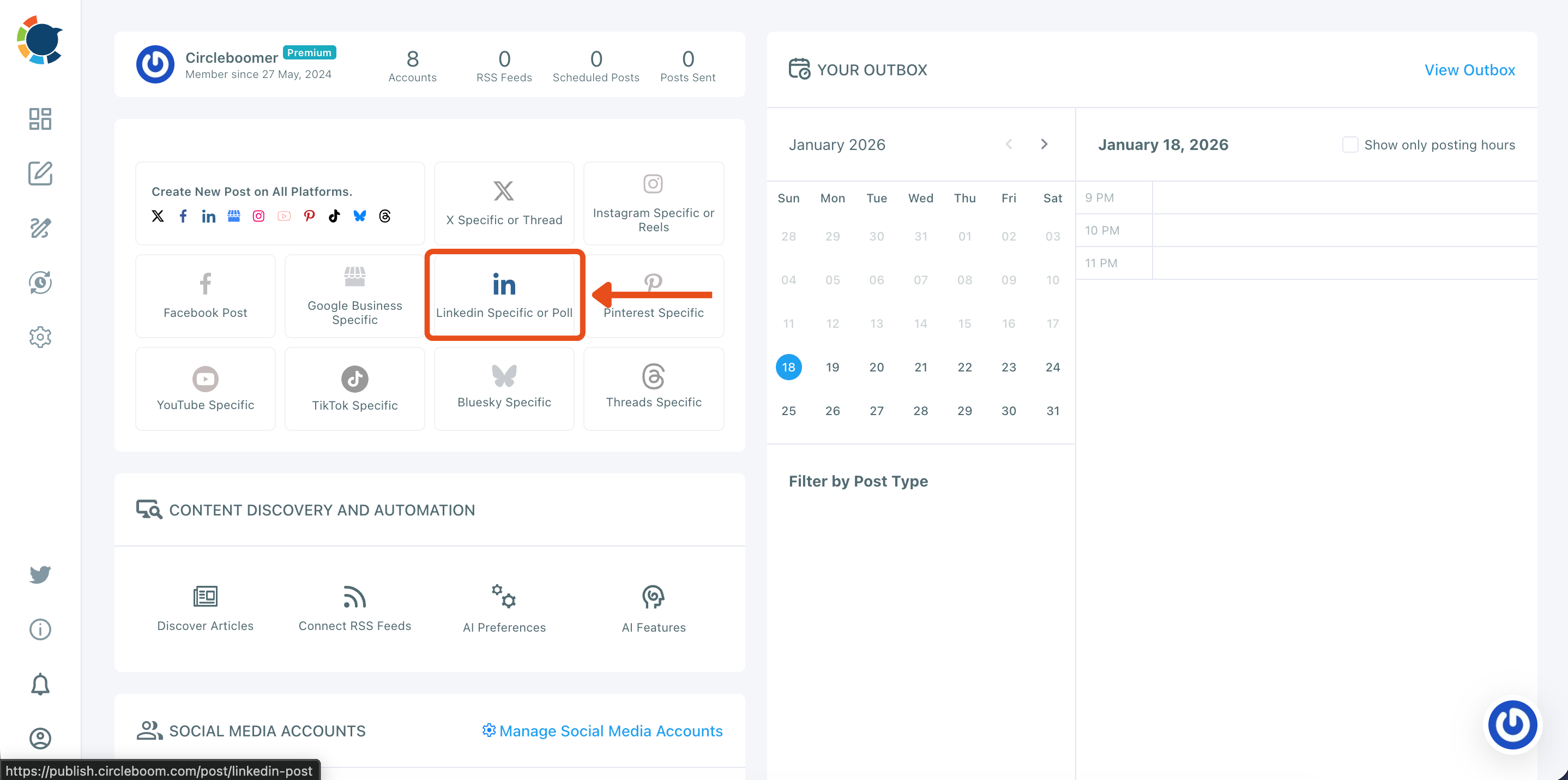
From your Circleboom Publish dashboard, go to the “Create New Post” area and click LinkedIn Specific or Poll.
This opens the LinkedIn composer so you can create a post designed specifically for LinkedIn.
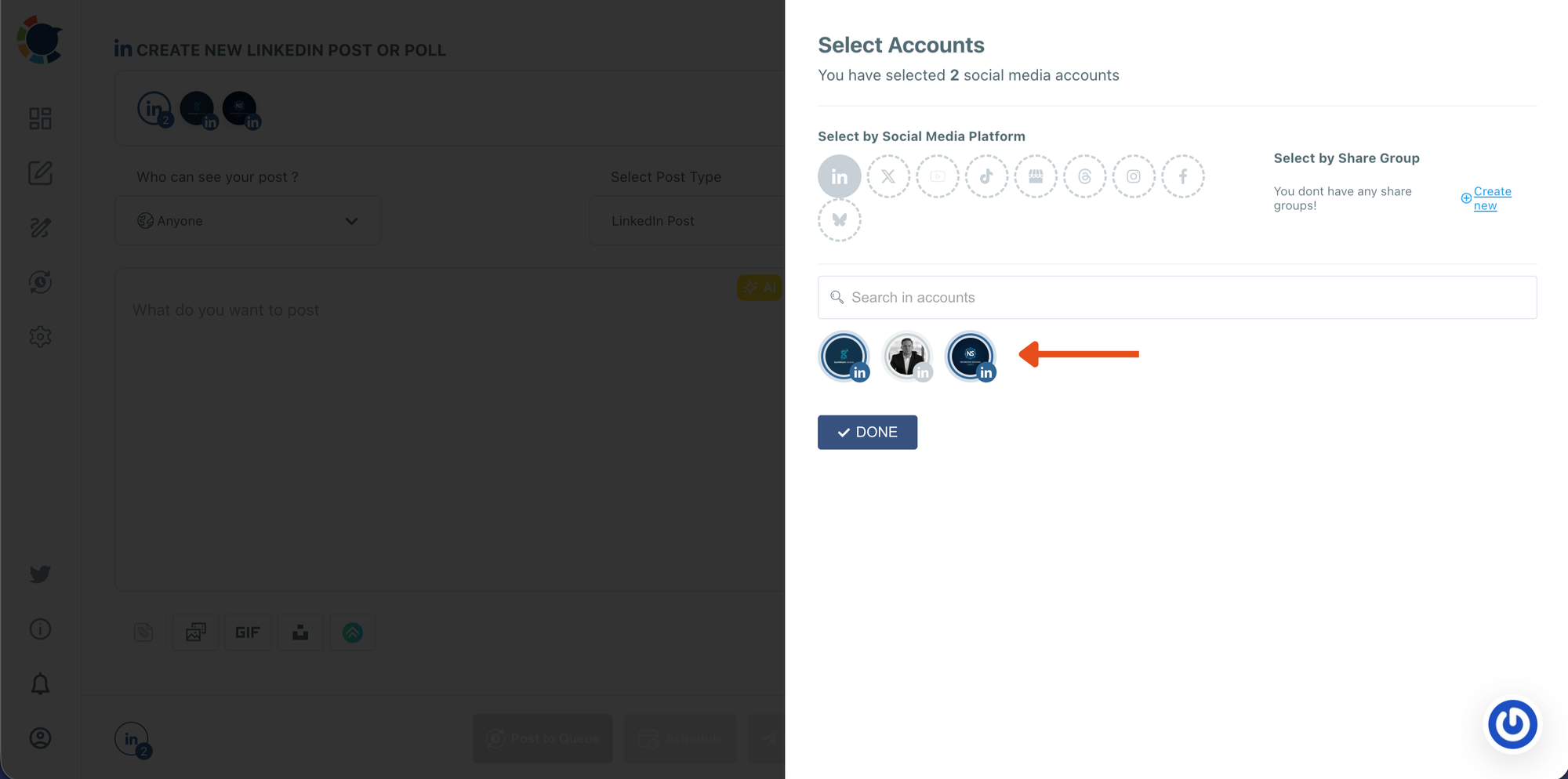
Step #2: Select the LinkedIn account(s) you want to publish on
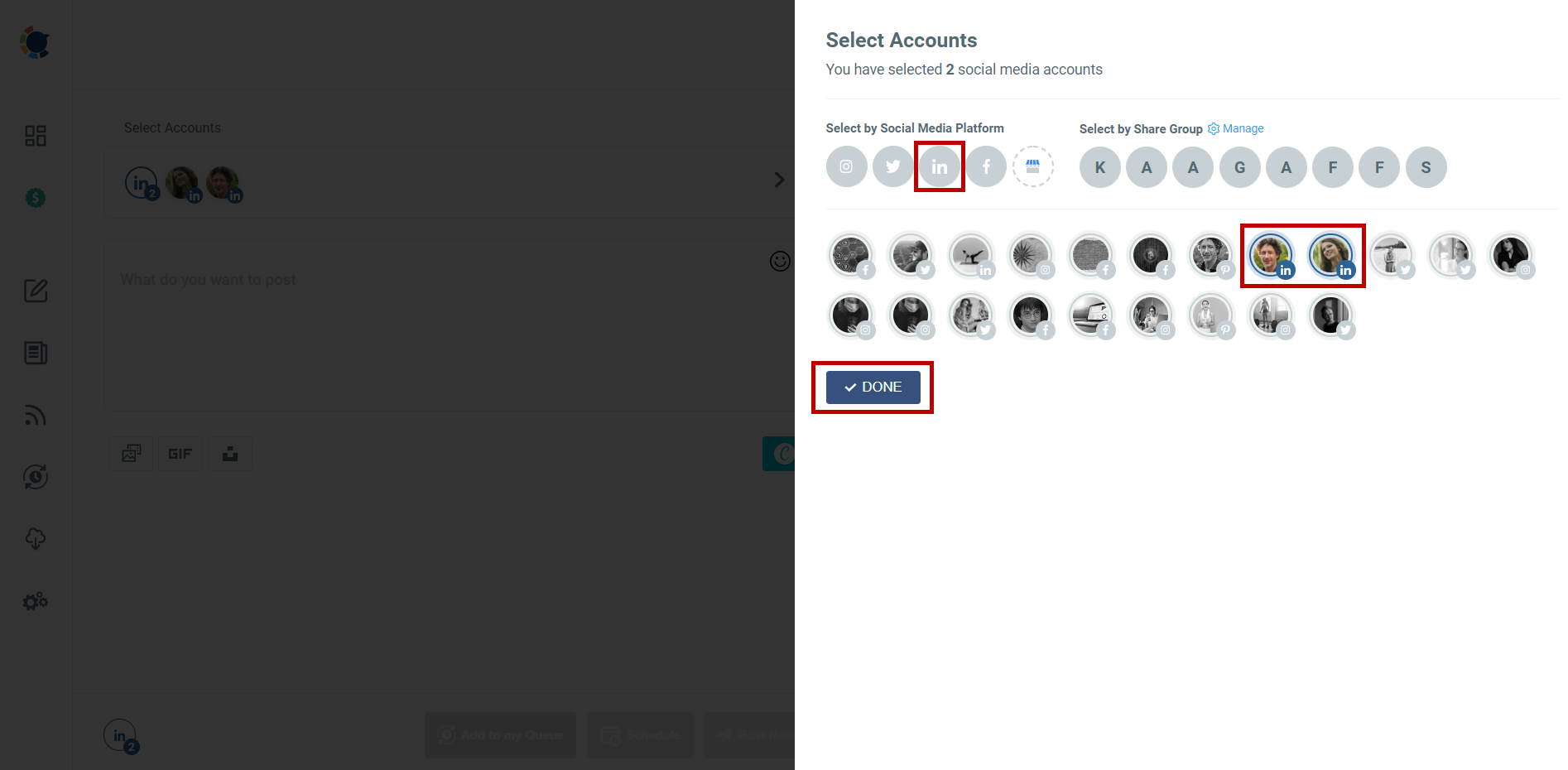
In the Select Accounts panel, choose the LinkedIn profile or page you want to use.
If you manage multiple accounts, you can select more than one. When you’re ready, click DONE to move forward.
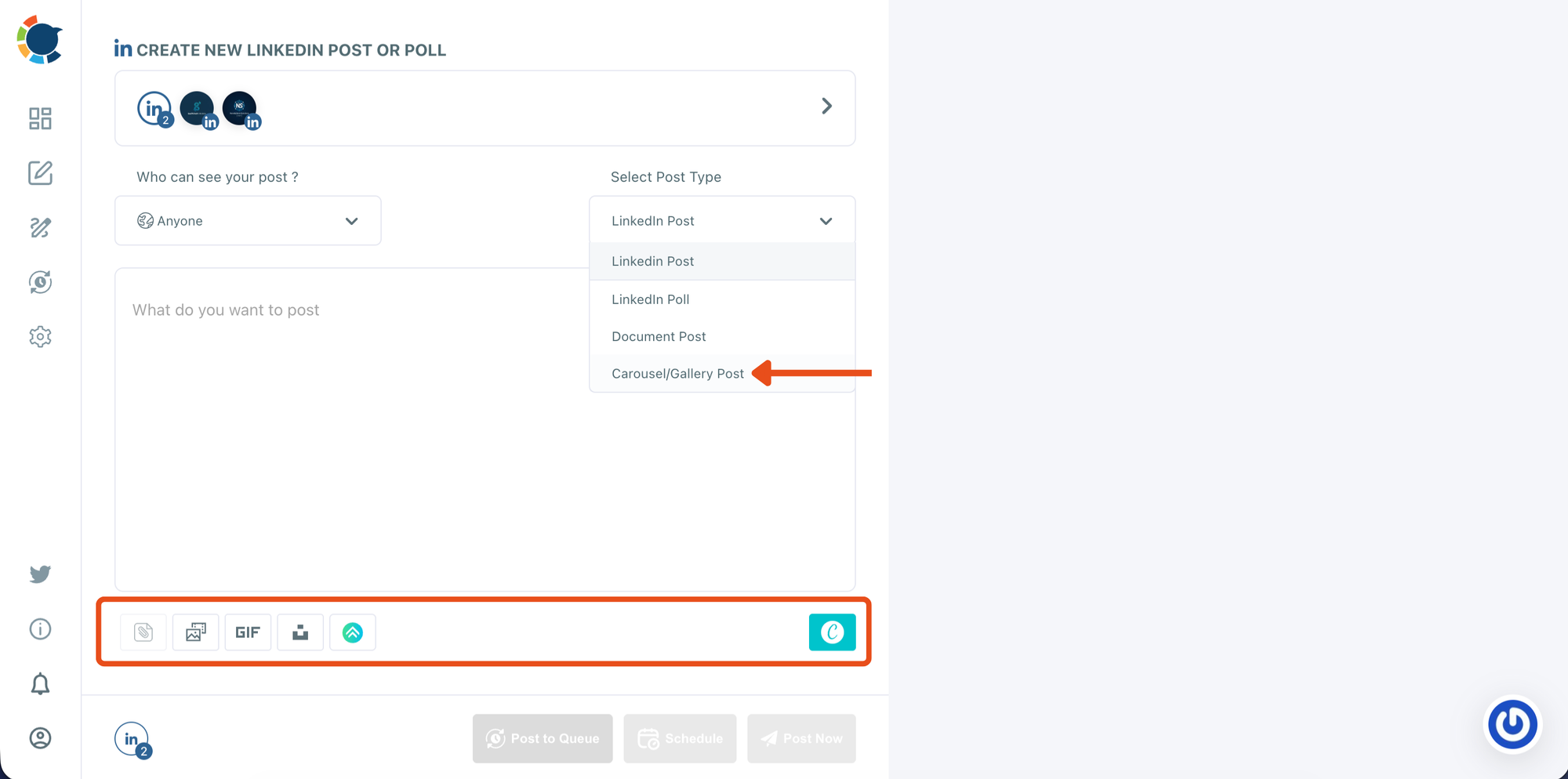
Step #3: Choose the Carousel/Gallery post type
Inside the LinkedIn composer, open the Select Post Type dropdown and select Carousel/Gallery Post.
This enables carousel publishing and prepares the media area where you’ll upload your slide images.
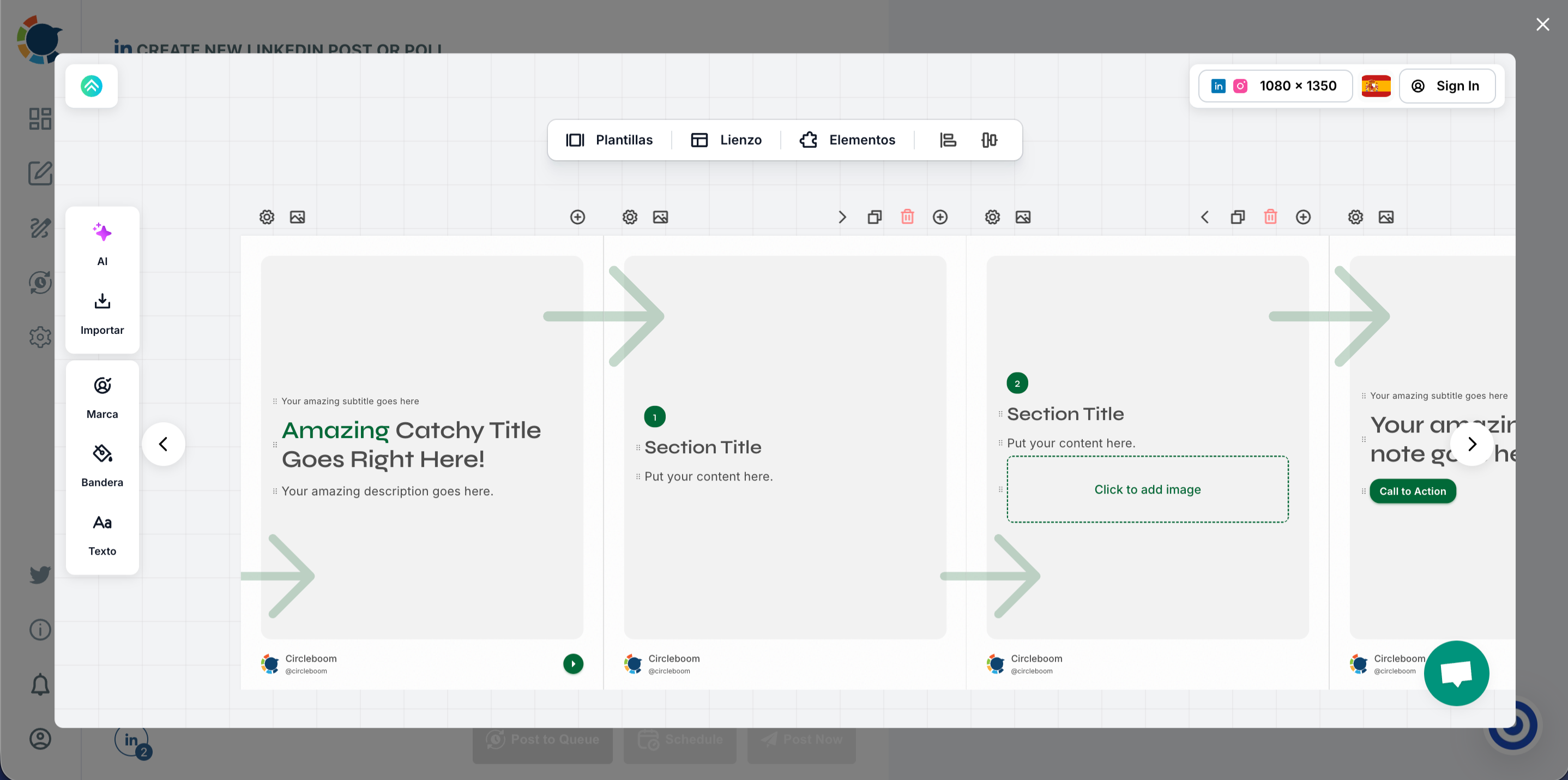
Step #4: Design your carousel slides in the editor
Open the integrated design editor and pick a carousel template.
Edit each slide by updating titles, adding visuals, adjusting layout, and keeping your branding consistent across all pages.
Once finished, export or save your slides so they’re ready to upload.
Step #5: Upload your carousel slides and write your LinkedIn caption
Or upload your slide images into the media bar (drag-and-drop or click to upload).
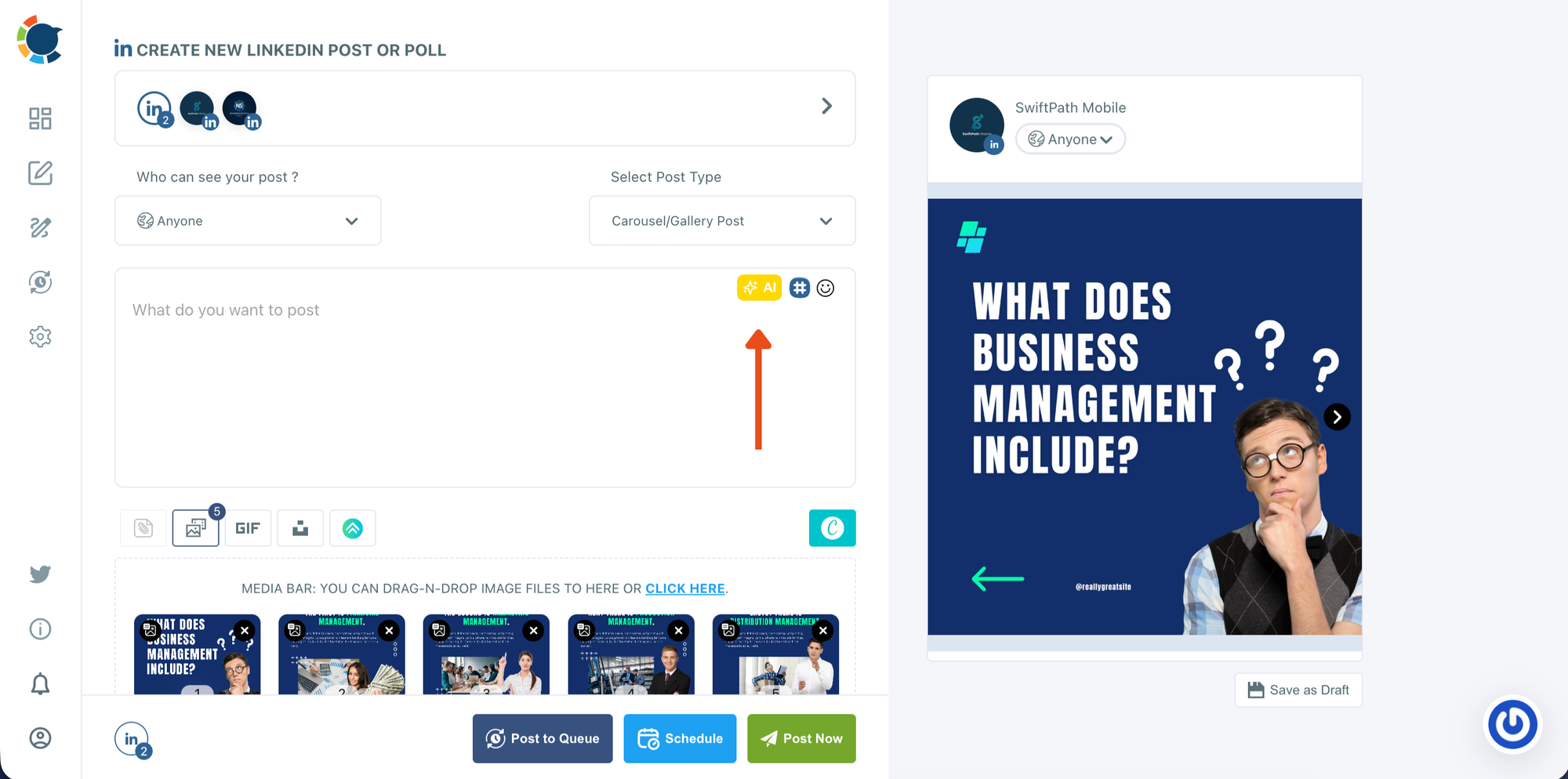
Check the preview on the right to confirm the slide order and how the carousel will appear on LinkedIn. Then write your caption in the text box.
If needed, use the AI option to generate or refine your copy based on the carousel topic.
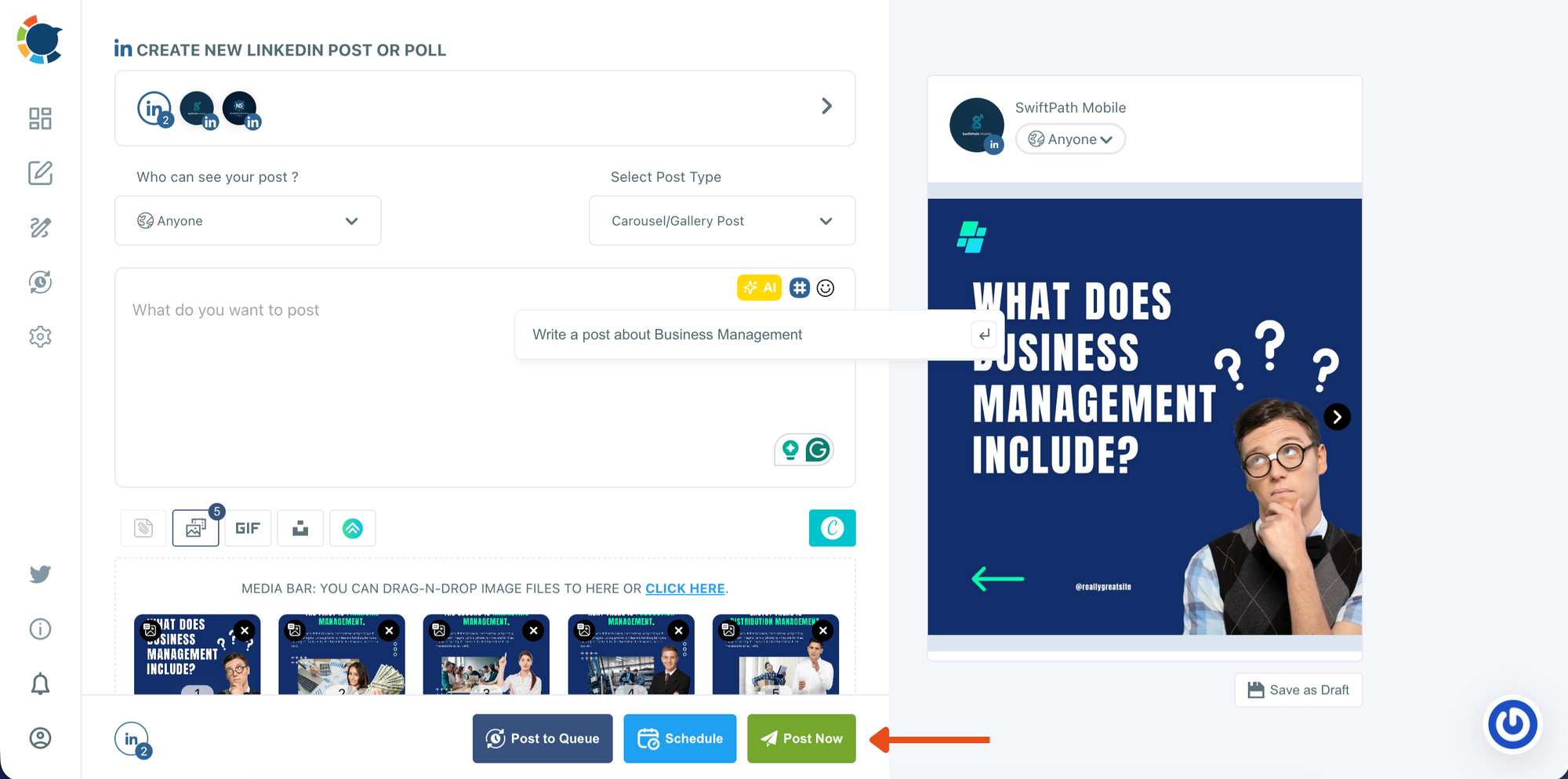
Step #6: Decide whether to post now or schedule for later
When everything looks ready, choose how you want to publish:
- Post Now to publish immediately
- Schedule to set a date and time for later
This step is where you move from final review into publishing mode.
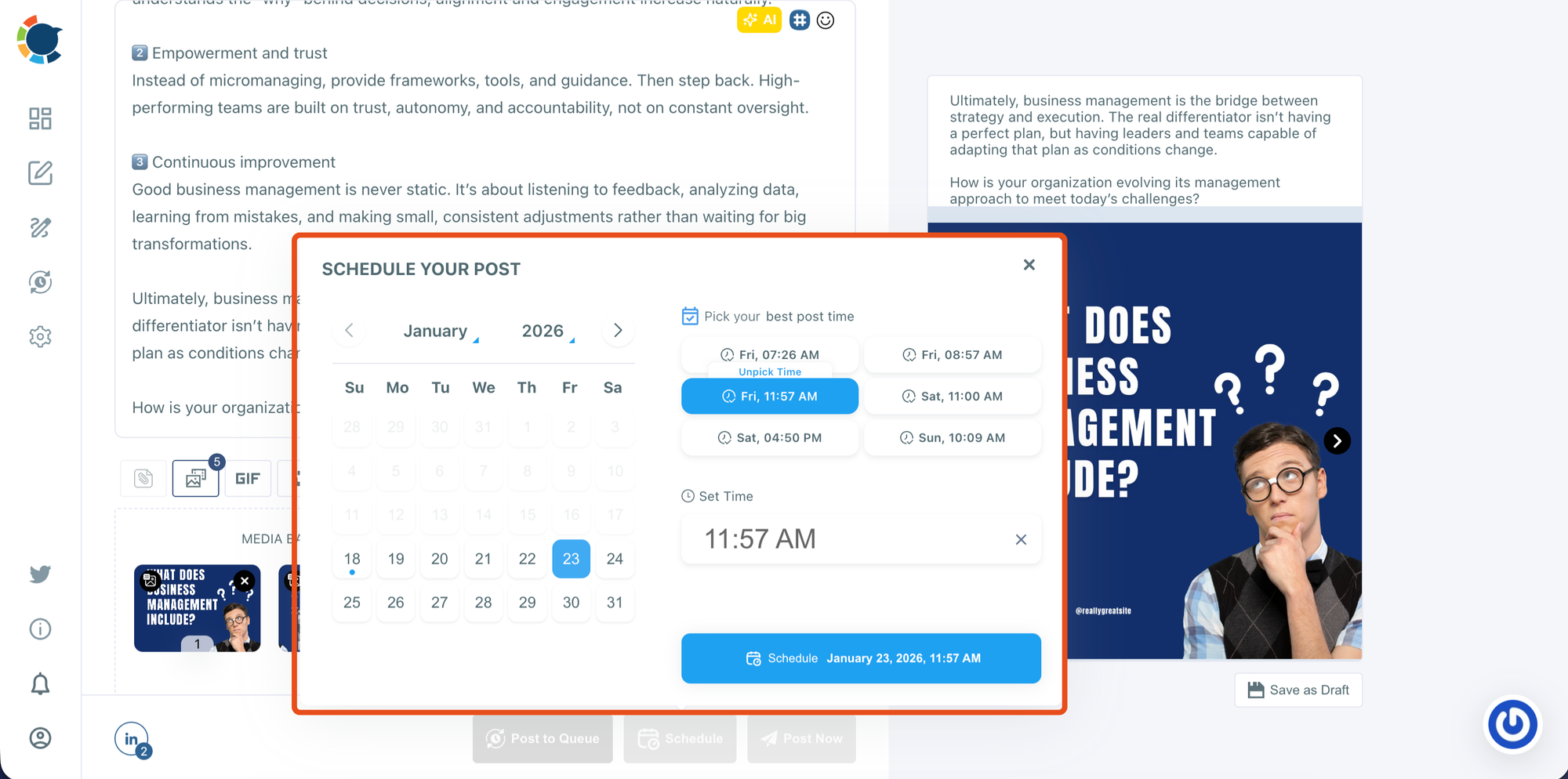
In the scheduling window, select the date from the calendar. Choose one of the suggested best-time options or manually set your own time. Then click Schedule to confirm and add your carousel post to your publishing plan.
Why Timing and Format Together Matter
Great content alone isn’t enough. Even well-written posts struggle if they’re published at the wrong time or in a format that doesn’t encourage interaction.
When you combine:
- High-engagement formats like carousels
- Data-driven posting times
- Consistent scheduling
You give each post the best possible chance to perform.
Final Thoughts: What “Good Impressions” Really Mean on LinkedIn
A good number of impressions is relative. It depends on your network size, audience activity, and posting habits.
Instead of chasing viral numbers, focus on:
- Reaching a healthy percentage of your audience
- Posting when followers are online
- Using formats that keep people engaged
- Staying consistent over time
When impressions are measured in context and supported by smart timing, growth becomes predictable not random.

