YouTube says it does not shadowban channels, but several real restrictions can look exactly like one: comments held for review or hidden by a creator, age restrictions, and Community Guidelines strikes that last 90 days. Each has its own cause and its own clock, and most of them can be checked in a few minutes in YouTube Studio.
A sudden drop like this may even leave your YouTube content without any views. Below you will find what a YouTube shadowban actually is, how long each type lasts, how to check your channel and your comments, and what to do about it.
What is a shadowban on YouTube?
A shadowban on social media happens when your content becomes less visible without any notice from the platform.
On YouTube, people use the word for a few different things: videos that stop showing up in search or recommendations, subscribers who no longer see new uploads, and comments that only the person who wrote them can see. YouTube's official position is that it does not secretly hide channels. What it does have are documented systems, such as comment filters, age restrictions and strikes, that reduce visibility in specific, checkable ways.
That distinction matters, because no matter how much effort you put into promoting your YouTube channel, the fix depends on which of these is actually happening.
• Twitter Shadowban
• Instagram Shadowban
• Pinterest Shadowban
• LinkedIn Shadowban
• Threads Shadowban
How long does a YouTube shadowban last?
There is no single answer, because "YouTube shadowban" covers several different restrictions. Here is how long each one lasts:
| What is happening | What you notice | How long it lasts |
|---|---|---|
| Comment held for review or marked as likely spam | Your comment is visible to you but not to others | Until the channel owner approves it, or for good if they never do |
| "Hide user from channel" by a creator | None of your comments show on that one channel | Until that creator unhides you; other channels are not affected |
| Community Guidelines warning | A notice in YouTube Studio, no upload limits yet | Removed after 90 days if you complete the policy training and have no new violations |
| Community Guidelines strike | Uploads frozen for 1 week (first strike) or 2 weeks (second strike) | Each strike expires 90 days after it was issued; three strikes in 90 days remove the channel |
| Age restriction | The video does not show for signed out viewers or viewers under 18 | Until you edit the video or win an appeal |
| Limited or no ads (yellow icon) | Lower earnings on that video | Until a human review changes it; this affects ads, not necessarily reach |
| Algorithm dip | Fewer views from Browse and Suggested, no notice at all | No fixed length; it usually recovers as new uploads perform |
If your Studio shows no warning, no strike and no restriction, you are most likely looking at the last row: a normal drop in how the algorithm is recommending your videos, not a penalty.
Does YouTube shadowban channels?
YouTube does not officially acknowledge shadowbanning, but many creators have reported sudden, unexplained drops that feel like one.
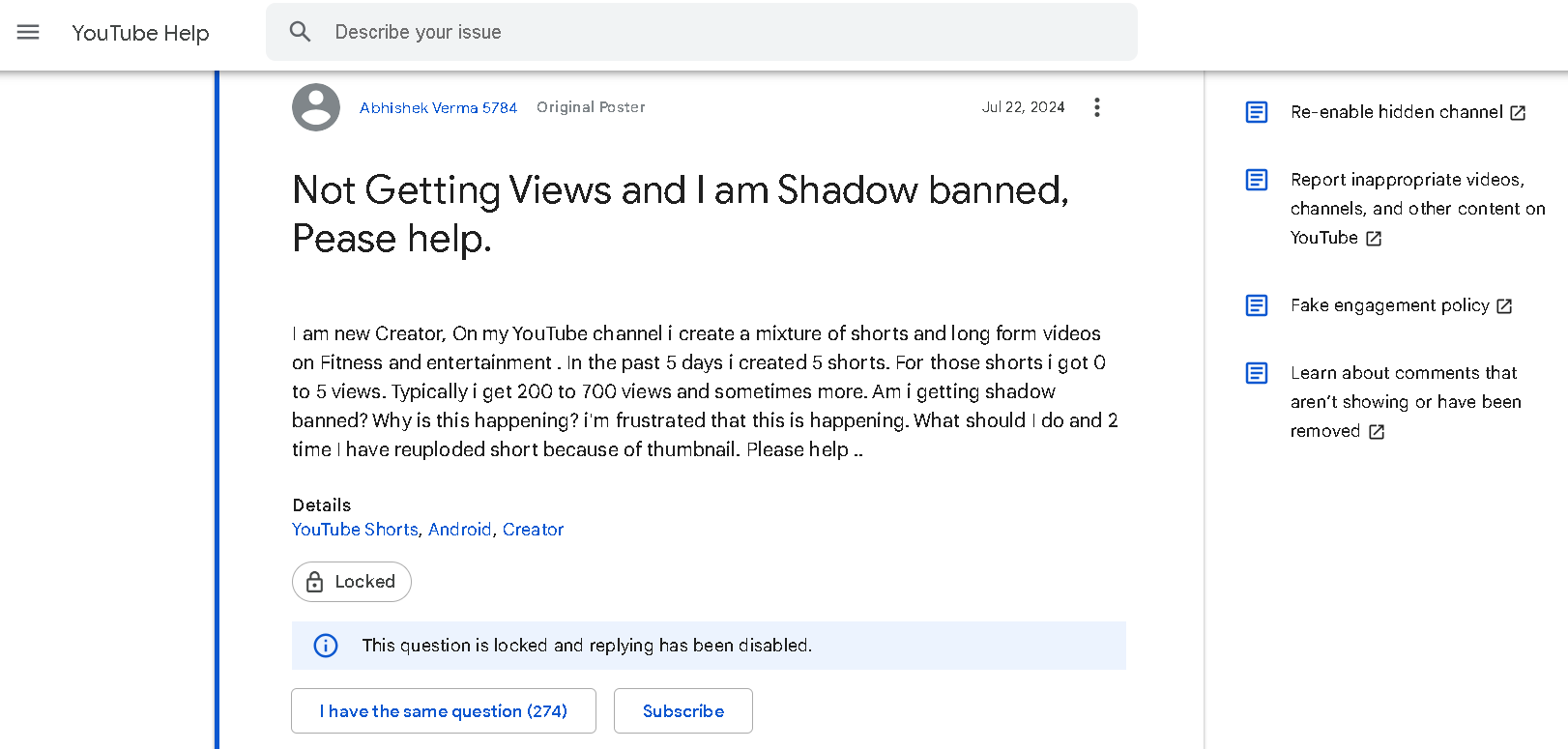
In most of these cases, the cause turns out to be one of the documented restrictions in the table above, or a change in how YouTube recommends the channel's videos. Here is how to tell which one you are dealing with.
How to check if your YouTube channel is shadowbanned
- Look at your traffic sources. In YouTube Studio, open Analytics, go to the Reach tab and look at Traffic source types. If YouTube search and Browse features both fell at the same time, something changed in how YouTube shows your videos. If only one source fell, it is more likely a topic or competition change.
- Check for warnings, strikes and restrictions. Strikes and warnings show up on your Studio dashboard and by email. In the Content tab, the Restrictions column shows age restrictions, copyright claims and "Made for kids" settings for each video.
- Search for your own video while signed out. Open a private browser window and search for the exact title of a recent upload. If it does not appear even for its exact title a few days after upload, that is a stronger signal than a drop in views alone.
- Ask a subscriber. Ask someone who has notifications on whether your last upload reached them.
For a quick first look, you can also enter your channel in Circleboom's YouTube Shadowban Checker, then confirm the result with the four checks above.
If all four checks come back clean, there is no penalty to lift. Your energy is better spent on titles, thumbnails and a steady upload schedule.
Does YouTube shadowban comments?
This is where the word comes closest to being true. Many users have noticed that their YouTube comments are visible to them but invisible to everyone else.
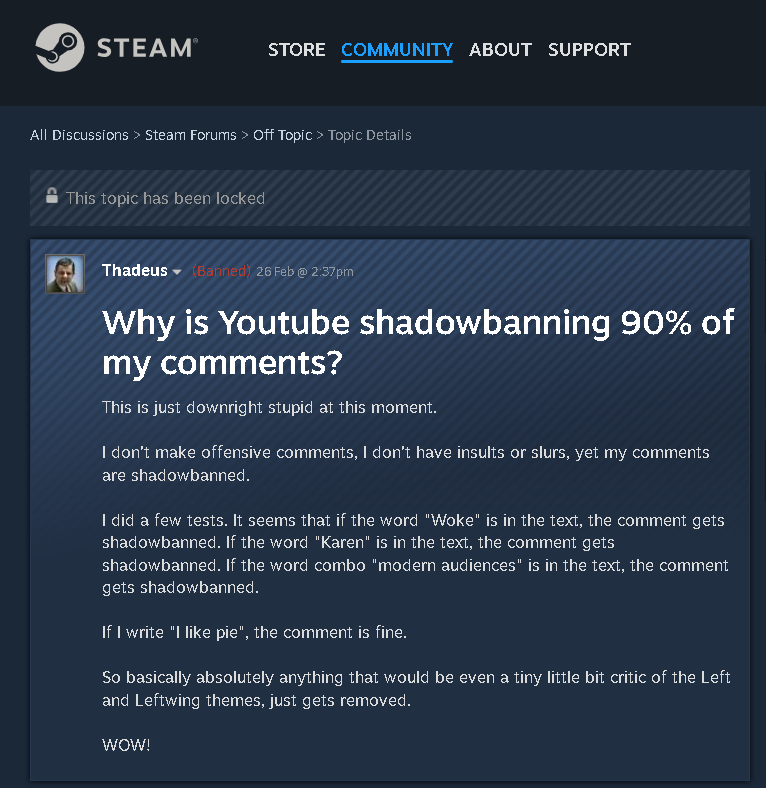
YouTube does not hide comments at random. A comment usually disappears for one of these reasons:
- Spam filter: comments with links, repeated text or a lot of emojis are often marked as likely spam.
- Held for review: the channel owner set comments to be held, or turned up the filter strictness, so your comment waits for their approval.
- Blocked words: the channel owner added a word you used to their blocked words list.
- Hidden user: the channel owner chose "Hide user from channel", so none of your comments show on that channel.
How to check if your YouTube comments are shadowbanned
Copy the link of the video, open it in a private browser window where you are not signed in, and sort the comments by Newest. If your comment is not there, other viewers cannot see it either. Try the same thing on a different channel: if your comments show there, the restriction belongs to the first channel's settings, not to your account.
How to fix a shadowban on YouTube
Match the fix to the cause you found:
- Strike or warning: if you think it is a mistake, appeal it from YouTube Studio. For a warning, complete the policy training so it expires after 90 days. Read YouTube's Community Guidelines so the next upload does not repeat the problem.
- Age restriction: edit the parts of the video that triggered it, or request a review if you believe it was applied by mistake.
- Hidden comments: leave out links in comments, do not post the same comment across many videos, and avoid long strings of emojis.
- Algorithm dip: this is the most common case, and the fix is consistency rather than an appeal.
That last point is the one most creators underestimate. YouTube learns who to show your videos to from how each new upload performs, so long gaps followed by bursts of uploads make it harder for the algorithm to find your audience again. Uploading on a steady rhythm, at the best times to post on YouTube, gives each video its best chance to reach your subscribers, and more of those views turn into channel visits and clicks to your website.
Doing that by hand is where most schedules fall apart. With Circleboom's YouTube Shorts scheduler, you can plan a week of Shorts in one sitting and let them go out on their own, and Best Time to Post on YouTube suggests the hours to put them in.
 Altug Altug
Consistency does not mean volume, though. Uploading too many Shorts in a row can look repetitive, so find a pace you can keep. The following article helps you work out yours.
Fatih Kemal Oksuzoglu
Frequently asked questions
Does YouTube really shadowban?
YouTube says it does not. It does hold or hide comments, age restrict videos and issue strikes, and each of these can look like a shadowban from the outside.
How long does a YouTube comment shadowban last?
A comment held for review stays hidden until the channel owner approves it. If a creator hid you from their channel, your comments stay hidden there until they unhide you.
How long does a YouTube strike last?
A Community Guidelines strike expires 90 days after it was issued. Three strikes within the same 90 days lead to the channel being removed.
How do I know if my YouTube channel is shadowbanned?
Check your traffic sources in YouTube Studio, look for warnings, strikes and restrictions, and search for a recent video's exact title in a private window. If all three look normal, it is most likely a drop in recommendations, not a penalty.
Can a YouTube shadowban be removed?
Strikes and age restrictions can be appealed in YouTube Studio, and warnings expire after policy training. A drop in recommendations has nothing to appeal; steady, regular uploads are what bring reach back.
Conclusion
YouTube does not officially shadowban, but comment filters, age restrictions and strikes are real, and each one lasts a different amount of time. Check YouTube Studio first, because most of the answers are there. If nothing shows up, focus on what you control: clear titles, honest metadata and a steady upload schedule that keeps your channel in front of the people who already want to watch it.