
A big recruiter list on X is not the asset most guides make it out to be. The useful list is short: recruiters who posted recently, checked for fakes, and kept somewhere you can watch without following hundreds of strangers.
To find recruiters on Twitter, search X bios and recent tweets for a recruiter word, filter out fake and inactive accounts, then save the real ones to an X List. Circleboom finds active recruiter accounts on X by matching keywords in bios and recent tweets through X's official Enterprise APIs.
→ Search X bios to find recruiters on Twitter
Below: which search to use, how to check an account, and where to keep the results.
Why a bigger recruiter list on X is the wrong goal
A recruiter list loses value every week it sits unused. People change roles, agencies and focus areas, and the handles stay on the list after the hiring stops. Shared recruiter lists and old directory sites suffer from this the most, because nobody refreshes them.
The second problem is scale. Following several hundred recruiters fills your timeline with posts you will never read and makes the follow itself mean less. A recruiter who sees a follow from an account that follows thousands reads it as noise.
Timing is the part most recruiter advice skips. Hiring on X happens in posts, and posts age within days.
A list built months ago cannot tell you who is hiring today; a search anchored to recent activity can.
What a job seeker on X needs is narrower:
- Recruiters active in the current period.
- Recruiters who are real people, not scam personas.
- A place to watch their hiring posts without following everyone.
Circleboom's Live X Account Search covers the first point, its quality filters cover the second, and X Lists cover the third. You can find recruiters on X with a live bio search and handle all three from one results table.
How Live X Account Search finds active recruiters on X
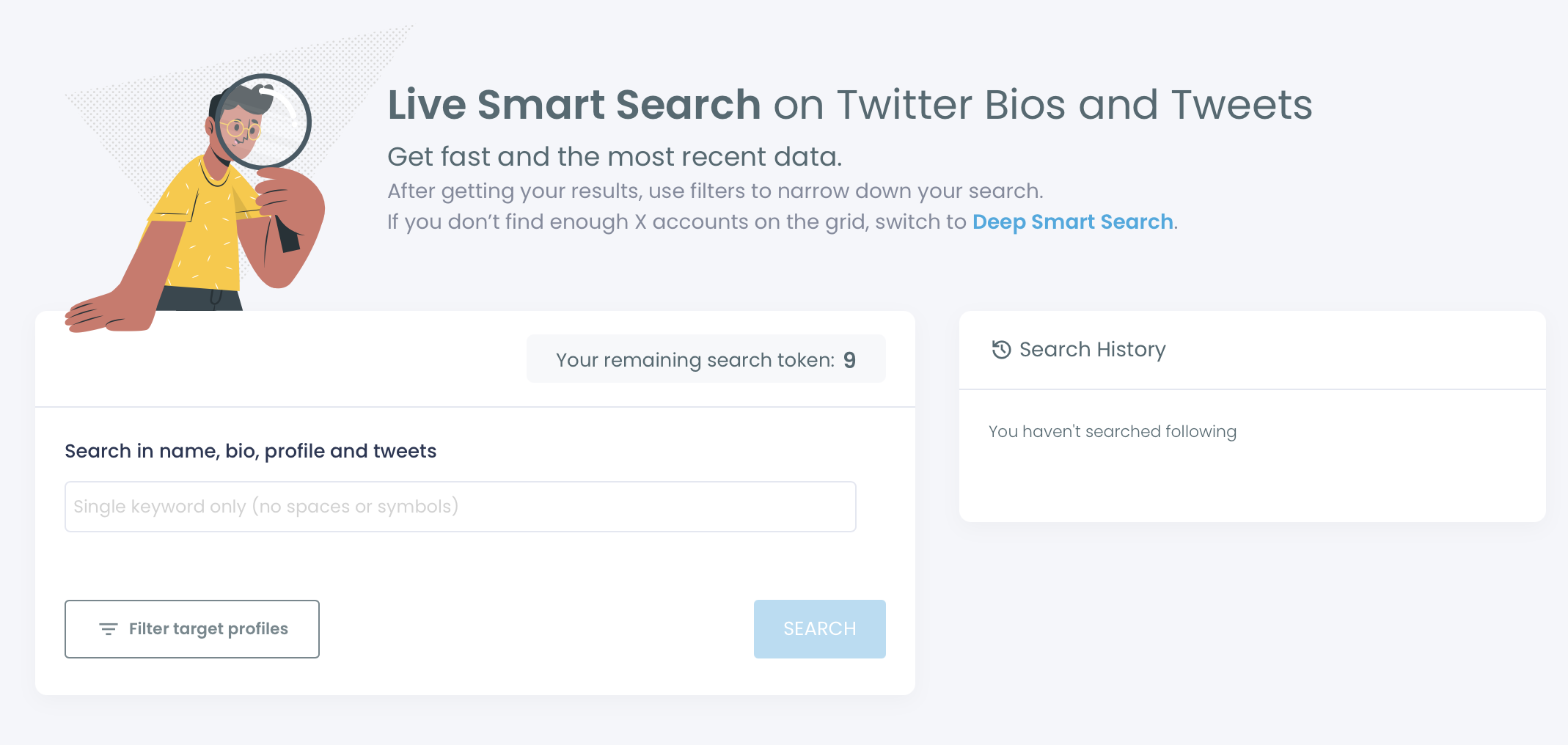
Live X Account Search is a Circleboom feature that matches one keyword against public X bios and recent tweet content and returns the accounts behind those matches, prioritizing accounts with recent activity. The output is a list of people you can sort and filter.
Each row shows the account's name and location, tweet count, join date, following and follower counts, follow ratio, and an activity label of Active, Moderate Active or Inactive. Circleboom computes that label from public activity signals.
Three details shape a recruiter search:
- The search box takes a single keyword, with no spaces or symbols.
- Each search draws on your search token balance, and the remaining count is shown on screen.
- Results include only public accounts and public tweets.
Circleboom retrieves this data as a company listed in X's Enterprise customer directory, not by scraping pages. The follower counts and dates in the table come from X's own records at the moment of the search.
Reading a recruiter's row before you act
The row tells you most of what a profile visit would. For a recruiter search, four columns carry the decision:
- The activity label: Active means the account is posting now, which is when a reply gets seen.
- Join date: a very new account calling itself a recruiter deserves a second look.
- Follow ratio: a recruiter following far more accounts than follow back can be a mass-follow pattern.
- Location: the profile's stated place, a first hint at the market they hire for.
Columns sort in both directions, so putting Active accounts at the top takes one click. To try it on your own field, find recruiters on Twitter by bio and recent tweets and sort the result by activity.
Live search, deep search or an X list for recruiters
Circleboom gives job seekers three tools that look similar and do different jobs. The choice depends on whether you need recency, volume or a place to keep people.
| Tool | Gives you | Use it when |
|---|---|---|
| Live search | Recruiters active now | You want replies this week |
| Deep search | A larger historical set | Live returns too few names |
| X List | One feed of chosen recruiters | You want to watch, not follow |
Live first for timing, Deep for reach, a List for keeping.
When live results are too few
Live search returns a smaller result set by design, because it is anchored to recent activity rather than a full historical index. Niche or technical terms return fewer accounts than broad ones. When a field is small on X, that can mean a handful of recruiters.
Deep X Account Search is the answer to a thin list. It covers broader and more historical data, so it returns more accounts, including recruiters who post less often. The Deep bio and profile search is the page for that route, and the Live start screen links to it as well.
Running both in order works well. Circleboom's own guidance for this feature is to start with a fast live search to learn who the visible voices are, then use Deep search to fill in the longer tail.
For recruiters, Live also teaches you which words they actually use, recruiter or sourcer or talent, before you spend a deeper search on them.
The trade-off is recency. A Deep result can include a recruiter who last posted about hiring long ago, so the activity column and a quick profile read matter more there.
How to find recruiters on Twitter with Circleboom
To find recruiters on Twitter with Circleboom, open the live account search, run one recruiter word, filter out fake and inactive accounts, and save the real recruiters to an X List. The five steps below run in two phases: search, then keep.
Search for recruiters who posted recently
- Log in to Circleboom with the X account you use for your job search.

- Open the Advanced X Search menu from the Circleboom dashboard.

- Select Live X Account Search and enter one word such as recruiter, recruiting or sourcer, then click Search.
Filter the results and keep the real recruiters
- Apply Filter Options: tick Fake/Bot, Inactive and Eggheads under Follower Quality, and add a field word under Find in Bio & Name.
- Select the recruiters who pass and choose Add to List, then Twitter List, to add them to an existing list or create a new one.
Filtering before selecting means nothing questionable reaches your list, and listing before following keeps your own follow count and timeline untouched until you decide who deserves a follow.
The clip runs the same flow with a different keyword: one word in, a list of matching profiles out, and a selection ready for an action.
In one line: a recruiter word in, three quality flags ticked, a field word added, real recruiters sent to a list.
How to spot a fake recruiter account on X
A fake recruiter account usually shows three signs at once: a recent join date, very few tweets, and no profile photo or an image that looks stock.
Circleboom's Follower Quality filter flags Fake/Bot accounts and Eggheads (accounts with no profile photo). The table also shows join date, tweet count and follow ratio on every row, so most of these signs are visible before you open a profile.
Job scams also reveal themselves in behavior:
- A job offer that arrives before any interview or call.
- A fee for training, equipment or a background check.
- A request for bank details or ID documents in the first exchange.
Money or login details should never be part of a recruiter's first ask.
Job seekers are a natural target because they expect to be contacted by strangers and want to answer quickly. That is exactly the reflex a scam relies on.
Running the quality filters before you read any message turns the check into a habit instead of a judgment call made under pressure.
What to do with a suspicious recruiter account
Check a doubtful account with the fake account checker before you reply or send anything. If it poses as a real company or person, X's guide on how to report impersonation accounts explains how to report it from the account's own profile.
In Circleboom you can also select the account and choose Blacklist from Add to List. The Whitelisted & Blacklisted filter can then hide it, so the same account does not slip back into next week's shortlist.
How to keep recruiters in an X list without following them
An X List gives you one feed of chosen recruiters without adding anyone to your following. Circleboom adds every selected account from the results table to an existing list or a brand-new one in one action, where X itself adds accounts to a list one profile at a time.
Easy-to-skim walkthrough: adding a whole batch of accounts to an X List at once, the same move that turns a recruiter search into a feed.
Why a list beats a follow for recruiters
A follow is public and changes your own following count. A list membership does neither of those things to your follow relationship: the recruiters' posts reach you through the list feed while your following stays exactly as it was.
For a job search that may run for weeks, that keeps your following list looking like a person's own choices.
When you create a new list from the results, you name it and can tick Create private list. A private list suits a job search, because the people you are watching and the order you are watching them in stay your own business.
The quickest route from a results table to a working list is shown in this guide to create Twitter lists in a few clicks.
Keep recruiter lists current
Lists drift like everything else. Recruiters go quiet, change fields or leave.
In the X List Manager, Remove from List drops members who no longer fit. Move to List shifts recruiters between lists, for example from "To contact" to "Contacted," without unfollowing anyone.
A list also has limits worth knowing. X's own help with Lists notes that owning a list does not let you message everyone on it, so a list is for watching and replying. The response still has to happen one recruiter at a time, under a hiring post that is still open.
One more thing before the first reply goes out. Recruiters who notice you will open your profile, so it pays to write your Twitter bio around your field and the role you want.
Which recruiter search on X fits you right now
Pick the next move by your situation:
- If you want replies this week, run Live search on two or three recruiter words and keep only Active accounts.
- If Live returns fewer than you need, move the same words to Deep search and read activity before acting.
- If you want to watch recruiters without following them, send the shortlist straight to a private X List.
- If an account asks for money, passwords or an off-platform chat first, check it, blacklist it and report it.
- If you plan to follow, keep it paced: Circleboom follows at 50 every 15 minutes, up to 400 a day, and continues the rest the next day.
Circleboom runs all of it from one table, with the data pulled through official X Enterprise Developer access that keeps your account inside X's rules.
→ Start a live recruiter search on X
Still wondering which recruiters to trust on X?
How do I find the actual "we're hiring" posts on X, not just recruiter profiles?
Use a tweet search, not an account search. Live X Account Search returns people, while Circleboom's Real-time Tweet Search collects matching tweets from the moment you start it, so new hiring posts gather in one place. Treating hiring hashtags as keywords helps on both sides, as this guide on Twitter hashtag search to find relevant accounts explains.
Can I find recruiters on X who hire in my city?
Yes. Live X Account Search has a Filter by Location field that takes a city or region as free text, and combined with the activity anchor it keeps recruiters in that place who are posting now. For more on searching X by place, see this comparison of the Twitter location search options.