
Scheduling a Twitter thread with images is a build-order problem, not a scheduling problem. The platform's native scheduler accepts single tweets but does not handle a pre-built multi-tweet sequence. Per-tweet image attachment on a queued thread needs a tool that lets you assemble the full thread (text plus images per tweet) before the queue accepts it.
A thread scheduler that handles both at the same time turns a one-tweet-at-a-time deadline into a planned post that goes live in a single drop.
Circleboom's thread scheduler connects to X through official X Enterprise APIs and lets you build the full thread (every tweet plus its image) before the schedule accepts it. The queue then publishes the whole thread on the chosen date and time, with the image attached to each tweet exactly the way you assembled it.
→ Schedule a Twitter thread with images
Keep reading for the structural reason image threads need a scheduler that handles build and queue together, the four-step setup, and the cadence tactics that keep an image thread from looking automated.
Why Image Threads Need a Build-and-Queue Scheduler, Not Just a Scheduler
Most thread tools split the workflow in half. A thread builder assembles the sequence but does not schedule it. A scheduler queues a single tweet but does not accept a pre-built thread with per-tweet images. The split forces you to either publish the thread live (which breaks the planning cadence) or post the thread manually at the scheduled time (which defeats the point of a queue).
A build-and-queue thread scheduler solves the split. The thread, the images, the connecting structure, and the publish time all live in the same queue object, and the platform receives the full thread on schedule rather than a stitched-together sequence of single tweets. Circleboom's piece on bulk-scheduling tweets with images covers the image-attachment side of the workflow that applies to single tweets and threads alike.
The image attachment matters more than most thread writers realize. Image tweets out-engage text-only tweets in most niches because the image gives the thread a visual anchor inside a fast-scrolling timeline. A planned image thread typically lifts thread-level engagement noticeably over the same thread without images, because the first tweet's image is what stops the scroll, and the rest of the thread reads from there.
What a Scheduled Image Thread Should Contain
A thread that earns the scheduling time has three structural layers working together. Each layer carries its own job and the three together explain why threads outperform single posts on a topic that needs more than one tweet of room.
The first tweet sets the hook. Image is mandatory at this layer because the timeline scroll is where the thread either gets seen or buried. The hook tweet states the thread's promise (what the reader gets if they keep reading), and the image acts as the visual proof or the visual frame.
The middle tweets carry the argument. Image attachment here is conditional. Screenshots, charts, examples, and step-by-step visuals belong in the middle. A pure-prose argument does not need images per tweet, but a comparison, a process, or a data point usually does. Circleboom's piece on the Twitter thread maker covers the thread-construction side that decides how the middle tweets carry the argument.
The closing tweet returns to the hook and adds the call to action. Image at this layer reinforces the close. A summary slide, a results screenshot, or a contact card lands the thread cleanly and gives the reader something to engage with on the way out.
Circleboom's piece on threads with four pictures in each tweet walks through the multi-image variant for threads that need the extra visual density.
How to Schedule a Twitter Thread With Images Step by Step
Four actions. The setup is one-time and the per-thread build runs about 15 minutes for a five-tweet thread with images attached.
Connect your X account to Circleboom
- Log in to Circleboom Twitter and authorize the account with the official OAuth flow.
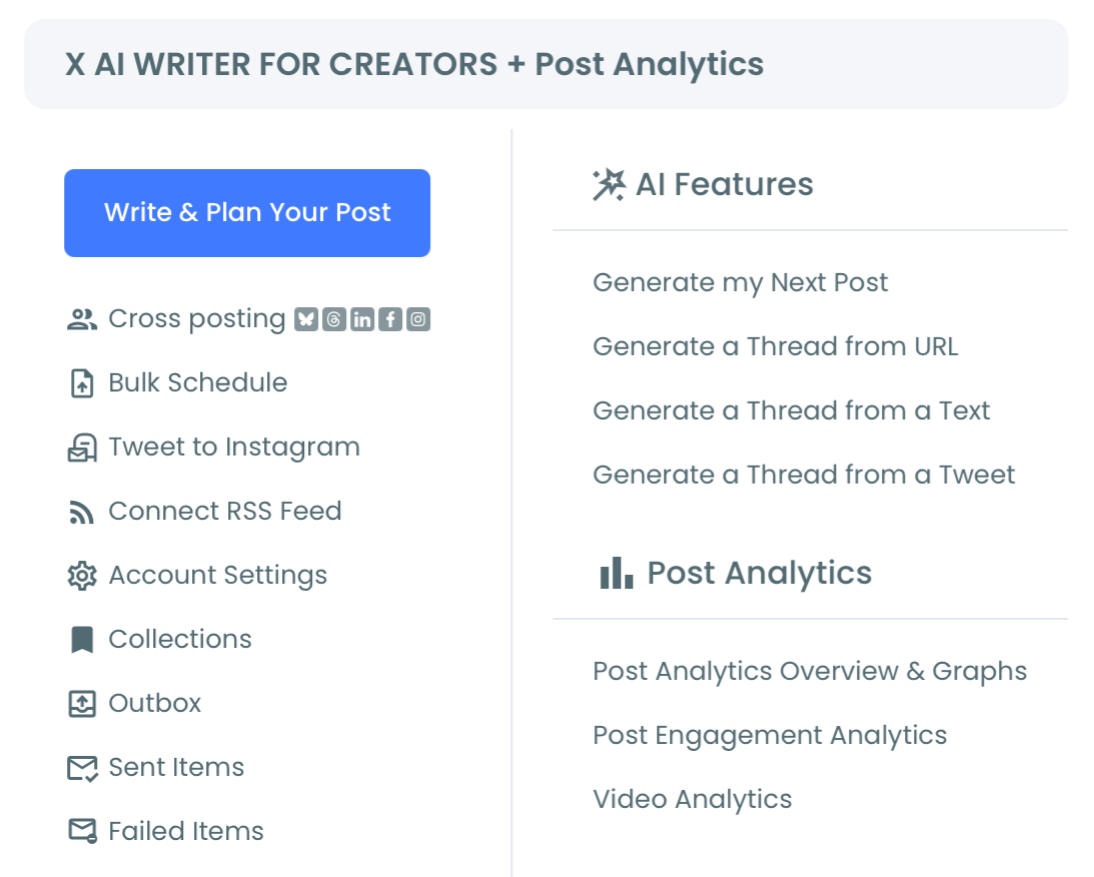
Open the X Post Planner menu
- Open the X Post Planner menu and select the thread builder to load the multi-tweet assembly surface.
Build the thread tweet by tweet, attaching images per tweet
- Write each tweet in the thread sequence and attach the image to that specific tweet at build time. The builder keeps the per-tweet image association intact through the queue, so the published thread shows the same image attached to the same tweet you assembled.
Set the publish time and confirm the queued thread
- Set the publish date and time for the full thread, review the assembled sequence one more time, and confirm the schedule to push the queue to the live thread-schedule surface. The queued thread publishes on schedule as a connected sequence, with the per-tweet image attachments intact.
That ordering is what makes the scheduled thread reliable. The OAuth login earns sanctioned API access. The menu navigation loads the thread-build interface. The per-tweet image attachment is the part that breaks on most native and third-party schedulers, and the publish-time review catches typos and image mismatches before the thread runs live.
Video walkthrough: the thread-builder workflow that assembles a five-tweet image thread and queues it in one pass.
What a Scheduled Image Thread Actually Returns
The first return is thread-level engagement lift over single tweets. A planned thread with images attached to the hook, the middle, and the close tends to earn meaningfully higher engagement than the same content split into four or five disconnected single posts, because the thread structure signals planning and the image anchors the scroll.
The second return is timing control. A thread scheduled for the audience's peak active hours catches more eyes than a thread published whenever the writer happens to be at a keyboard. The active-hour catch matters most for the hook tweet, which is what the algorithm uses to decide whether the rest of the thread gets distributed.
The third return is build-time quality. A thread assembled in a single planning session has tighter argument flow and better image-text pairing than a thread typed live under publishing pressure. The writer can compare the tweets side by side, kill the weak ones, and balance the visual density across the sequence before the queue accepts it.
The Circleboom workflow uses official X Enterprise Developer access for the queue submission. The scheduler stays within X's published platform limits at every step. The compliance layer matters more for threads because thread submission hits multiple API endpoints in sequence, and unsanctioned schedulers risk platform restrictions on accounts that submit threads at any visible volume.
For adjacent surfaces, the Twitter thread maker landing covers the thread-construction tooling that pairs with the scheduler. The X Post Planner overview shows the full set of post-creation tools (AI drafting, bulk scheduling, cross-posting) that integrate with the thread workflow.
External context for the engagement math: DataReportal's global digital reports cover the platform-level engagement trends that frame what realistic thread-level engagement looks like across account sizes. X Help's documentation on the timeline covers how the platform displays threaded posts in followers' feeds.
Schedule a Twitter thread with images is the workflow that turns image-thread publishing from a live-typing scramble into a planned drop on the schedule the audience actually shows up for.
Related Circleboom reading on the image-thread theme:
- Schedule Twitter threads on the broader thread-scheduling workflow.
- How to save a tweet as an image on the image-asset workflow that feeds the per-tweet attachments.
FAQ
Can I really schedule a Twitter thread with images attached per tweet, not just a text thread?
Yes. Circleboom's thread scheduler holds the per-tweet image association from build time through queue submission, so the published thread shows the same images attached to the same tweets you assembled. The scheduler uses official X Enterprise APIs for the submission, so the per-tweet image attachment runs through the platform's sanctioned thread endpoint rather than a workaround.
What if one tweet in the scheduled thread needs to be edited after I queue it?
Queued threads are editable up until the publish moment. Any per-tweet text edit, image swap, or thread-order rearrangement runs through the same compliant API path as the original queue submission, so the thread can be tuned right up until it goes live.
Does the platform display a scheduled image thread differently from a live-posted one?
No. Followers see the same connected thread with the same per-tweet image attachments either way. The schedule controls the publish time, not the display format, and the algorithm reads the thread the same as a live-typed one.
How many images can I attach to a single tweet inside the scheduled thread?
Up to four images per tweet, which is the platform's per-tweet image cap. The scheduler accepts that full count and queues the thread accordingly. Threads with multiple images per tweet tend to read denser, so a careful balance matters more at higher image counts.
Should I leave the thread completely scheduled, or post the hook tweet live and queue the rest?
The fully scheduled thread is simpler and cleaner. The hook-live, rest-queued pattern is mostly a workaround for tools that do not handle thread queuing, which Circleboom does. Schedule the whole thread for the audience's peak active hour and let the queue publish the full sequence on its own.
Action Summary: Schedule a Twitter Thread With Images
The short version. Run through this once per thread you want to queue.
- Connect the X account to Circleboom. One-time per account.
- Open the X Post Planner menu and select the thread builder. Per thread.
- Write each tweet and attach images per tweet at build time. Per thread.
- Set the publish date and time, review the thread, and confirm. Per thread.
- Target the audience's peak active hour for the publish time so the hook tweet earns the scroll-stop it needs. Per thread.
Schedule a Twitter thread with images and the image thread publishes on the time the audience actually shows up for, with every per-tweet image intact through the queue.






