Most lists of social media marketing tools hand you 20 or 30 apps and leave you to guess which ones matter. You need far fewer: one tool for each job you actually do, and most of those jobs fit inside a single scheduler.
Which social media marketing tools do you actually need?
You need one tool for each of six jobs (write, design, publish, automate, collaborate and measure), and Circleboom Publish covers the first five for LinkedIn, Instagram, X and seven more networks in one composer.
→ Cover the posting job in your social media marketing toolkit
How I built this comparison
I sorted social media marketing tools by the job each one does, then checked which jobs one tool can cover on its own. The facts come from the platform owners' help pages (Google Analytics and Meta), DataReportal's global social media data and Circleboom's own product documentation, all checked in October 2026.
I did not run tests on rival tools and I do not quote their prices, because prices change and a stale number is worse than none.
Each option was judged on five criteria:
- Job covered: which of the six jobs it does well.
- Platforms covered: one network or many.
- Pricing model: per user, per channel or per plan.
- Free or native alternative: whether the job can be done for nothing.
- Fit with the rest of the stack: links into Google Analytics, design inside the composer, and team access with approvals.
Why a longer tool list costs more than it saves
Every extra tool adds a login, a subscription and a place where work gets copied from one app to another. The cost is rarely the price of one tool; it is the time spent moving a post between five of them.
The number of platforms makes this worse. DataReportal's Digital 2026 Global Overview Report finds that the average online adult uses 6.75 social platforms each month.
A brand that follows its audience onto several of those networks needs several native apps, unless one tool posts to all of them.
Free tools are a fair place to start, and the roundup of free social media marketing tools covers the classic no-cost options. The trouble starts when each free tool covers one network, so you trade money for hours.
The fix is to cover the biggest job first. You can automate social media posts before adding more tools, then add only what the remaining jobs still need.
Six jobs, and the tool each one needs
Social media marketing breaks into six jobs. The table shows what a tool must do for each, the free or native option, and what Circleboom Publish covers.
| Job | What the tool must do | Free or native option | In Circleboom Publish |
|---|---|---|---|
| Write | Draft and rewrite posts | A free AI chatbot | AI writer, included |
| Design | Visuals sized per platform | Canva free plan | Canva inside the composer |
| Publish | Post to every account on time | Each network's own scheduler | Ten platforms, one send |
| Automate and curate | Keep accounts active | Manual sharing | Queue, RSS, Discover Articles |
| Collaborate | Roles and approvals | Shared passwords | Team Management |
| Measure | Show what drove clicks | Google Analytics with UTM | UTM Link Builder, Post Analytics |
The minimum stack for most small teams is two tools: one scheduler that covers the first five jobs, and Google Analytics for the sixth.
Some brands have a seventh job, finding creators to partner with. That job needs its own category of influencer marketing tools, and it is worth adding only once the first six run smoothly.
The writing job: one AI writer, not a second subscription
The writing job needs a tool that drafts a post and rewrites it for each network. Many marketers pay for a separate AI chatbot just for captions, then copy the text into each app.
In Circleboom Publish, the AI button sits inside the composer. "Ask the AI anything..." writes a draft from a prompt, and one-click shortcuts such as More Punchier, Condense, Fix Grammar and Add Hashtags rework text you already wrote.
The AI writer is included with a Circleboom membership, so you do not need a separate ChatGPT or Gemini subscription to write captions.
One limit is worth knowing: the AI does not apply each network's character limit by itself. If X is among the selected accounts, ask it for a version under 280 characters.
The writer also solves a quieter problem: duplicate content.
Platforms can limit the reach of identical posts sent to several accounts on the same network, and Circleboom blocks the same tweet from going out again within a week on X. Ask the AI for a fresh version per account, and each one reads as original.
The design job: visuals sized for each platform
The design job needs visuals that fit each network. Instagram requires an image or video on every post, X and Bluesky take up to four images, and a pin takes one.
Circleboom Publish puts the design tools in the composer's media bar: Canva, Unsplash, Giphy, Google Photos and the AI Carousel Generator. Canva opens inside Circleboom, so you design or edit a visual without downloading and re-uploading it.
The wider social media content creation suite adds post templates and a hashtag generator that adds 20 to 30 topic hashtags in bulk.
The publishing job: one composer for every network
The publishing job is the one that eats the most hours, because native tools work one account at a time. Meta's own guide to save, schedule and reschedule posts in Meta Business Suite shows a free scheduler for Facebook and Instagram, and LinkedIn, X and the rest each have their own.
That is fine for one network. For four networks and several accounts, it means four apps and a separate session for every account.
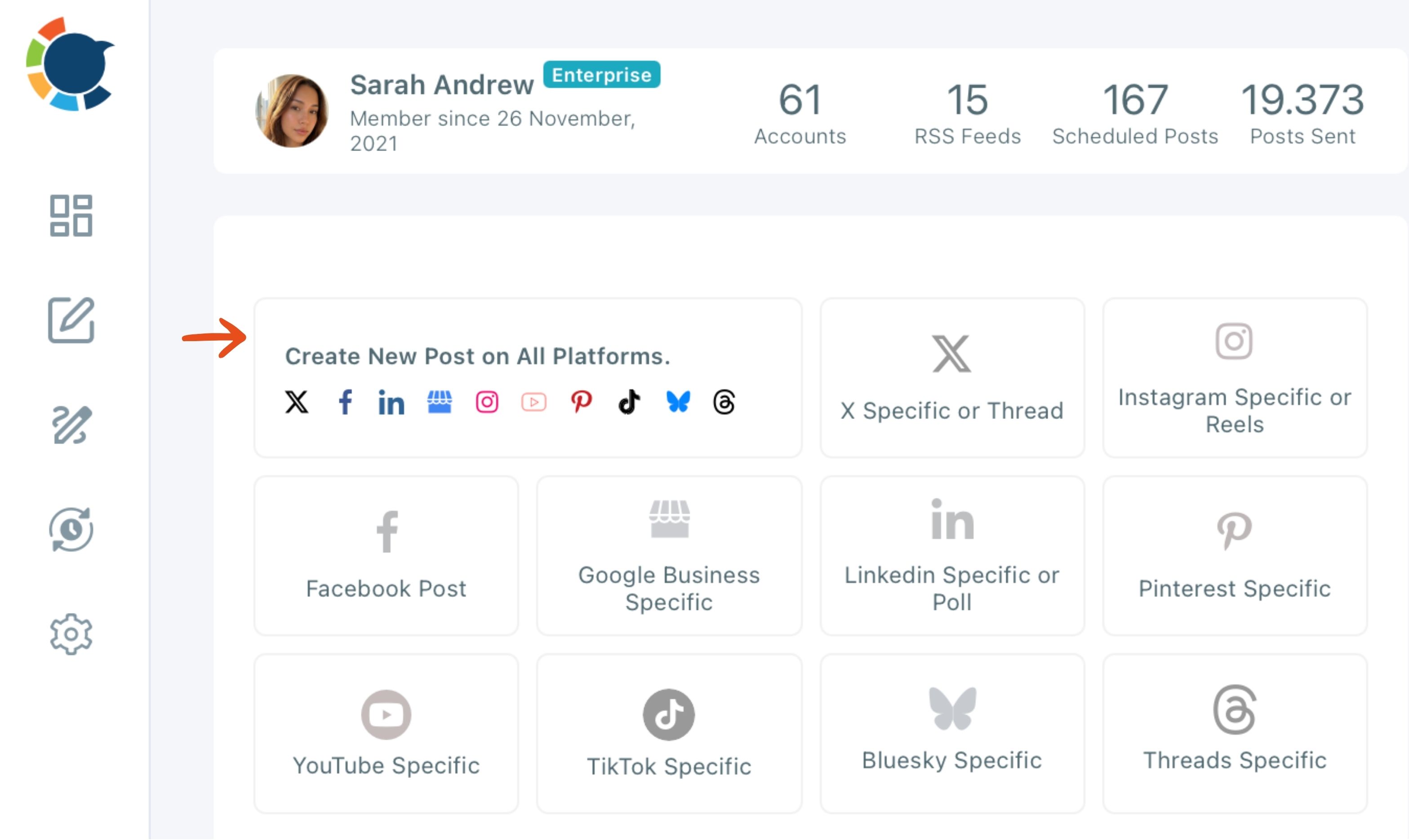
Circleboom Publish sends one post to any mix of connected accounts across X, Instagram, Facebook, LinkedIn, Pinterest, Threads, Bluesky, TikTok, YouTube and Google Business Profile. The "Create New Post on All Platforms" card on the dashboard is the starting point.
What one send saves on a multi-account week
Here is the math from the product documentation. Four posts sent to seven accounts across Instagram, Pinterest, LinkedIn and Bluesky is 28 separate publishes in native apps.
In one composer it is 4 sends and about 10 minutes.
You write the post, select the accounts or a saved Share Group, check the preview for each network, and then choose Post Now, Schedule or Post to Queue.
Checking each network before a post goes out
One post sent to several networks has to fit the strictest one.
A 500-character post fits Facebook, LinkedIn and Instagram, but not X at 280 characters or Bluesky at 300, so shorten it or leave those two out of that send. Post Preview shows the post on each selected network first, and Failed Items lists any post that did not publish, with the error reason.
Schedule offers "Pick your best post time" suggestions computed from each account's own followers' activity. Post to Queue drops the post into the next open slot of that account's weekly schedule.
That is how you schedule posts to ten platforms from one tool instead of ten.

For X, Circleboom is listed on X's Enterprise customer directory. Posts scheduled to X go out through access X itself has approved, with no workarounds that put the account at risk.
If LinkedIn is your main network, the list of LinkedIn marketing tools covers the extras that sit around a scheduler there.
The automation and curation job: accounts that stay active
The automation job keeps accounts posting on days you have nothing new to say. Three Circleboom Publish features cover it: the Queue, RSS feeds and Discover Articles.
An RSS connection watches a blog or news source and posts its new items on its own.
That is how you post RSS to social media without a manual step. It works for X, Facebook, LinkedIn, Google Business Profile, Bluesky and Threads, not for Instagram, TikTok, YouTube or Pinterest.
Discover Articles finds outside articles on topics you choose and adds them to the Queue in one click. That is how content curation works on text-first networks.
Curation, end to end: outside articles found and queued without leaving the scheduler.
For a wider look at what can run on autopilot, the guide to social media automation tools compares the main approaches.
Why do tool prices jump when you add people?
Prices jump because many tools charge per user, per connected channel or both. Solo, almost any scheduler looks affordable; add three teammates and ten channels, and the same plan can cost several times as much.
Circleboom Publish does not charge per social media platform, so connecting LinkedIn, Instagram, Facebook, X and the rest does not make the bill climb by itself. Teammates are added as user add-ons instead of forcing a plan upgrade.
Team management gives each client or brand its own workspace with two roles, Admin and User. A User's posts wait for an Admin's approval before anything goes live, which replaces shared passwords and screenshots sent for sign-off.
Share Groups keep each client's or branch's accounts in one bundle, and the Outbox calendar can be filtered by Share Group. An agency can then review one client's month of posts at a glance before approving it.
For small teams weighing all of this, the guide to social media management tools for small businesses walks through the trade-offs by team size.
The measurement job: proof of what drove clicks
The measurement job needs to show which post and which network brought visitors. Google Analytics does this for free when your links carry UTM tags.
Google's guide to collect campaign data with custom URLs recommends always using utm_source, utm_medium and utm_campaign. Circleboom Publish adds them in the composer: paste a link, click the link icon next to it, fill in source, medium and campaign, and the tagged URL replaces the bare one.
Post analytics then shows how each published post performed on its own platform.
Which social media marketing tools are worth paying for?
Pay for the tool that removes the most repeated work, which for almost every team is the publishing job. Writing, design and automation can live inside that same tool, and measurement stays free in Google Analytics.
Here is an illustration for a marketer on four networks:
- Separate tools: four native apps, a design app, an AI chatbot subscription and Google Analytics, so seven logins.
- One scheduler: Circleboom Publish plus Google Analytics, so two logins.
Five fewer logins means five fewer places for a post to get stuck.
Add a separate design app only if brand graphics fill a large part of your week. Add an influencer tool only when creator partnerships become a real channel.
Pick your stack by situation
The right set of social media marketing tools depends on how many networks and people you have:
- If you post to one network from one account, use that network's own scheduler and Google Analytics, and pay for nothing yet.
- If you post to two or more networks, add one scheduler that covers writing, design and publishing, and keep Google Analytics for measurement.
- If your blog or a trusted source produces regular content, connect it as an RSS feed so the text-first networks never go quiet.
- If more than one person posts, pick a tool with approvals and check how its price grows per user and per channel.
Whichever branch fits, start with the job that costs you the most hours each week.
→ Start with the one social media marketing tool that saves the most hours
What to know before you pay for a tool
How many social accounts does a Circleboom Publish plan cover?
It depends on the plan: Entry covers 2 accounts, Pro 5, Premium 10, Business 30 and Enterprise 100. The plans and pricing for Circleboom Publish page lists what each tier includes.
Can a small business start with free tools only?
Yes, if it posts to one or two networks. Native schedulers and Google Analytics cost nothing, and these free online marketing tools for small businesses cover the gaps. Move to a paid scheduler when posting by hand starts taking hours each week.
Will one post look the same on every network?
Yes: one draft in the universal composer goes to every account you select. Check each network's tab in Post Preview first, and open that platform's own composer inside Circleboom Publish when it needs a different version, such as a LinkedIn poll or an X thread.