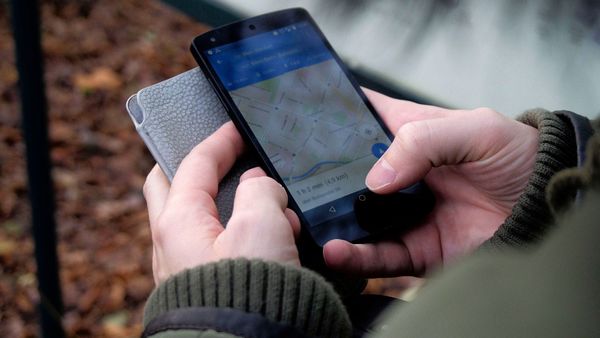
A business is not showing on Google Maps for one of nine reasons. Each one falls into one of three groups: the listing is not live yet, Google is hiding it, or Google is ranking it below other places.
Find your group first and you can skip two thirds of the fixes.
Not live yet: never added, never verified, or too new to rank. Hidden by Google: suspended, restricted or duplicated. Ranked low: wrong category, thin details, an address mismatch, or closer and better-known rivals. Once the listing is fixed, Circleboom Publish schedules Google Business Profile posts that keep it active in Search and Maps.
→ Schedule the Google Business Profile posts that keep you on Google Maps
Why is my business not showing on Google Maps? Match what you see to one group, then read only that group.
Which of the three groups is your missing listing in?
The group depends on what you see when you look for the business, so start with one test. Sign in to the Google Account that owns the profile and search for the business name and city on Google Maps.
Three outcomes point to three groups:
- You cannot find a profile at all, or your profile still shows a "Get verified" button. That is group one.
- Google shows a suspension, restriction or duplicate notice on the profile. That is group two.
- The listing appears when you type its exact name but not for a search like "dentist near me". That is group three.
The groups are ordered on purpose: a hidden listing cannot rank, and a listing that does not exist cannot be hidden.
Fixing a ranking problem on a profile Google is not showing wastes the effort.
Every fix below happens inside Google Business Profile itself.
→ The repair is Google's; what keeps it from recurring is a posting routine run from the Google Business Profile manager.
Circleboom Publish is a publishing suite that creates, schedules and automates Google Business Profile posts for one location or many. It never edits the profile's address, hours, category or verification. Its job starts after the listing is visible.
Circleboom Publish also plans Standard posts, Events and Offers for a Google Business Profile weeks ahead, so a repaired listing keeps giving Google something current to show.
Group one: the listing is not live on Google yet
A listing in this group was never fully created or never confirmed, so Google has nothing public to show. Three reasons sit here.
Did you add the business, or only sign in to Google?
Many owners create a Google Account, sign in once, and assume the business now exists on Maps. It does not.
A Business Profile is a separate step: you add the business if it is not on Google yet, or claim it if Google already has an unclaimed listing for that address.
The same goes for the account itself. Google says you must be signed in to the account associated with a profile to find and manage it. An owner signed in to a personal Gmail while the profile lives under a work address will see nothing and conclude the listing is gone.
The full add-and-claim path is laid out in how to register my business on Google Maps.
The profile was created but never verified
Only verified businesses show their information on Maps and Search. If a "Get verified" button still appears on the profile, verification was never completed, and that button is the clearest single signal in this whole list.
Google picks the verification methods offered to each business, from phone or text and email to a live video call or a postcard. After the steps are done, Google's review takes up to 5 business days.
With a postcard, do not edit the business name, address or category while the code is in the mail, because the code stops working, and codes expire after 30 days.
Per Google, the typical postcard code reaches the business within 14 days.
Some profiles skip the wait entirely: Google can verify a business instantly when its website is already verified in Search Console, or when it uses bulk verification for many locations.
The business is too new to rank yet
A brand-new listing can be verified and still slow to appear in results. Google says rankings for a new business can take up to a month to show up, and that edits to business info can take up to 3 days.
A business that has not opened its doors yet can start earlier. The steps to add opening soon to your Google Business Profile let the listing exist before launch day.
Group two: Google is hiding the listing
A listing in this group exists and may even be verified, but Google has chosen not to show it to other people.
The profile is suspended, disabled or restricted
Google suspends or disables profiles that do not follow its guidelines, and a suspended profile does not show to other users until the issue is resolved. The fix is an appeal, not a new profile.
According to Google's page on how to fix suspended or disabled profiles, the appeal goes through the Business Profile appeals tool, and supporting evidence can strengthen it:
- An official business registration or business license.
- Tax certificates.
- Utility bills for the business, such as electricity, phone, water or internet.
Google is explicit that you should not create a new Business Profile for the same business while a suspension stands, and that an appeal can be submitted once.
Match the business name and address on every document to the profile before you send it.
A duplicate profile exists for the same business
Google allows one Business Profile per business, and a profile it treats as a duplicate will not show on Search or Maps. Duplicates usually come from an owner creating a second profile, for example a separate one for each service.
Google's page on how to resolve duplicate profiles gives one fix per situation:
- Remove a duplicate you created by mistake, without touching the verified one.
- Request a merge on Google Maps when two profiles for the same business exist.
- Appeal through support when two distinct, eligible businesses were wrongly treated as one.
A merge has one side effect worth knowing before you ask for it: Google combines the reviews of the two profiles, but replies to those reviews may be lost.
Is "not publicly visible" the same problem as a missing listing?
Yes, it belongs to this family, but it is a status message with more than one cause. Google does not show unverified profiles or suspended ones to other people, so the message usually points back to one of two fixes above: finish verification in group one, or appeal in group two.
The quickest way to tell which applies is the profile itself. A "Get verified" button means verification. A suspension notice means an appeal.
Group three: Google shows the listing but ranks it low
A listing in this group is live. It shows up for its own name, but not for the category searches that bring new customers. Four of the nine reasons sit here.
The primary category is wrong or missing
The category tells Google what kind of business you are. Today the category and subcategories matter far more than an exact-match keyword in the business name, so a bakery listed under a generic "store" category loses the "bakery near me" search to a rival listed correctly.
Set the primary category to the core service, then add accurate additional categories in Google Business Profile.
Business details are incomplete or inconsistent
Google says businesses with complete and accurate information are more likely to show up in local results, and that inaccurate details can keep a profile out of relevant searches. Check the full address, hours including special hours, phone number and attributes, and make them match your website and signage.
The address or service-area setup does not match how you serve customers
A business that visits its customers is set up differently from one with a front door customers walk into. If that mismatch is your issue, fix the address or service-area settings in Google Business Profile first; it is its own project, separate from the ranking work below.
Closer, better-known businesses outrank you
Google ranks local results on relevance, distance and prominence. Distance is how far the business is from the person searching, and it cannot be fixed, because a business is where it is. Prominence is how well known the business is, built from links, mentions and reviews.
What you can move is relevance and prominence. Relevance rises when the profile says more about the work it does, and prominence rises as more people know, mention and review the business.
Maps keeps changing how it presents places, too. The rundown of new AI features in Google Maps shows how much discovery now happens beyond a plain list of pins.
Can you pay Google to put your business on Maps?
No. Google states there is no way to request or pay for a better local ranking, so money cannot move the free listing up or bring a missing one back. Ads are a separate paid placement and do not repair any of the nine reasons above.
Whether ad spend helps organic visibility at all is its own question, and does Google Ads help SEO answers it for owners weighing a budget.
What decides the free listing is the same for everyone: a verified, complete profile that gives Google reasons to match it to searches.
What keeps a fixed listing visible on Google Maps
Once a business that was not showing on Google Maps is back, the work shifts from repair to activity. Google's local algorithm favors profiles that stay active, and a profile left untouched since setup gives it nothing new to read.
A listing that only shows for its name usually has that problem: an idle profile gives Google nothing beyond the name to match.
That is also why a fix can look like it failed. The listing comes back for its own name within days, the owner searches for the category, sees nothing, and assumes the repair did not work.
It did. The listing simply has nothing yet that matches the category search.
→ This is where scheduling Google Business Profile posts turns keeping a business on Google Maps into a weekly habit rather than a one-time repair.
Circleboom Publish supports all three Google Business Profile post types from one composer: a Standard update with an optional button, an Event with a date range, and an Offer with a coupon code and terms. Each one can be written by hand or with the built-in AI writer, then scheduled ahead or sent to a Queue.
Images make each post easier to notice. The composer pulls photos from Unsplash, Canva, Giphy or Google Photos without leaving the screen. The page on Google Business Profile post design covers the design side in more detail.
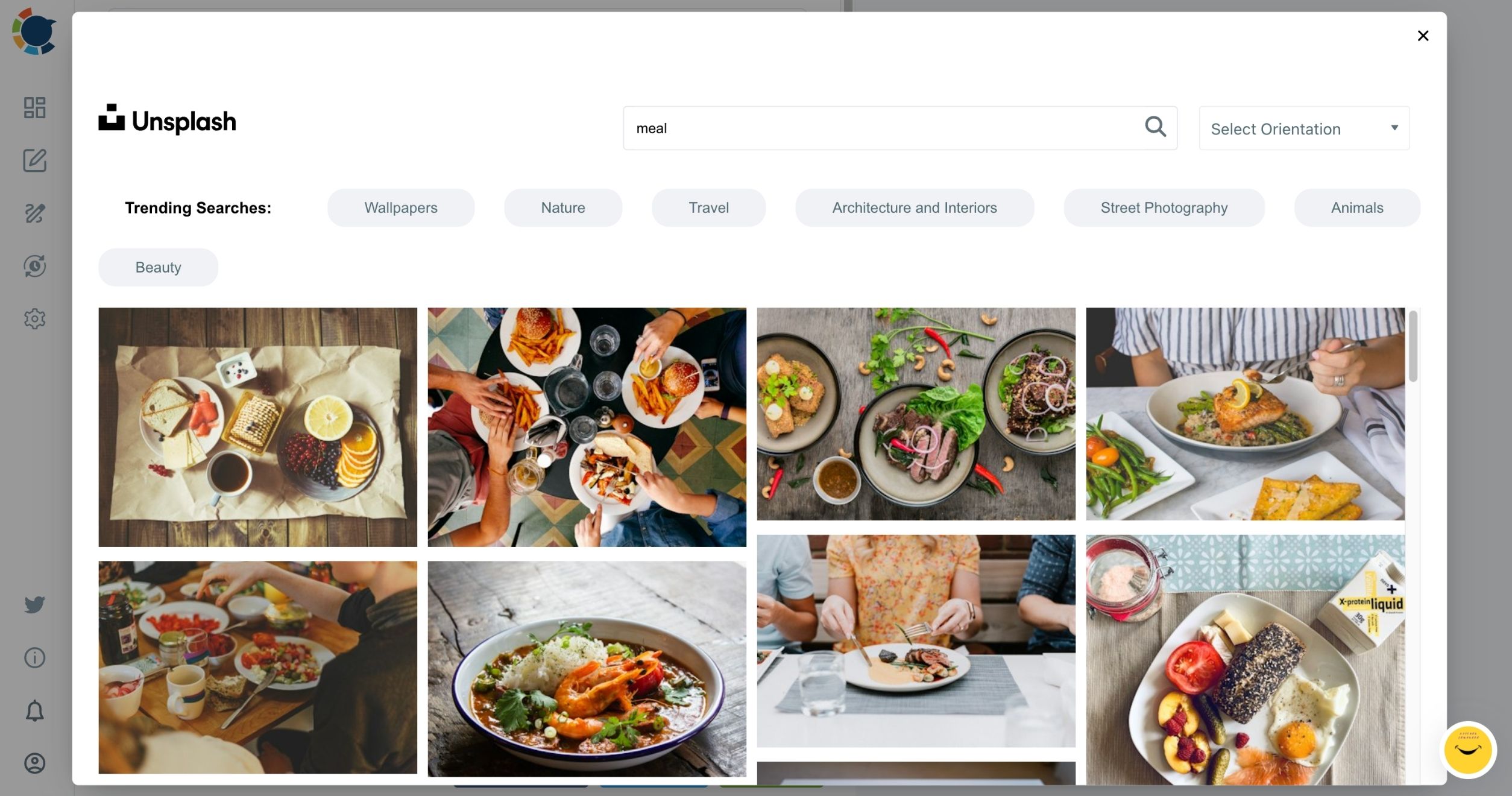
The picker above is the one many owners lean on most, because a post with no photo on hand still needs an image, and a quick search finds a usable one in a few clicks.
Timing posts so a repaired listing stays current
Timing is the second lever. The Google My Business scheduler lets a week or a month of posts be prepared in one sitting, each with its own date and time.
The Schedule window also offers suggested slots. The best time to post on Google Business Profile suggestions follow when that profile's customers search and act.
For owners with several locations, one post can go to every selected profile in a single action, and a saved Share Group makes that selection one click. If only one profile is connected, the composer selects it automatically.
A Queue adds recurring time slots for each profile, and Post to Queue fills the next free one with no date to pick.
The clip above runs through one post from blank composer to finished draft.
Three follow-up questions usually come next, and each has a short answer:
- To show up for more than the business name, aim Standard posts at questions customers search, not at the brand.
- To stop the listing going quiet again, schedule a steady stream of posts rather than one burst after the fix.
- To cover the setup side in one pass, run a full optimization checklist inside Google once and leave the posting to the schedule.
A complete-but-silent listing rarely climbs; a complete listing that posts every week keeps giving Google a fresh reason to show it.
The one sentence to remember about Google Maps visibility
Google decides whether a listing can appear, and the owner decides whether it has anything worth showing.
→ Fix the group you are in, then keep the profile talking: plan weekly posts in the Google Business Profile manager.
Google Maps visibility: Frequently Asked questions
How can I check where my business ranks on Maps without searching it myself?
Read the profile's own numbers instead of your personal search results, which change with your location and history. Profile views and the search queries that led people to the listing show whether it is being found for category searches, and Circleboom's post analytics shows which posts led to calls, clicks and direction requests.
Does removing a duplicate Google Business Profile delete anything?
Yes. Google says removing a profile deletes its content and linked managers, so confirm which one is the duplicate first; a duplicate created by mistake can be removed without affecting the verified listing.
Do I need a new Business Profile after moving to a new address?
No. Google says to update the existing profile with the new address instead of creating another one, since a second profile for the same business is treated as a duplicate.