Bluesky Auto Reposter
Auto Reposter lets you automatically re-share your post after a set delay with Circleboom!






Circleboom : An Official Enterprise Developer
"Work with a trusted X Official Enterprise Developer to expand what's possible for your business. Each Official Enterprise Developer has been selected for the program after an extensive evaluation, and represents excellence, value, and trust." — X (Twitter)Circleboom Publish Tool

AUTO REPOST YOUR BLUESKY POSTS AFTER ONE HOUR
Your followers may not see your post the first time due to different time zones or busy feeds. With automatic reposting after one hour, you give your content a second chance to reach a wider audience. This feature ensures that your important updates, promotions, or insights get the attention they deserve without having to manually reshare them.

SCHEDULE AUTO REPOSTS FOR MULTIPLE BLUESKY ACCOUNTS
Are you managing multiple Bluesky profiles? Posting the same content manually across different accounts can be a hassle. With Circleboom, you can automate reposting across multiple accounts simultaneously, ensuring a consistent online presence for your brand, business, or personal projects. No need to log in and out—manage everything from a single dashboard and let Circleboom handle the work for you.

AUTO DELETE REPOSTS AFTER A SET TIME
Don’t want your profile cluttered with repeated posts? With Circleboom, you can automatically delete reposts after a specific period. This keeps your profile clean and professional while still allowing you to take advantage of reposting. Whether you want to remove reposts after a day, a week, or any custom timeframe, Circleboom gives you complete control.

CUSTOMIZE YOUR AUTO REPOST SETTINGS
With flexible automation settings, you can adjust reposting frequency, set specific times, and even exclude certain posts from being reshared. Circleboom’s smart controls let you fine-tune your reposting strategy to match your content goals, ensuring you maintain a professional and engaging Bluesky profile.

CIRCLEBOOM BLUESKY AUTO REPOSTER
Circleboom’s Bluesky Auto Reposter ensures that your most valuable posts stay visible by automatically resharing them at strategic intervals. Whether you want to maximize engagement, remind your audience of important updates, or maintain a steady content flow, this tool makes it seamless. Set your reposting rules once, and Circleboom will keep your content fresh without manual effort.

AUTO REPOST YOUR BLUESKY POSTS AFTER A CUSTOM INTERVAL
A one-size-fits-all reposting schedule doesn’t work for everyone. That’s why Circleboom allows you to customize your repost intervals based on your audience’s activity. Whether you want to repost after two hours, once a day, weekly, or at a completely custom frequency, you can fine-tune your reposting strategy to match your engagement goals.

MULTIPLE REPOST CYCLES FOR MAXIMUM REACH
Some content deserves more than a one-time repost. With multiple repost cycles, you can keep important posts resurfacing periodically. Set your posts to be reshared at intervals that make sense for your strategy—daily, weekly, or even over the course of months. This feature is perfect for promoting evergreen content, reminders, or marketing campaigns that need continuous visibility.

UNDO REPOSTS WITH A SINGLE CLICK
Accidentally reposted something you didn’t mean to? Circleboom’s one-click undo feature allows you to remove unwanted reposts instantly. Stay in full control of your content without worrying about mistakes or unwanted automation.

YOU ARE IN SAFE HANDS WITH CIRCLEBOOM!
Security and reliability are top priorities when it comes to social media automation. Circleboom ensures your data is safe, your reposts follow ethical guidelines, and your account remains compliant with Bluesky’s policies. Trusted by businesses, content creators, and professionals, Circleboom provides a secure, hassle-free solution for Bluesky auto reposting without risks.
Auto Reposter for Bluesky
Find out how to auto-repost your Bluesky posts safely and quickly with Circleboom:
First, you should be a Circleboomer. Go to your browser and find Circleboom Publish.
You need a few seconds to create a new account if you are new to our platform.
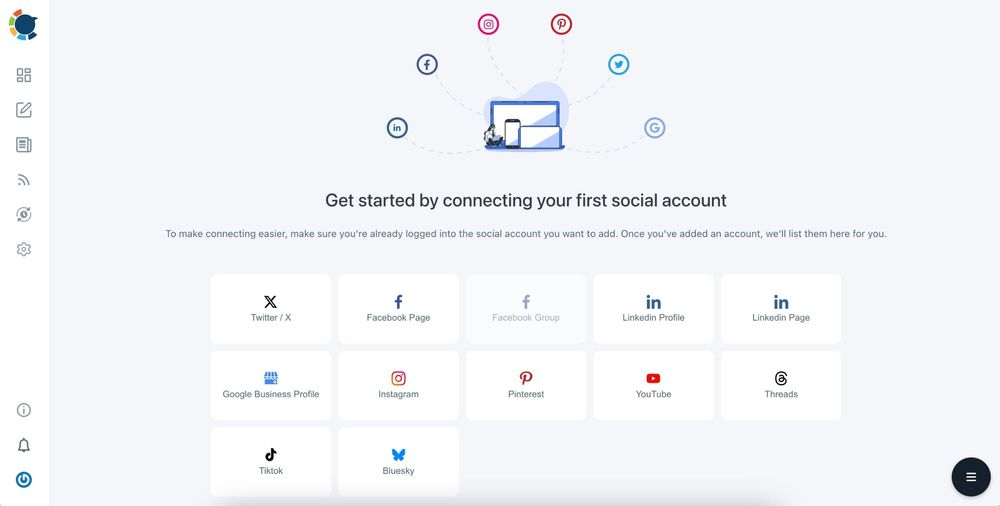
The first page displays options for Twitter, Facebook, LinkedIn, Google My Business, Instagram, YouTube, Pinterest, Threads, TikTok, and Bluesky.
You can connect your accounts to the Circleboom Publish dashboard to manage multiple Bluesky accounts and other platforms all in one place!
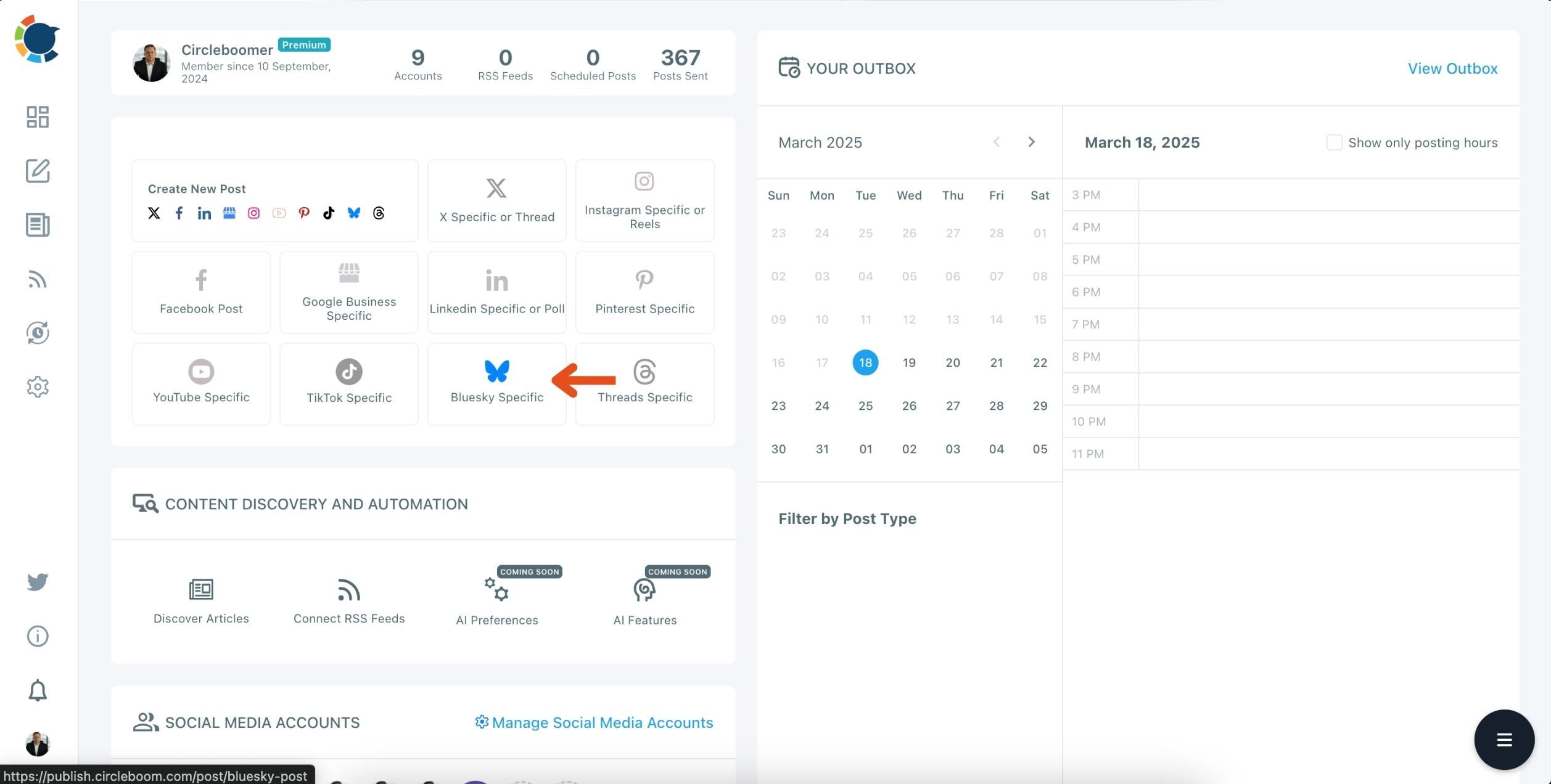
You can create your post by clicking the "Bluesky Specific" button. After that, you'll need to pick your Bluesky account.
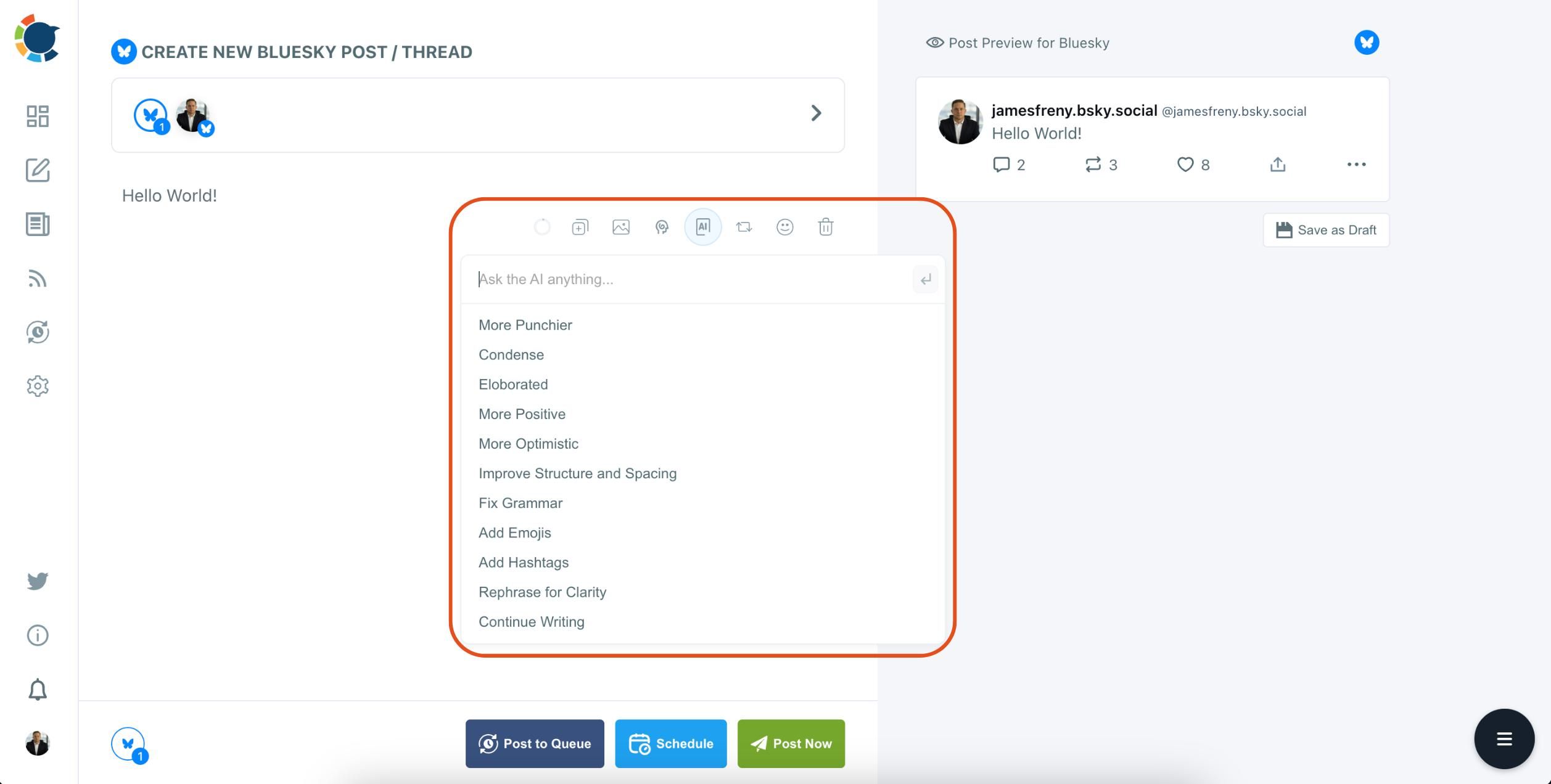
Here, you can access advanced Bluesky publishing features, including the AI Post Generator!
Here, you need to create your post.
As mentioned earlier, you can use our advanced AI Post Generator to assist with crafting your next tweet.
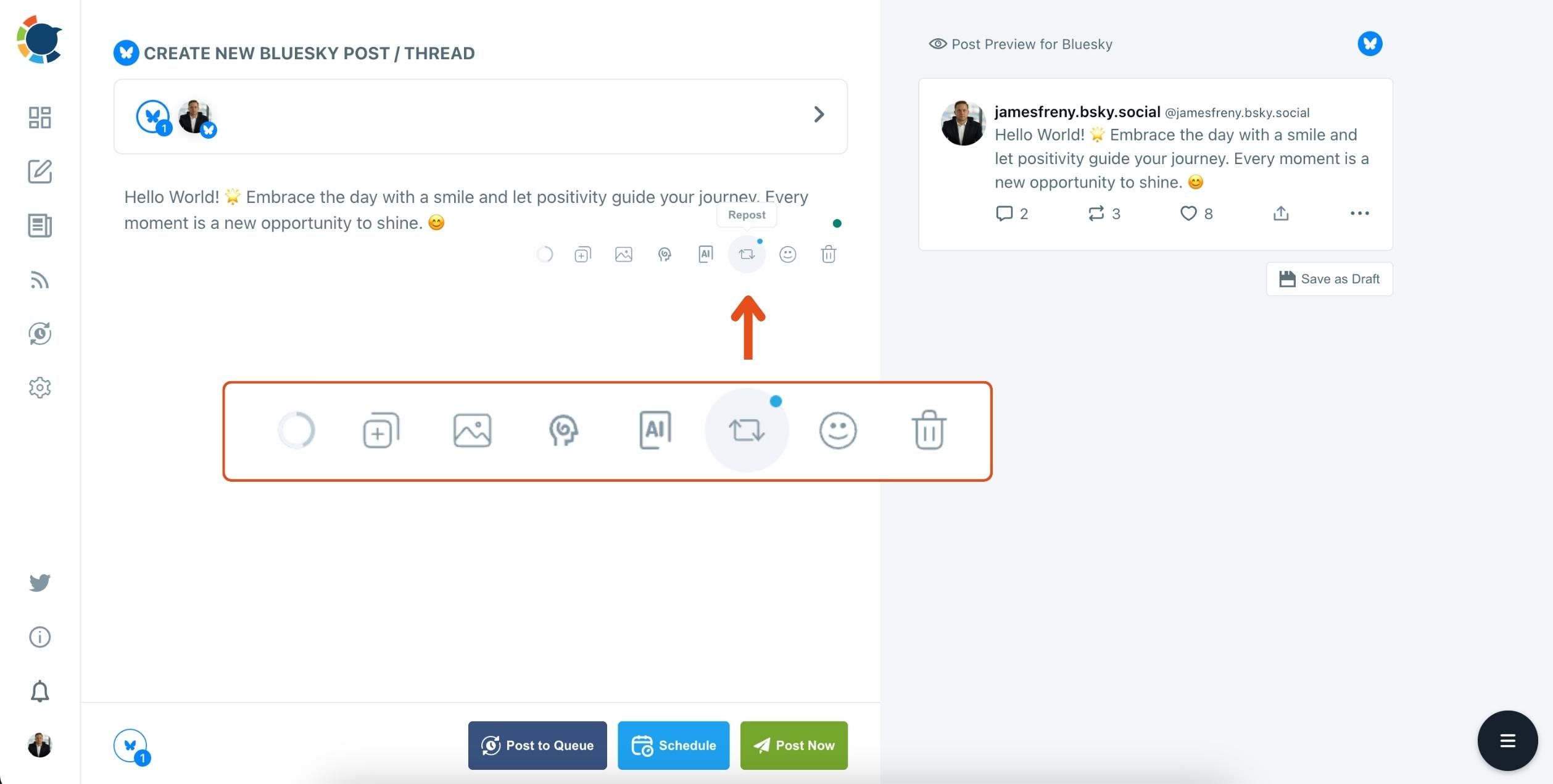
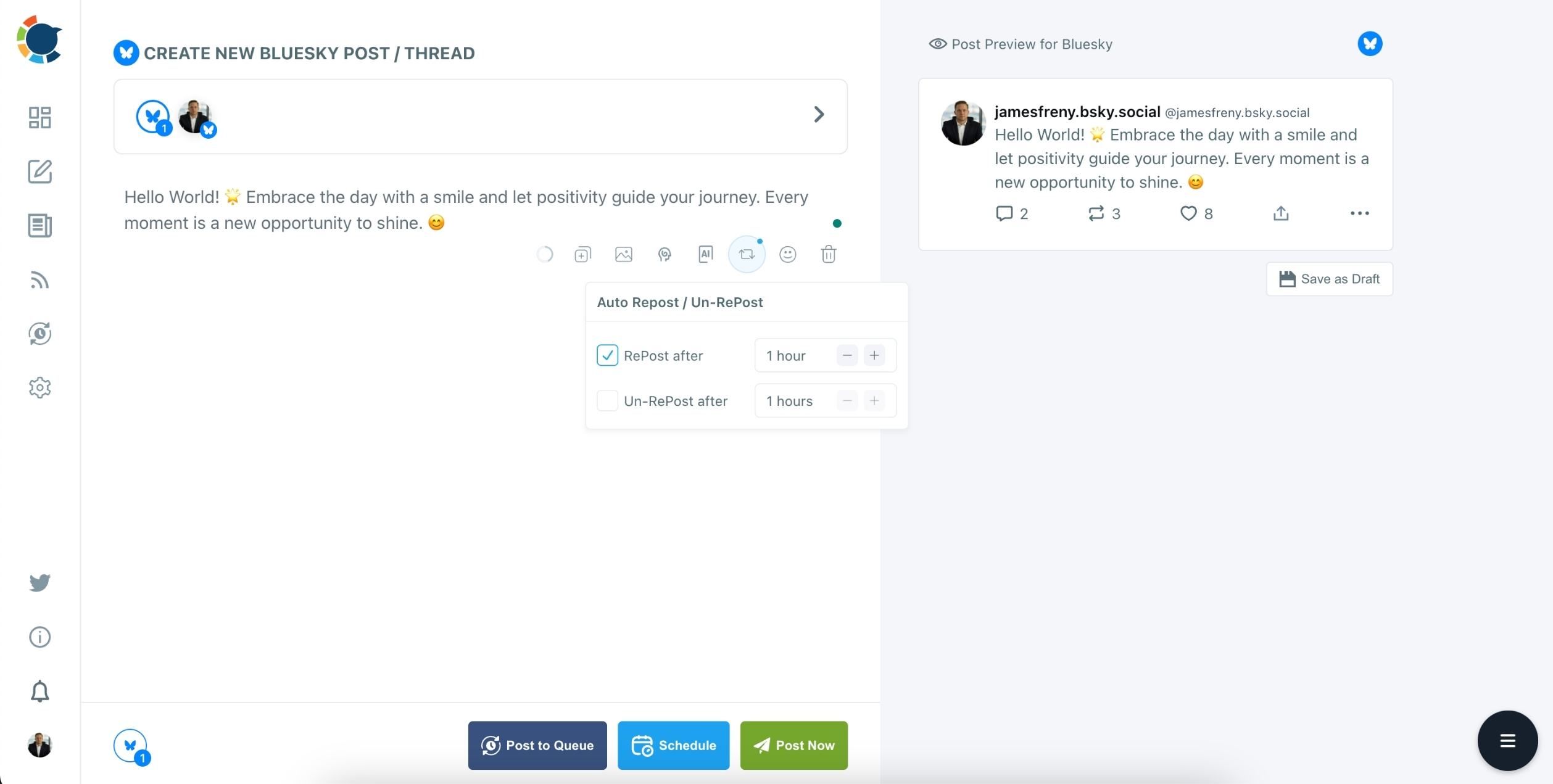
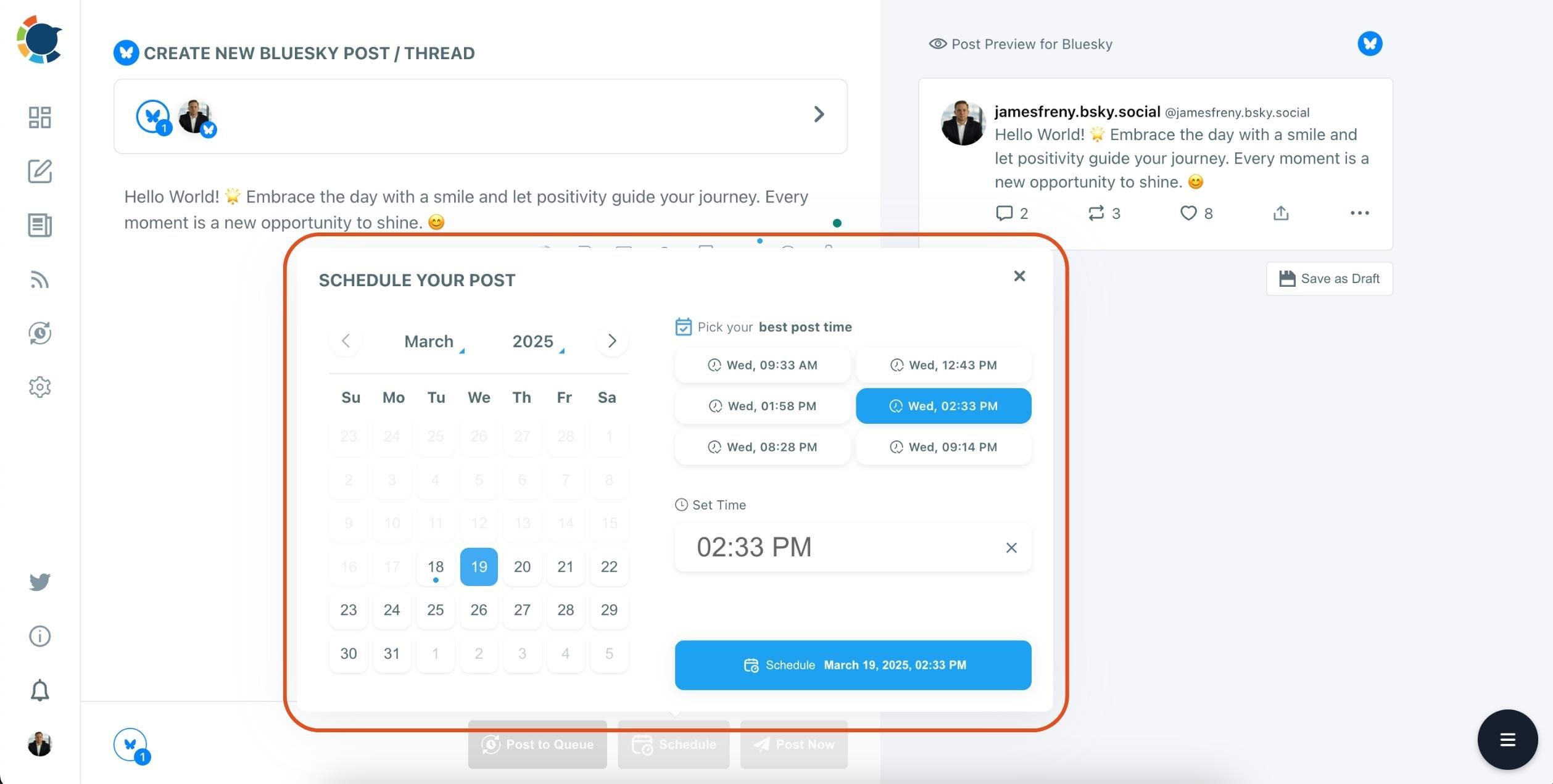
You can set the delay between each repost.
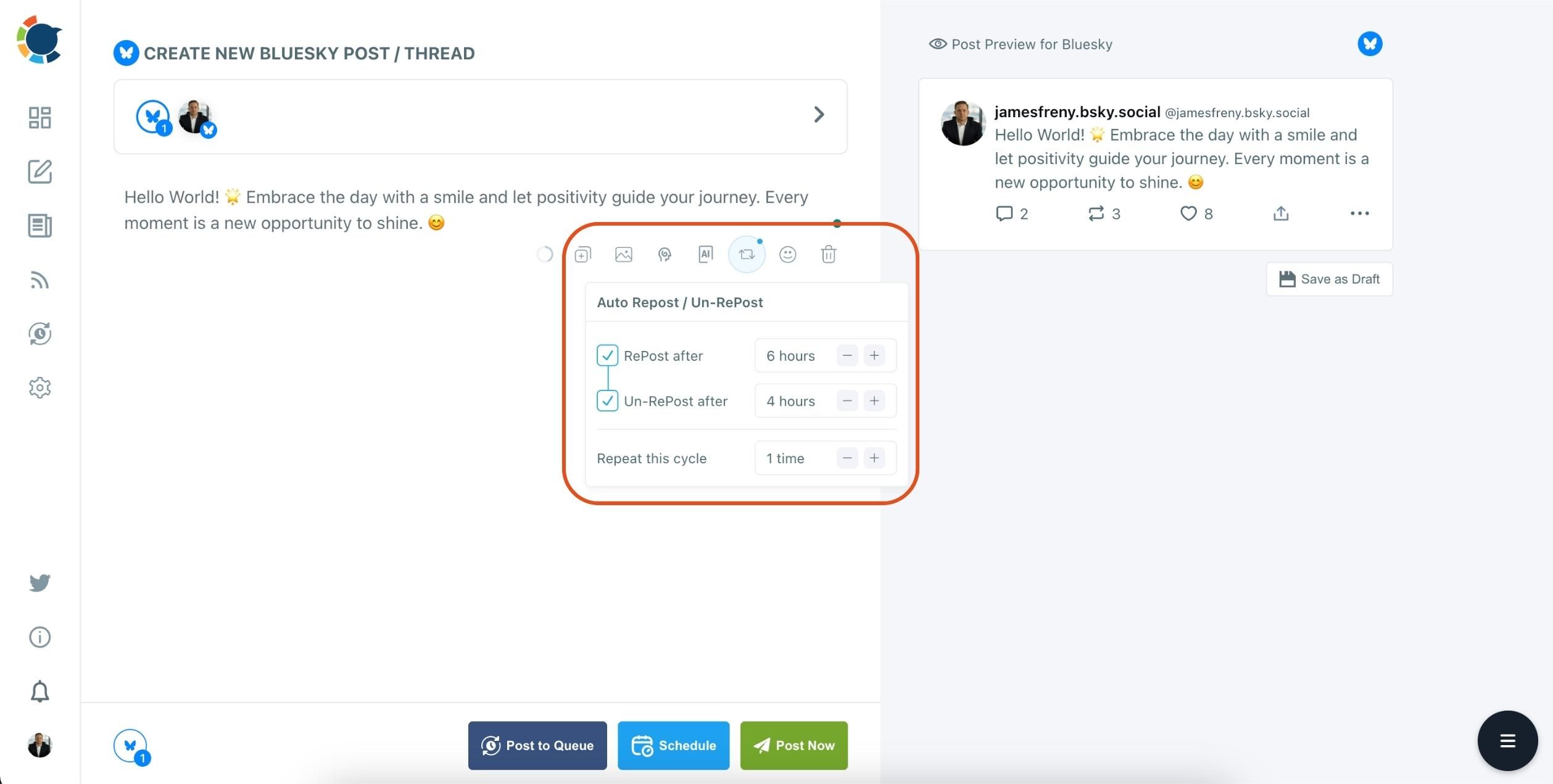
Additionally, you can customize the timing between auto-repost and auto-unrepost.
Frequently Asked Questions (FAQs)
Are you looking for a comprehensive social media scheduler? Take advantage of Circleboom Publish's Twitter Scheduler, Facebook Post Scheduler, LinkedIn Post Scheduler, Instagram Post Scheduler, Google Business Profile Scheduler, YouTube, Threads and Pinterest Scheduler!
Manage all social media in one place! One dashboard, less effort.