"Work with a trusted X Official Enterprise Developer to expand what's possible for your business. Each Official Enterprise Developer has been selected for the program after an extensive evaluation, and represents excellence, value, and trust." — X (Twitter)
Turn your blog, website, or news portal into a Bluesky content powerhouse with RSS automation. With Circleboom’s RSS-to-Bluesky integration, any new content published on your site is automatically shared on Bluesky, keeping your followers updated in real-time. This feature is perfect for bloggers, publishers, and businesses looking to amplify their reach and engage audiences with fresh, relevant content without lifting a finger. Just set it up once, and let Circleboom handle your Bluesky updates automatically.
AUTOMATE BLUESKY POSTS WITH AI-GENERATED CONTENT
Creating engaging Bluesky content regularly can be challenging, but Circleboom’s AI-powered content generator helps simplify the process. It generates relevant and engaging posts, suggests hashtags, and helps you craft attention-grabbing captions. Whether you’re running a business, personal brand, or community, this feature ensures that your content stays fresh, meaningful, and optimized for maximum visibility. Say goodbye to content blocks and hello to smart automation!
QUEUE YOUR BLUESKY POSTS FOR CONSISTENT ACTIVITY
Posting too often at once can overwhelm your audience, while posting too infrequently can cause them to forget you. With Circleboom’s post queue feature, you can plan and schedule content in advance, ensuring your Bluesky profile remains active and engaging. Set up a queue of posts and let Circleboom automatically publish posts at the best times, helping you maintain a steady content flow without manual effort.
AUTO POST TO BLUESKY WITH MULTIPLE OPTIONS
Keeping your Bluesky account active doesn’t have to be a manual task. With Circleboom’s Auto Poster, you can automate your posts in multiple ways and schedule Bluesky posts individually, create a continuous posting queue, or integrate an RSS feed for instant updates. This ensures that your Bluesky account stays fresh and engaging without requiring constant attention. Whether you’re an individual, a brand, or a business, this feature helps you maintain a consistent posting strategy and maximize audience engagement effortlessly.
SCHEDULE POSTS FOR MULTIPLE BLUESKY ACCOUNTS
Bluesky does not provide a native scheduling feature, making it difficult to plan posts in advance. But with Circleboom’s Bluesky scheduling tool, you can easily schedule and automate posts across multiple Bluesky accounts. Whether you manage personal and business profiles, oversee multiple brand pages, or need a streamlined posting process, Circleboom makes it easy. Schedule posts to go live at the right time, maintain consistency, and engage your audience without manual posting.
AUTO PUBLISH BLOG POSTS ON BLUESKY
Turn your Bluesky profile into a content distribution hub by automatically posting your blog articles. With Circleboom’s blog-to-Bluesky feature, every new article you publish can be instantly shared on Bluesky with a customized caption and relevant hashtags. This is an excellent way for bloggers, media outlets, and businesses to drive traffic, extend their reach, and keep their audience engaged. No more manual posting—just effortless, real-time content distribution.
SET UP AUTOMATIC BLUESKY POSTS WITH CUSTOM TIME INTERVALS
Want to post on Bluesky at specific times? With Circleboom, you have full control over your posting schedule. Whether you want to post every hour, once a day, or on specific dates, you can set custom time intervals for automation. This feature is ideal for businesses, marketers, and content creators who need precision timing to reach their audience across different time zones and maintain a consistent posting rhythm.
Haven't you got a Circleboom account yet? Don't worry, you can grab yours in a matter of seconds!
2
02
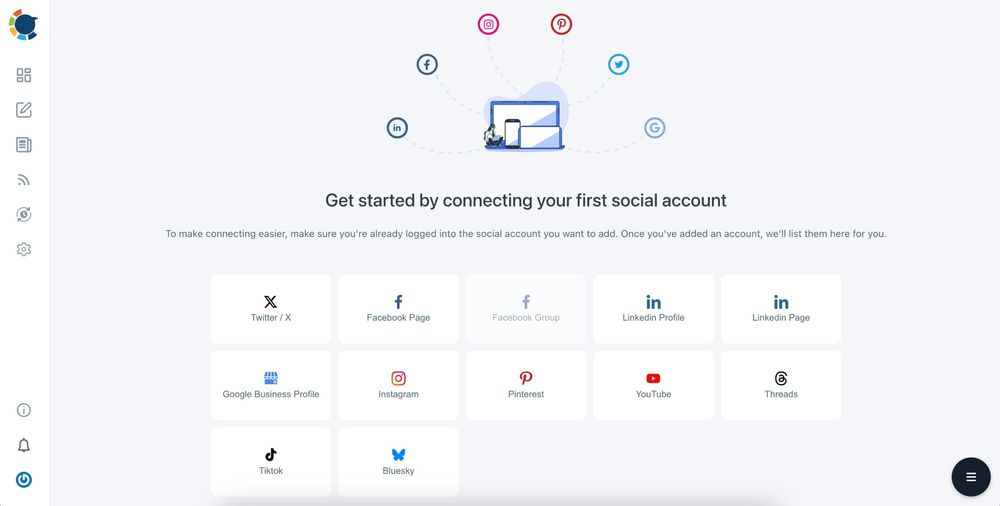
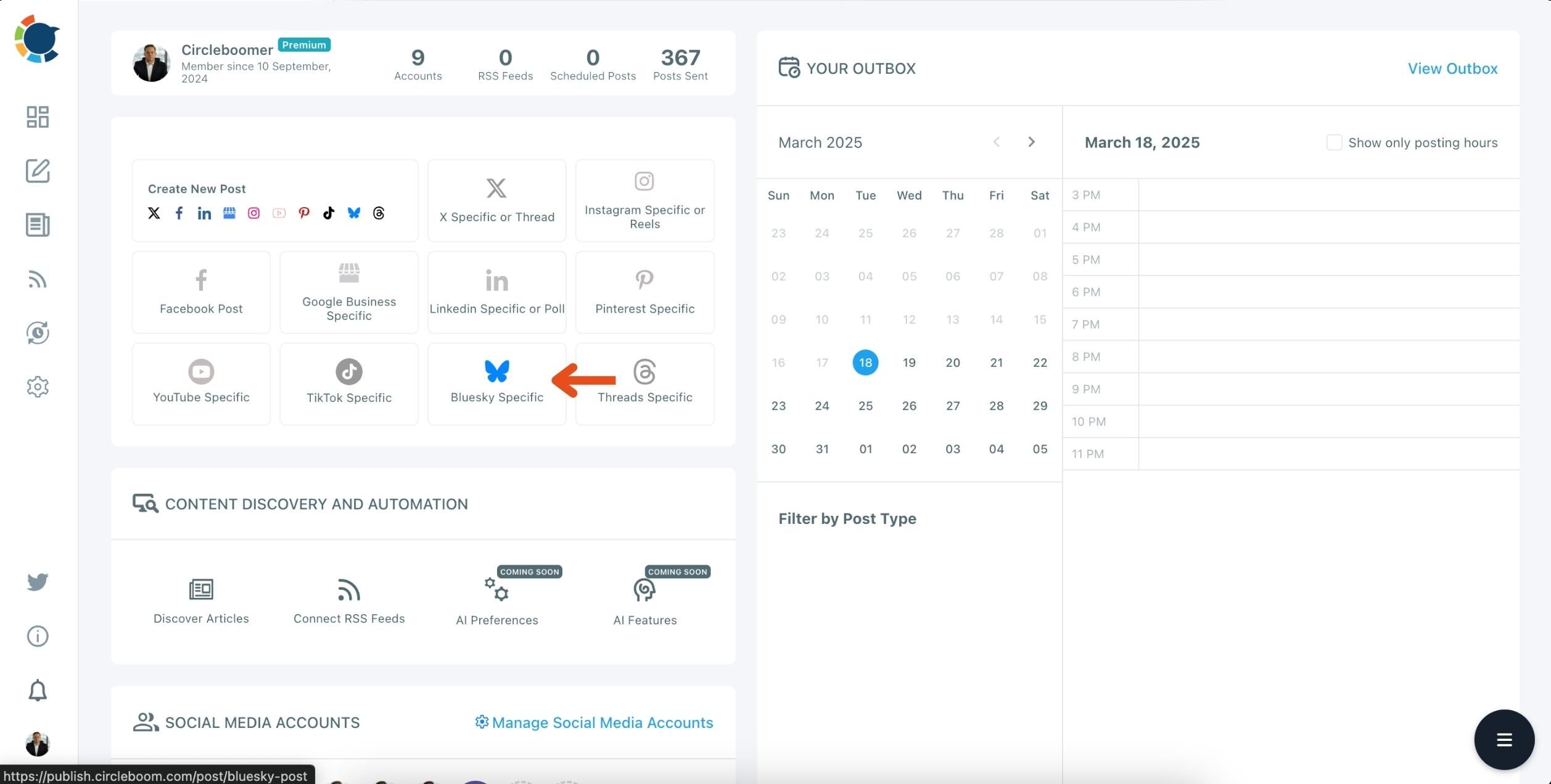
You'll find Twitter, Instagram, Facebook, Pinterest, LinkedIn, TikTok, YouTube, Google Business Profile, Threads, and Bluesky options on the opening page.
Here, you can start by adding your Bluesky accounts to Circleboom Publish. Yes, plural! You can manage multiple Bluesky accounts on Circleboom's same dashboard.
3
03
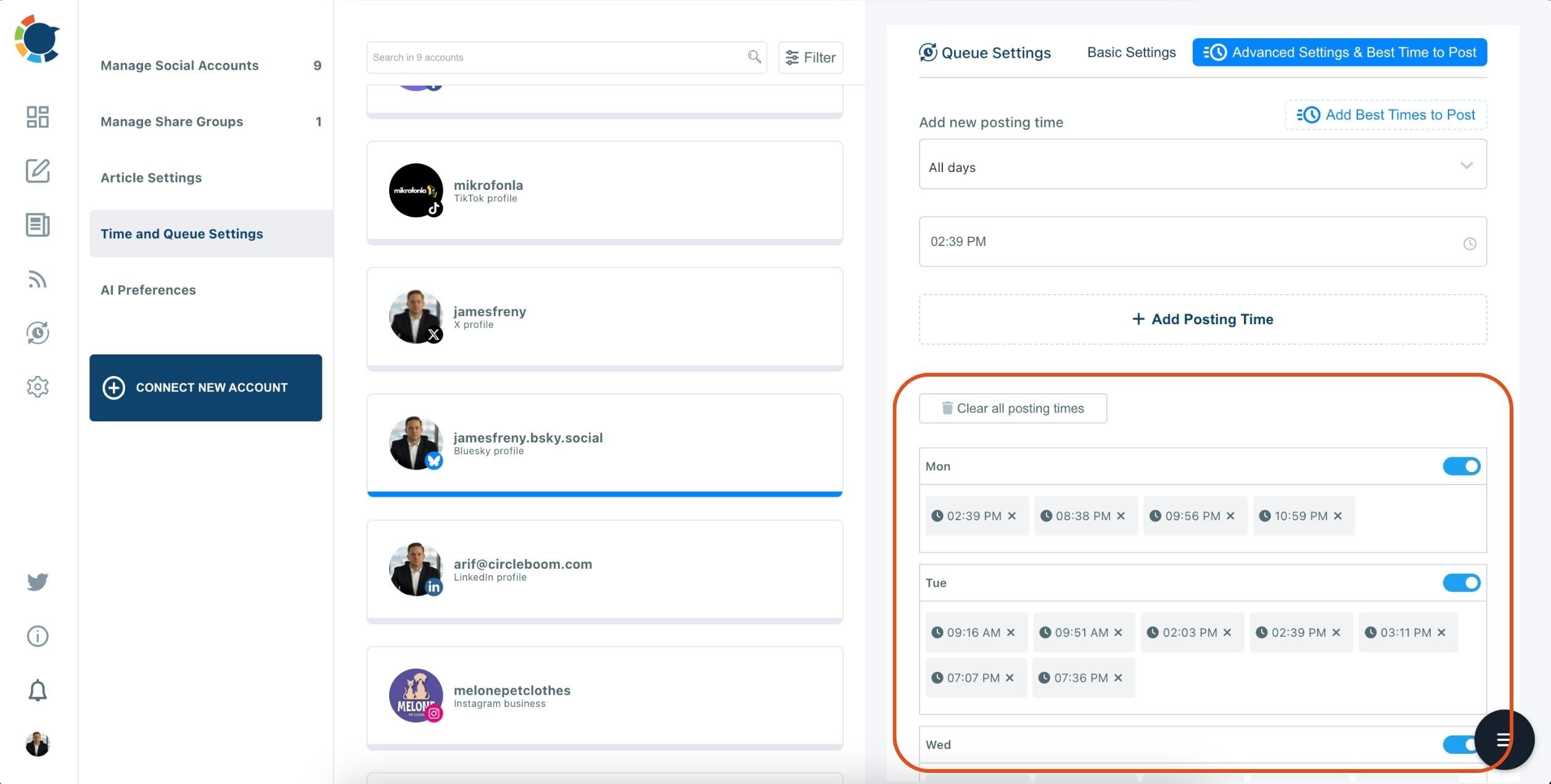
Now you can set up your content calendar to pick the posting slots for your Bluesky auto posts. This way, you won't have to manually select the times to share for each new post.
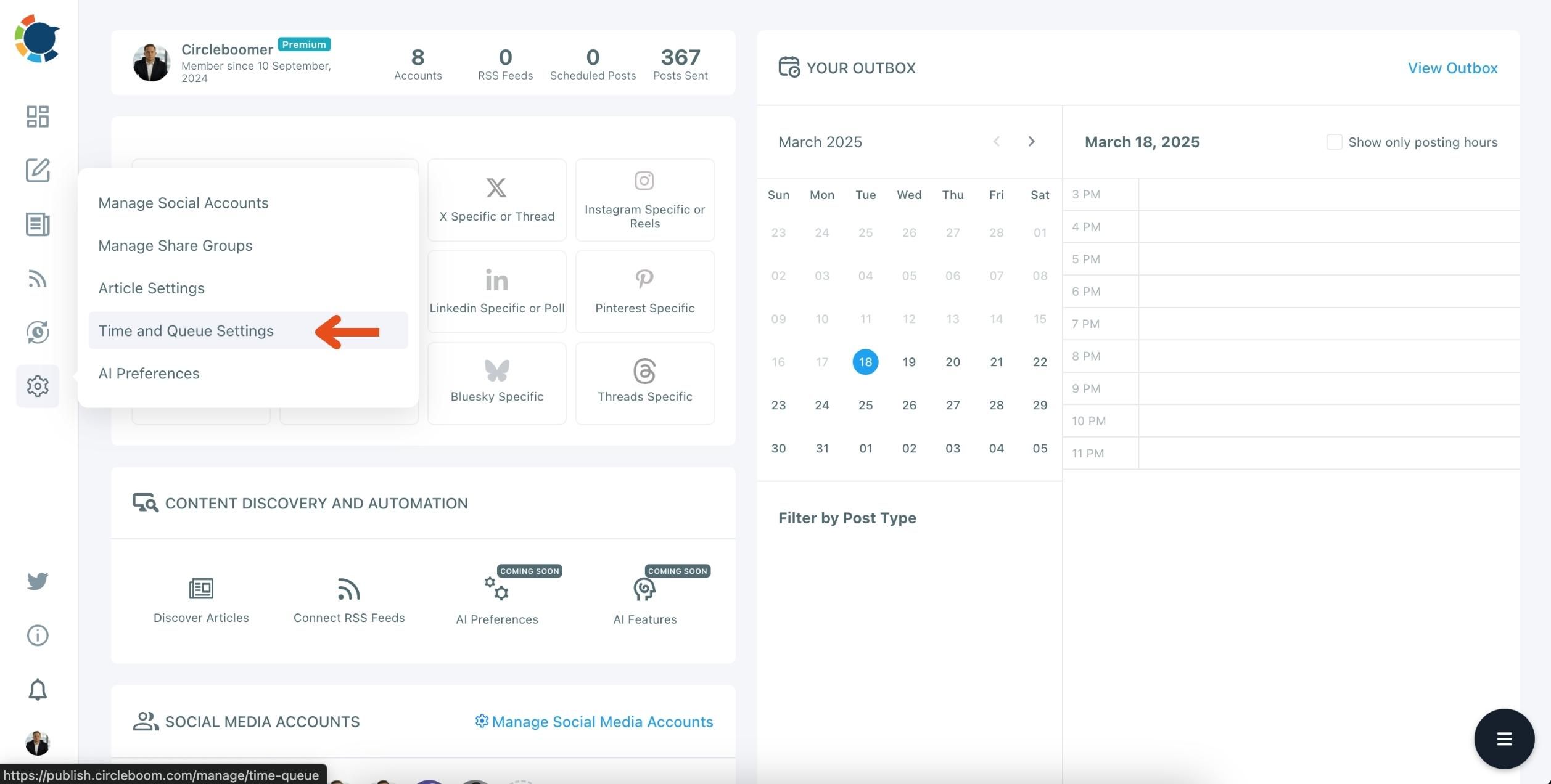
Hover to your account settings from the left hand menu and click "Time and Queue Settings".
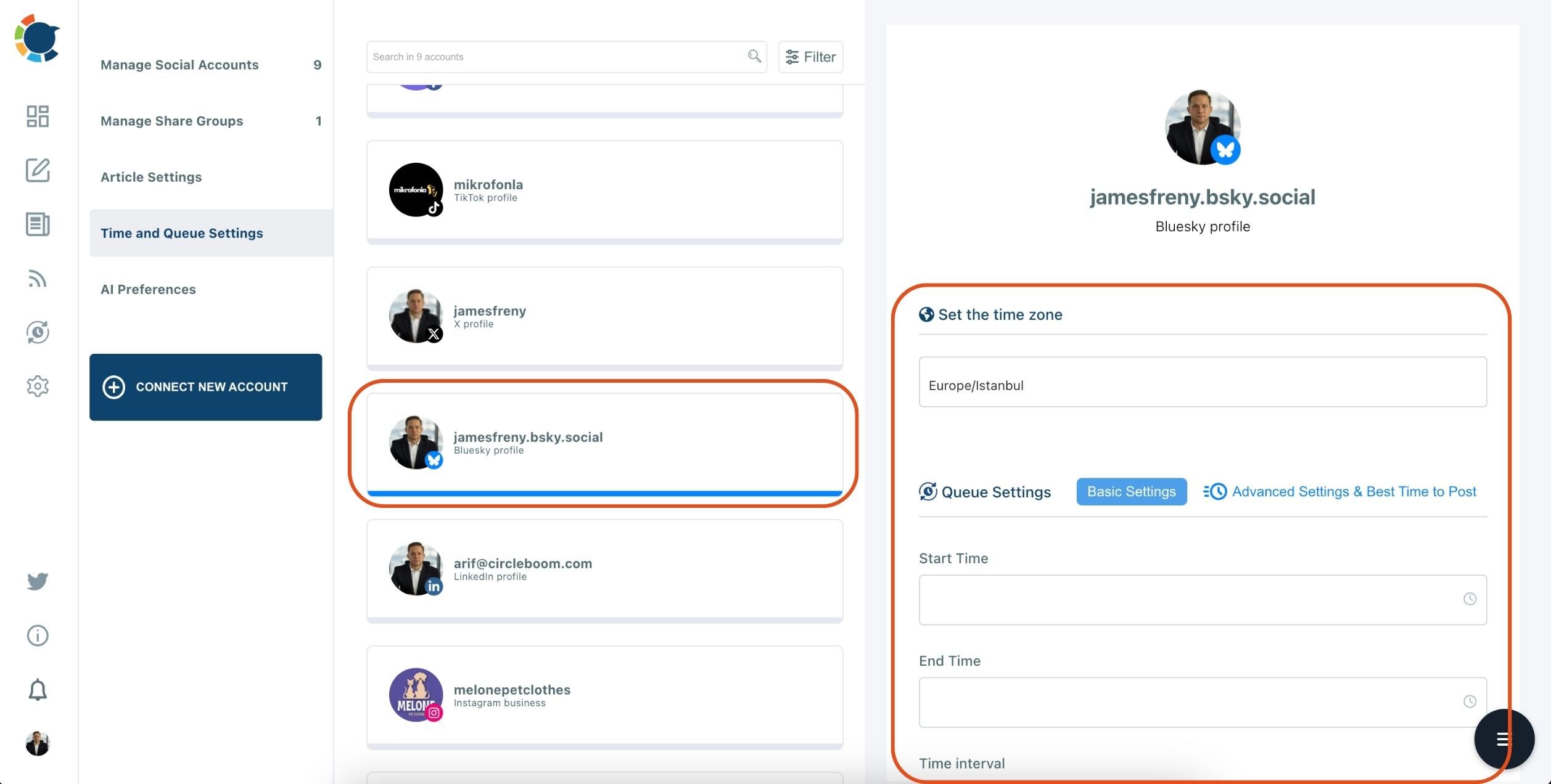
You can set each account's time zones and calendars individually, choosing basic or advanced settings. For basic settings, you can set how often the posts should go in a given time interval.
With advanced settings, you can set up an entire weekly calendar, either by adding each slot manually or picking up the best times to post on each platform with a single click!
4
04
You are now ready to start automating your Bluesky posts.
You can create your post by clicking the "Bluesky Specific" button. After that, you'll need to pick your Bluesky account.
5
05
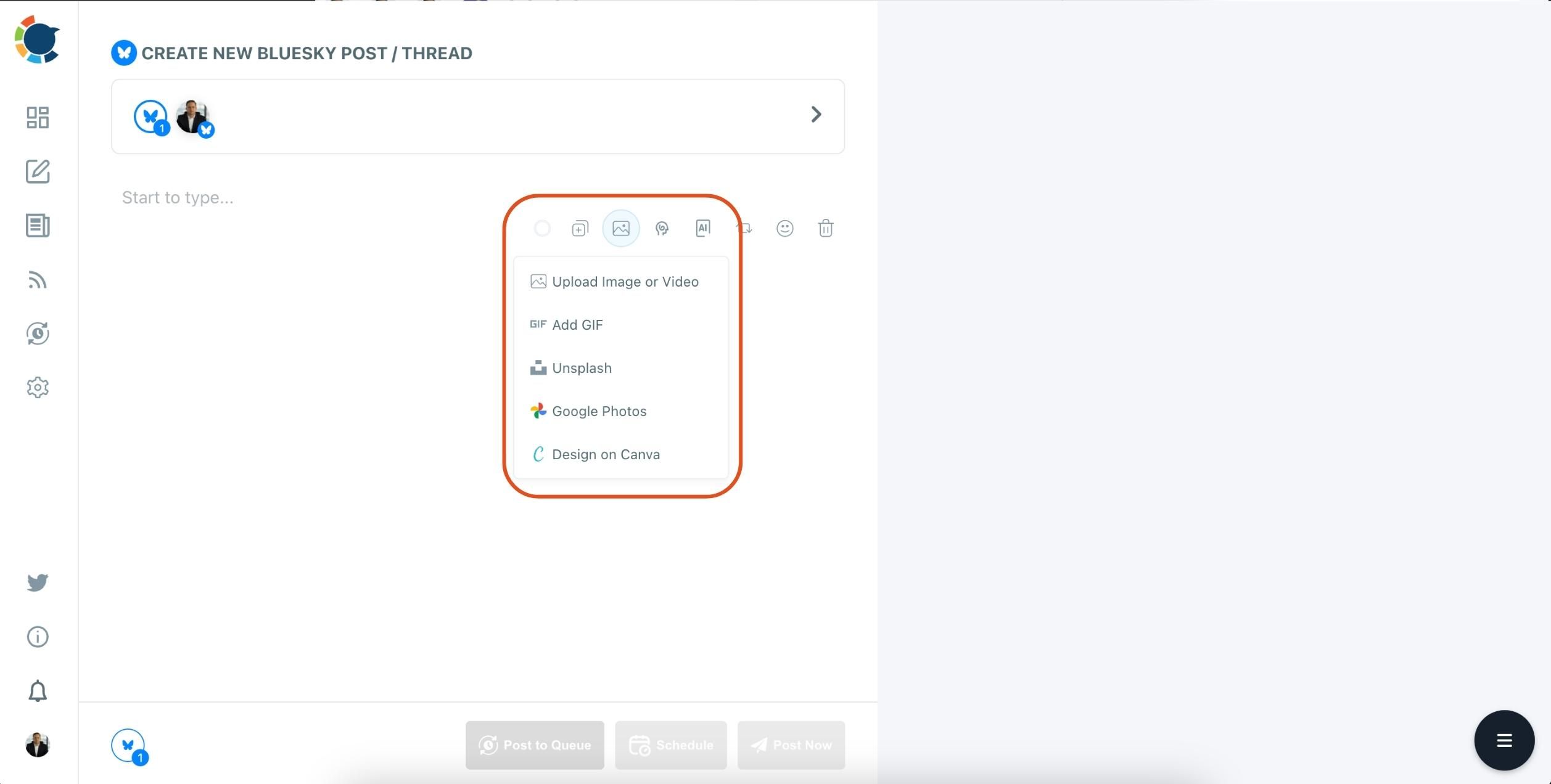
If you'd like to add any visual element's to your Bluesky post, you can start using Circleboom's design tools.
You can upload your own visuals or use Circleboom's Bluesky post design features, including Canva (with ready-made post templates), Unsplash, Giphy, and Google Photos on the same board.
6
06
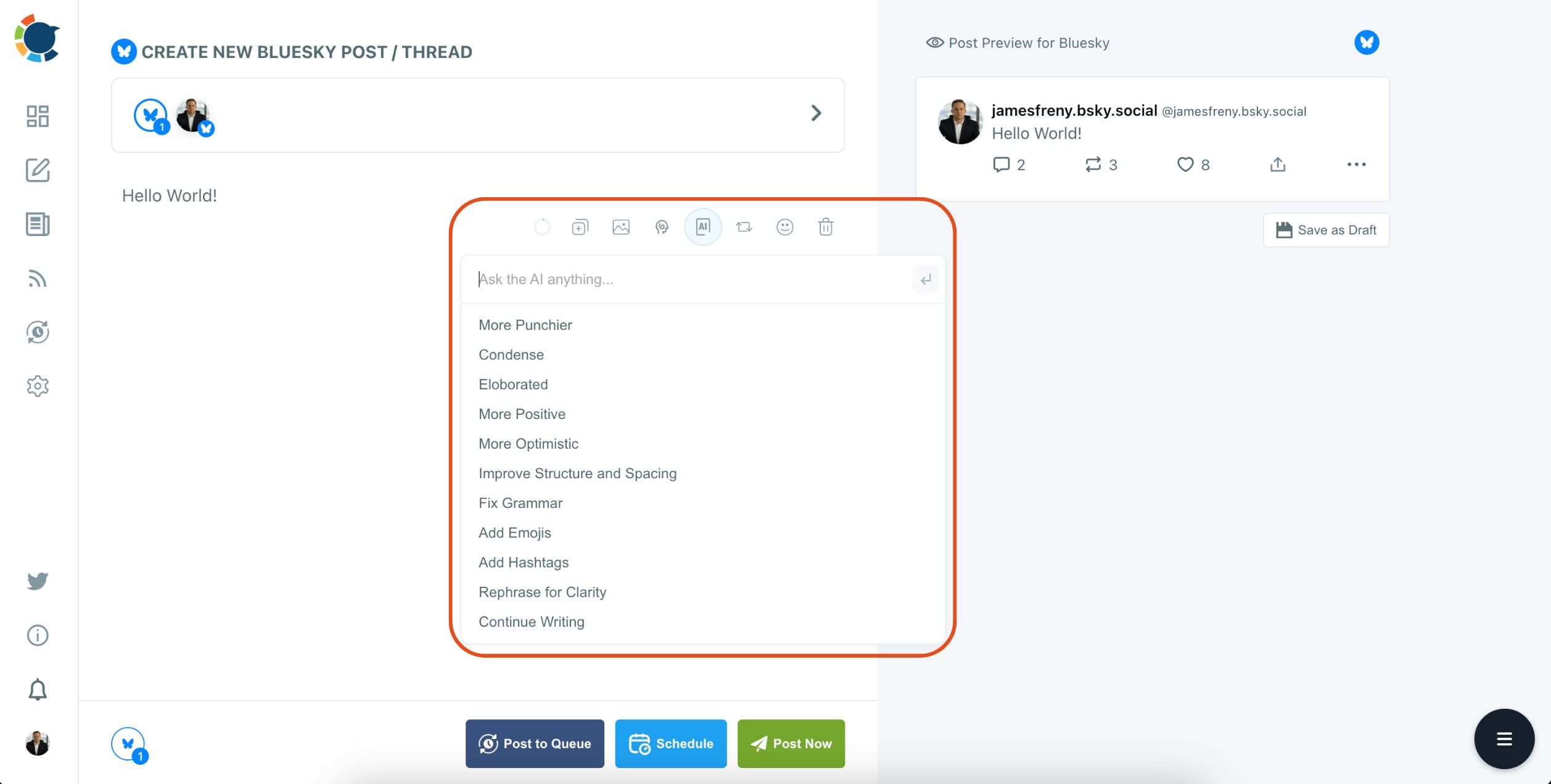
When it comes to your texts, you can automate Bluesky content with AI-generated captions from scratch or improve existing ones - both with the help of Circleboom's built-in AI.
It lets you add hashtags and emojis, set the tone of voice, apply grammar checks, or even translate your existing text into another language.
7
07
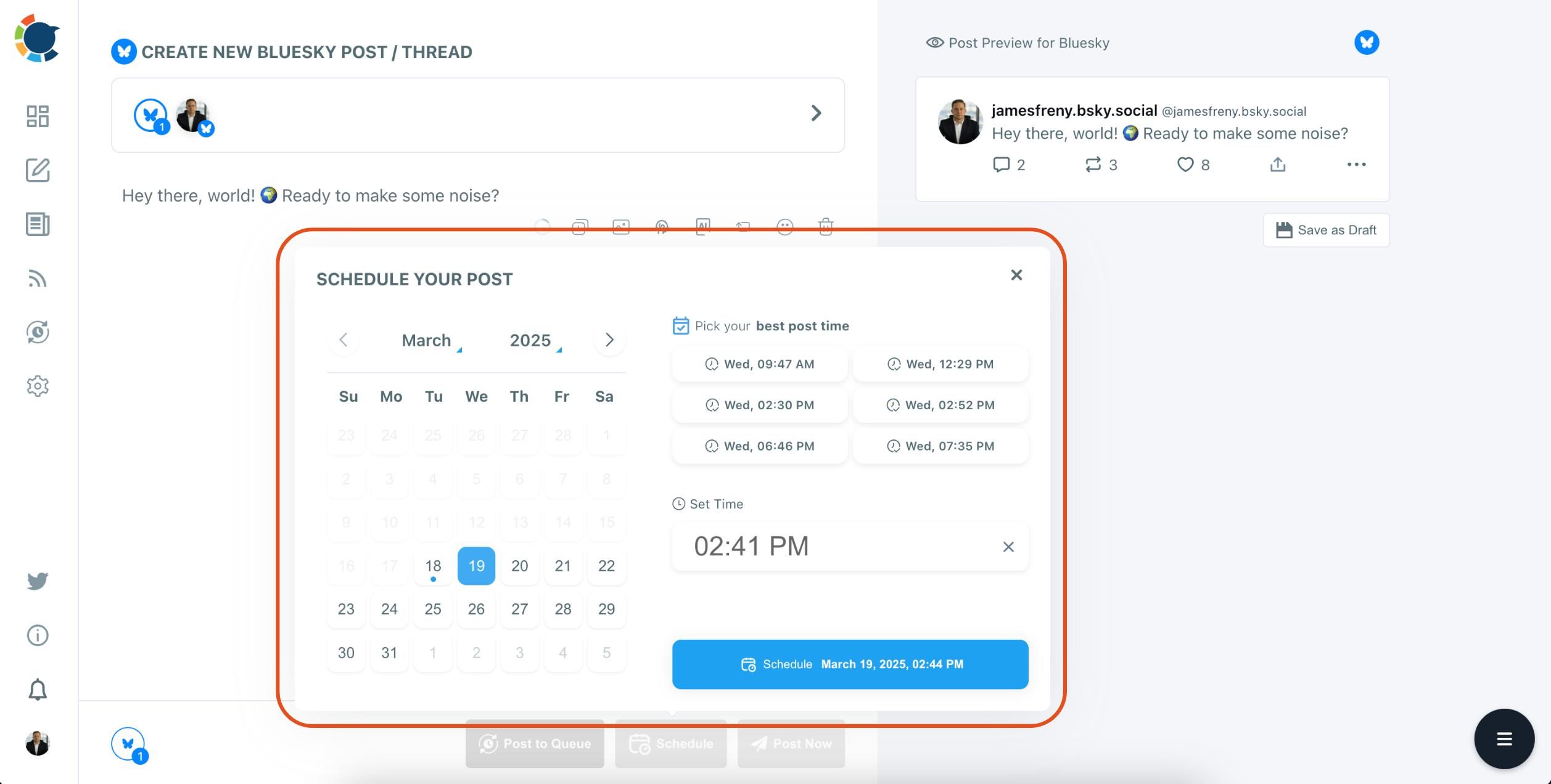
Once you're done with your content, you can share your post immediately, or you can schedule it for the future for the sake of Bluesky automation.
You can also add your posts to the queue, allowing you to auto post to Bluesky in line with your calendar.
8
08
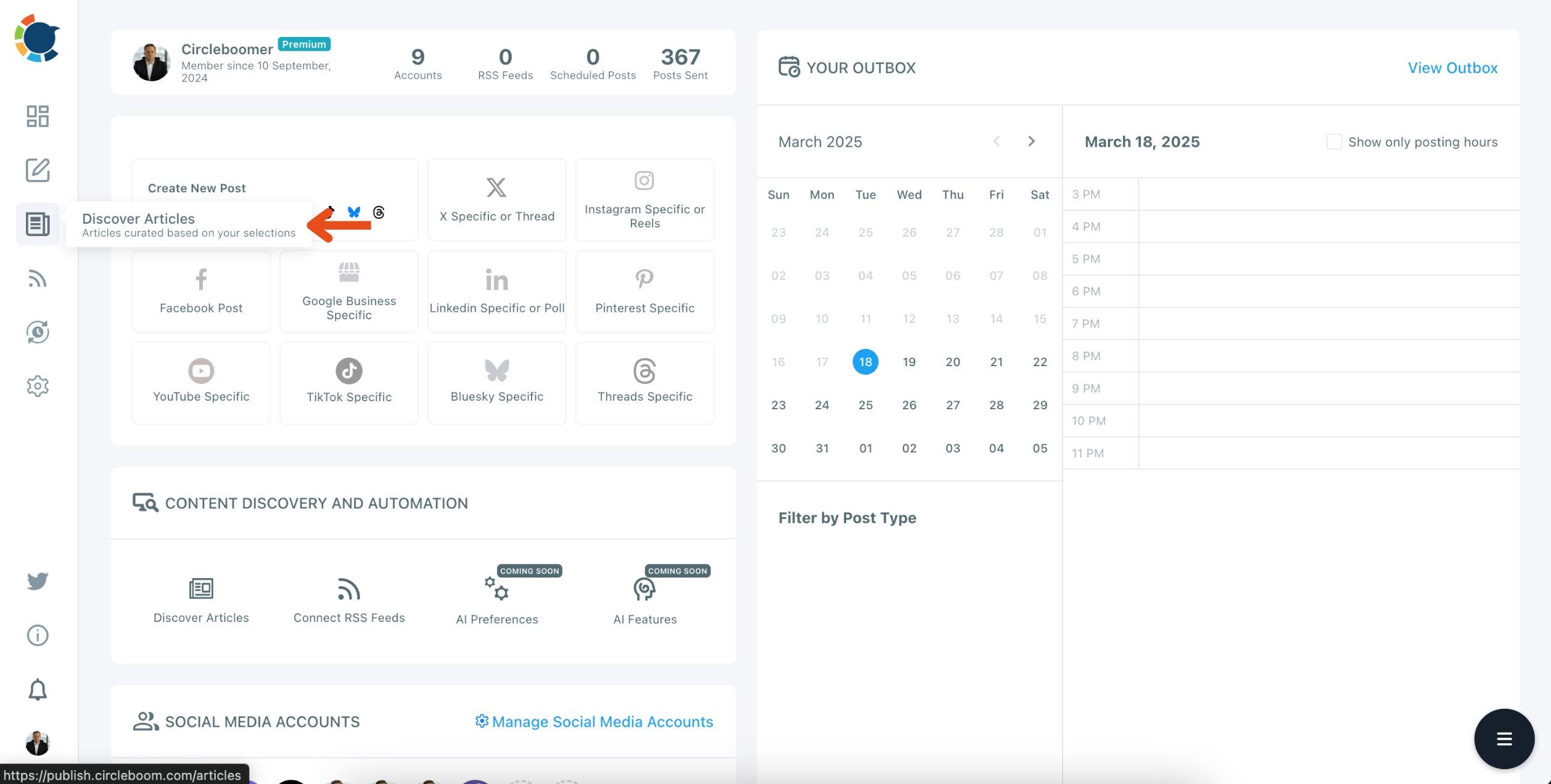
You can also use Circleboom's "Discover Articles" feature to curate articles from globally reputed magazines, journals, and newspapers based on your interests.
Just hover towards the left menu and click "Discover Articles".
9
09
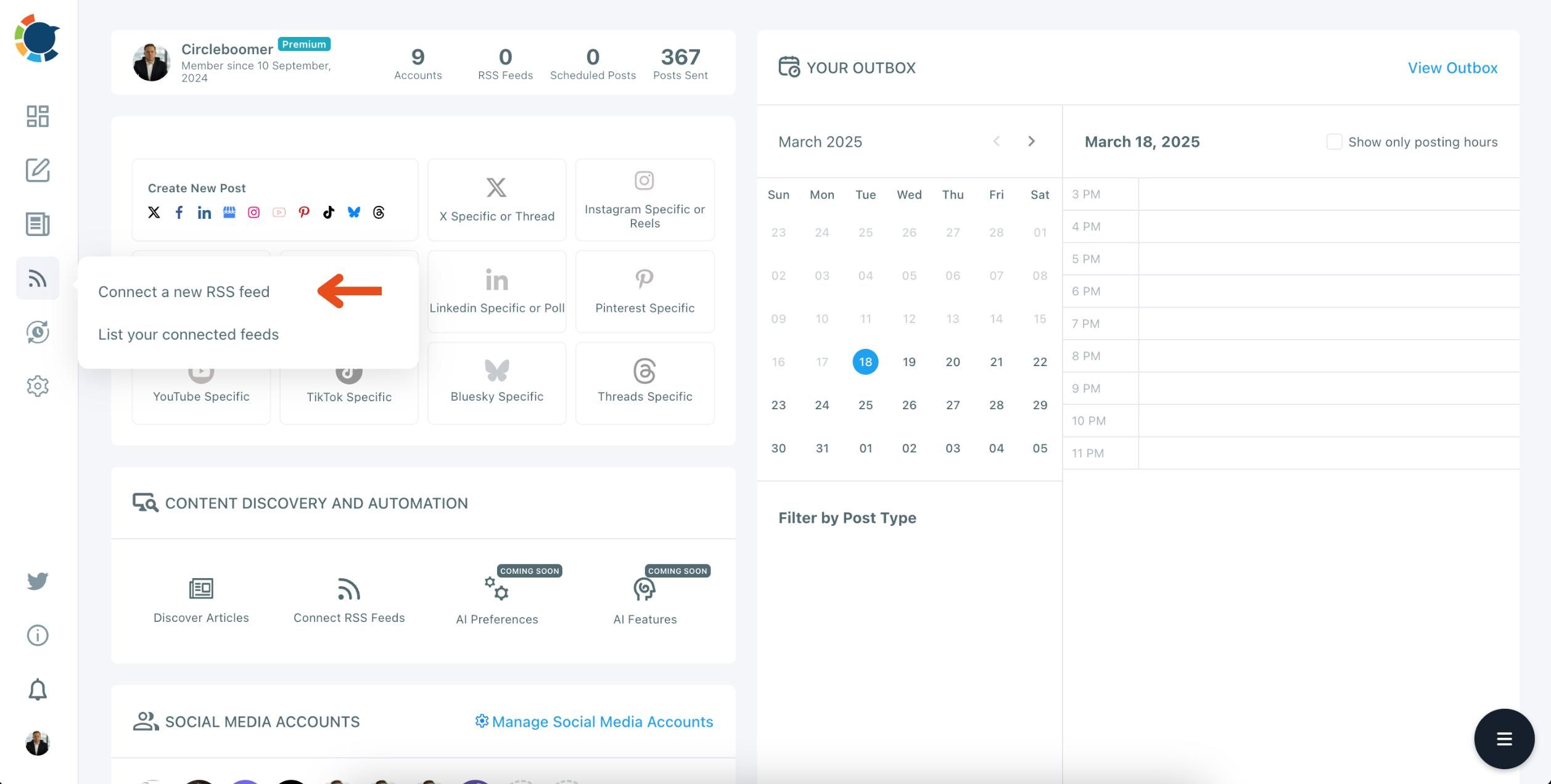
Or you can choose to connect RSS Feeds to Bluesky and enjoy the true Bluesky automation!
Just find the sign of RSS Feeds from the left menu and click “Connect a new RSS Feed”
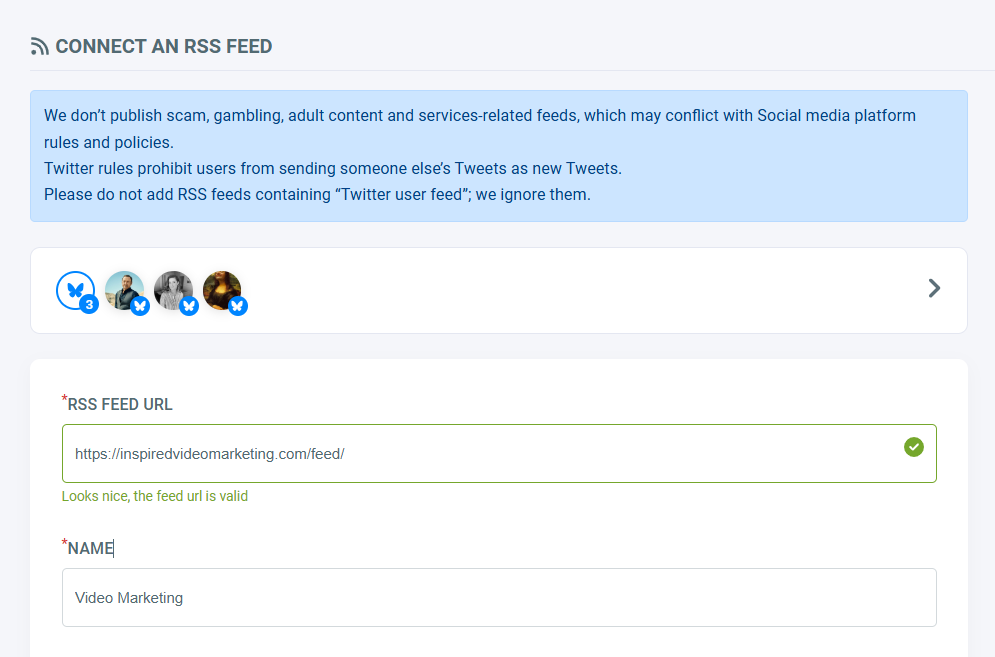
Then choose your account and enter the details like RSS Feed URL, “Begin With” and “End With” texts.
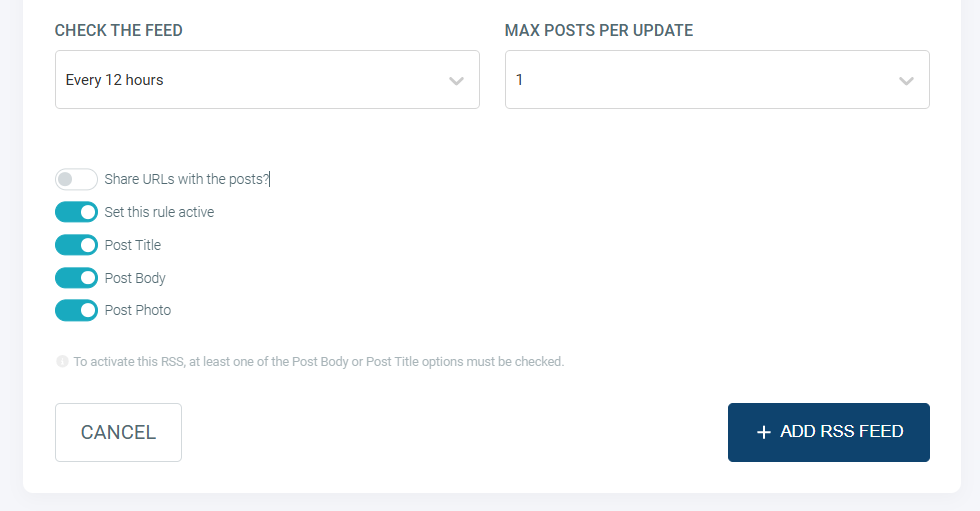
Lastly, you should set the frequency at which the source of the RSS feed is checked (once a day, every hour, every 15 minutes, etc.), and the number of posts per check. Also, the details like whether you want to share the title, body, or a photo with your automated RSS post.
[1] Everyone deserves to use good products. That's why we're committed to ensuring our platform remains cutting-edge and meets your needs through ongoing enhancements.